PowerProtect Data Manager DM5500 Appliance: Day 1 configuration fails due to Time sync issue between NTP server and the Appliance
Summary: PowerProtect DM5500 Appliance: Day 1 initialization fails with error Time difference xxxxx sec between NTP server, and Appliance exceeded the maximum allowed difference of 600 s even though there is correct time set in NTP server. Day 1 configuration fails due to Time sync issues between the NTP server and the Appliance. ...
This article applies to
This article does not apply to
This article is not tied to any specific product.
Not all product versions are identified in this article.
Symptoms
Even with the correct time is set on the NTP server. Day 1 may fail with the error Time difference xxxxx sec between NTP server and Appliance exceeded the maximum allowed difference of 600 s. Day1 configuration fails if the time off more than 5 minutes between the NTP server and the appliance. With an error code, of CONN0142 or CONN0100
Day1 configuration may fail at 50% with the error message:
Time difference xxx.xxx sec between NTP server and Appliance exceeded the maximum allowed difference of 600 seconds.PowerProtect Data Manager Appliance UI may show the following error for Day1 configuration: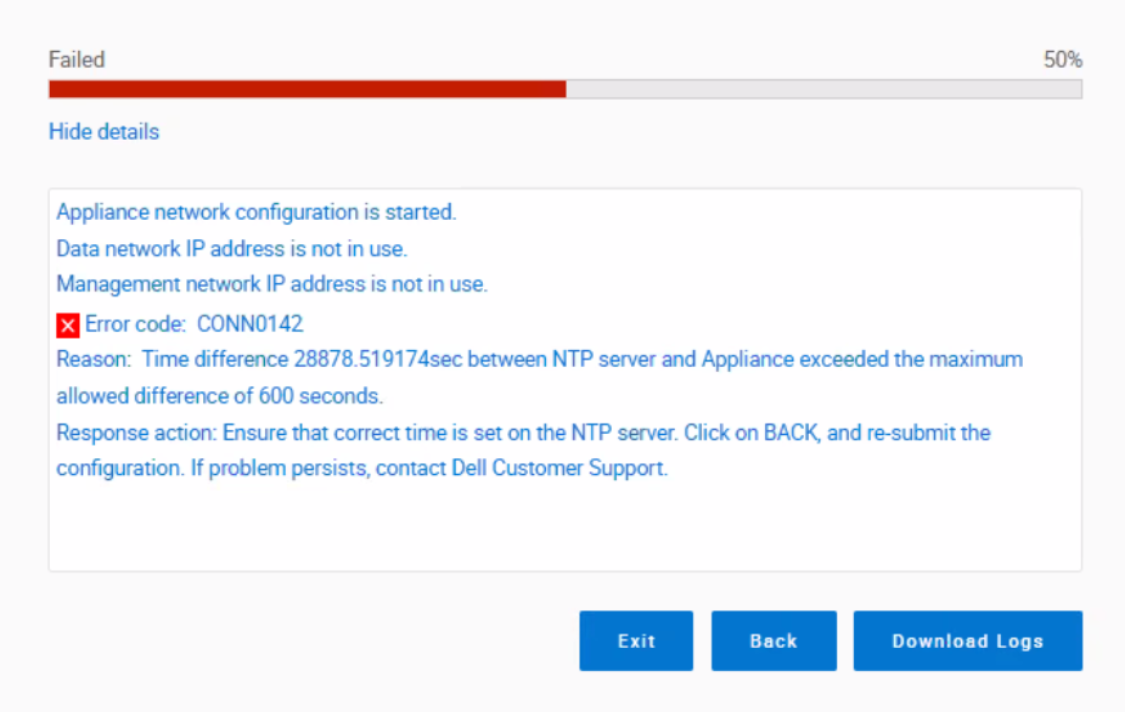
Cause
An incorrectly set appliance's system time can cause this issue. The system clock must be skewed less than 5 minutes from UTC time.
Note: If the appliance time is skewed for more than 5 minutes, the Day1 configuration (Appliance deployment) may fail.
Resolution
Contact Dell Support: Contact Dell Customer Support using the contact method described in your product documentation. Provide the serial number and error code () for faster assistance.
Additional Information
Affected Products
PowerProtect Data Manager Appliance, PowerProtect DM5500Products
PowerProtect Data Protection Software, PowerProtect Data Protection HardwareArticle Properties
Article Number: 000211854
Article Type: Solution
Last Modified: 09 يناير 2026
Version: 7
Find answers to your questions from other Dell users
Support Services
Check if your device is covered by Support Services.