VxRail: Gebruikershandleiding voor VxRail Troubleshooting Toolbox
Summary: Gebruikershandleiding voor VxRail Troubleshooting Toolbox (VTT)
Instructions
VxRail Troubleshooting Toolbox (VTT)
Overzicht
De VxRail Troubleshooting Toolbox (VTT) is een geïntegreerde interface die is geïntroduceerd in VxRail 7.0.010 en hoger en is ontworpen om de toegang tot essentiële diagnostische en supporttools te stroomlijnen.
Het consolideert veelgebruikte scripts in één gebruiksvriendelijk hulpprogramma, wat de operationele efficiëntie verbetert en workflows voor probleemoplossing vereenvoudigt.
De toolbox wordt automatisch gesynchroniseerd met de Dell VxRail EE Git-server om ervoor te zorgen dat alle scripts actueel zijn.
Gebruiksinstructies voor gereedschap
-
Download het pakket
Download het volgende bestand dat als bijlage bij dit artikel is gevoegd:
VxRailToolBox20250xxx_prm.zip -
Uploaden naar VxRail Manager
Breng het pakket over naar de virtuele VxRail Manager-machine en plaats het in "/tmp" of "/home/mystic".
-
Uitpakken en uitvoeren:
Voer de volgende opdrachten uit om het bestand ".zip" uit te pakken en voer de volgende opdracht uit om het menu te openen:
python toolbox.pyvcluster101-vxm:/home/mystic # unzip -o VxRailToolBox2025xxxx_prm.zip vcluster101-vxm:/home/mystic # python tool_box.py
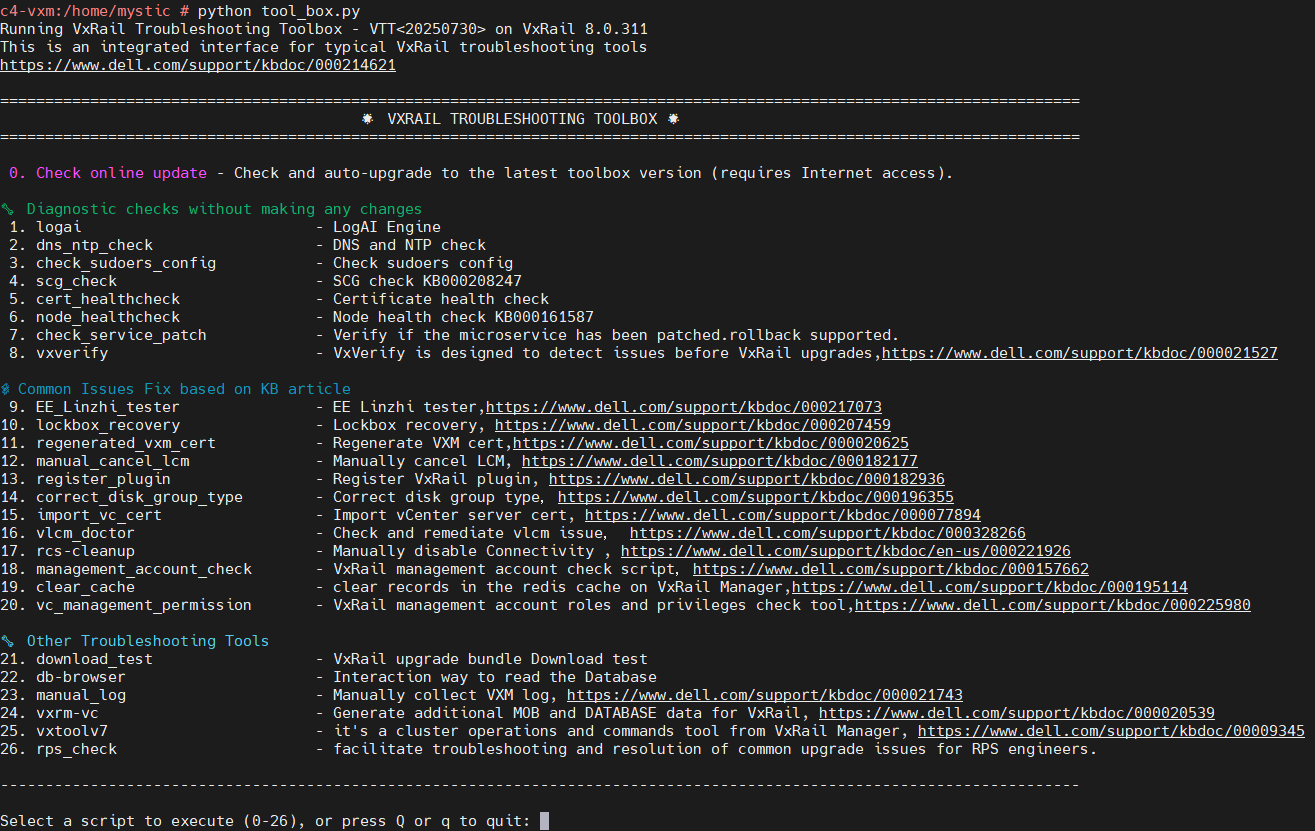
De nieuwste Toolbox-versie is #20260303.
Additional Information
-rw-rw-rw- 1 root   root   17725 Oct 24  2025 tool_box.cpython-311.pyc
-rw-rw-rw- 1 root   root   11157 Oct 24  2025 tool_box.cpython-36.pyc
-rw-rw-rw- 1 root   root    1408 Oct 22 16:19 tool_box.py
De wijziging is aangebracht in het oorspronkelijke "tool_box.py", het is nageleefd in het ".pyc"-bestand. Dit verandert niets aan de manier waarop deze tool moet worden uitgevoerd.