OpenShift: Cluster deploy process failed due to unhealthy static pod status.
Summary: An OpenShift Container Platform issue causing cluster deploy failure, static pod status changed to completed.
This article applies to
This article does not apply to
This article is not tied to any specific product.
Not all product versions are identified in this article.
Symptoms
Various errors may be observed during cluster deploy process, including but not limited to the following scenarios:
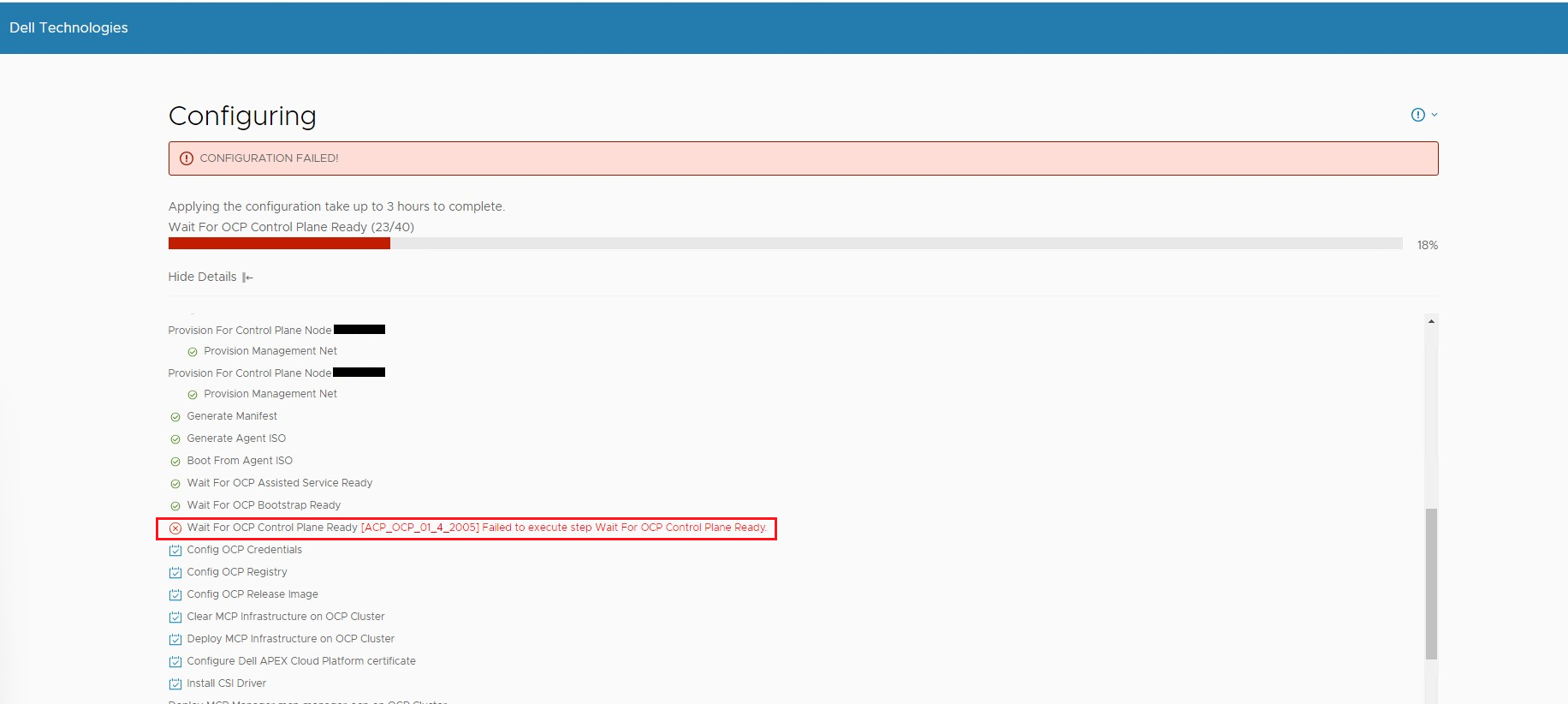
Scenario 1: Cluster deploy configuration process failed with error "Failed to execute step Wait For OCP Control Plane Ready"
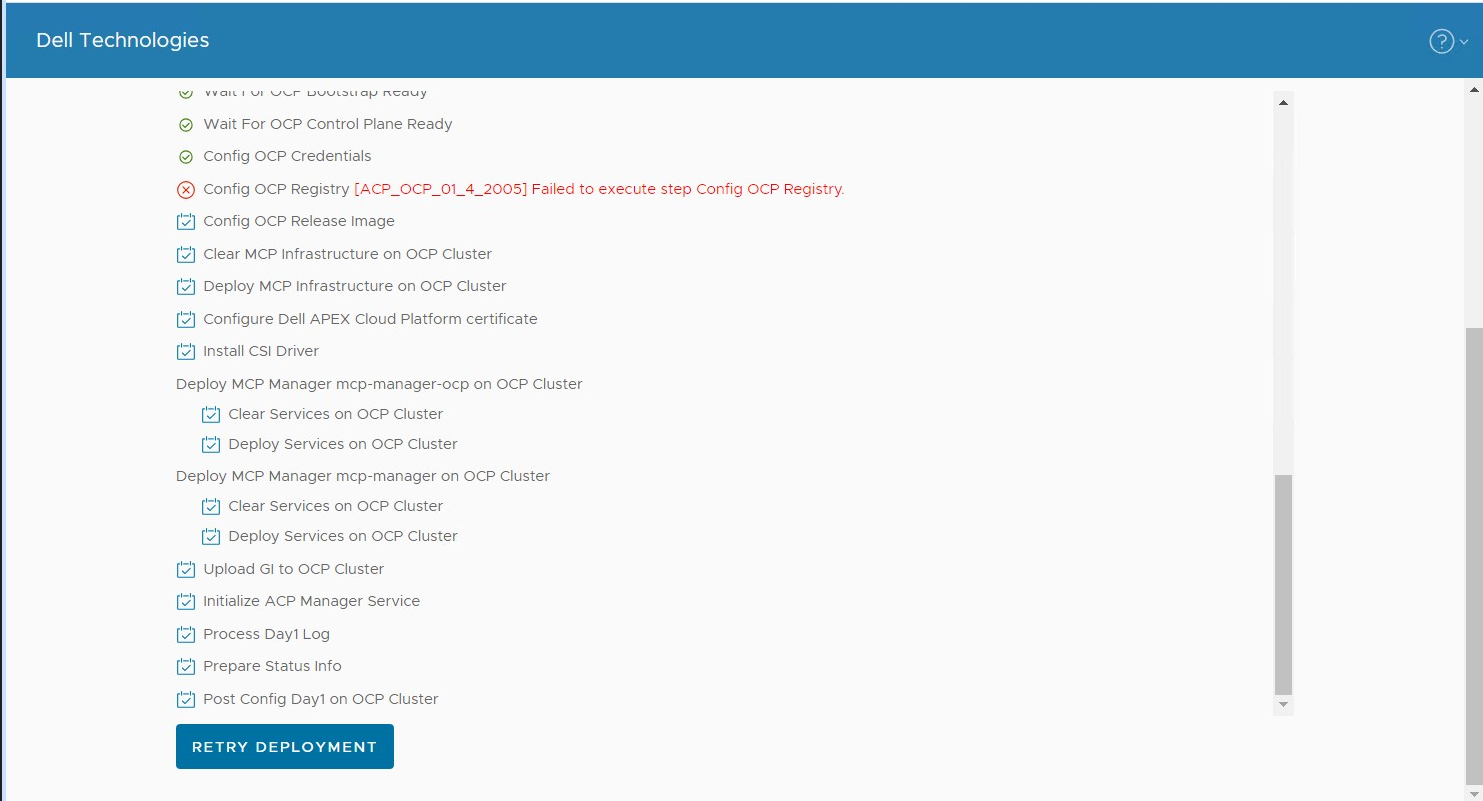
Scenario 2: Cluster deploy configuration process failed with error "Failed to execute step Config OCP Registry"
The command returns "kube-scheduler is degraded", for example:
or it returns "kube-controller-manager is degraded", for example:
2. Run command:
Takes kube-controller-manager is degraded for example, the command shows one kube-controller-manager is degraded with message "GuardControllerDegraded: Missing operand on node"
Scenario 1: Cluster deploy configuration process failed with error "Failed to execute step Wait For OCP Control Plane Ready"
Scenario 2: Cluster deploy configuration process failed with error "Failed to execute step Config OCP Registry"
Log in to primary node via SSH (default credential is root/Passw0rd!), run below commands to check clusterversion, clusteroperator and static pods status.
1. Run command:kubectl --kubeconfig="/usr/share/mcp_ocp/pv/mcp-installer-ocp/auth/kubeconfig" get clusterversion
The command returns "kube-scheduler is degraded", for example:
| NAME VERSION AVAILABLE PROGRESSING SINCE STATUS
version False False 5h4m Error while reconciling 4.13.12: the cluster operator kube-scheduler is degraded |
or it returns "kube-controller-manager is degraded", for example:
| NAME VERSION AVAILABLE PROGRESSING SINCE STATUS
version False False 5h4m Error while reconciling 4.13.12: the cluster operator kube-controller-manager is degraded |
2. Run command:
kubectl --kubeconfig="/usr/share/mcp_ocp/pv/mcp-installer-ocp/auth/kubeconfig" get co
Takes kube-controller-manager is degraded for example, the command shows one kube-controller-manager is degraded with message "GuardControllerDegraded: Missing operand on node"
|
NAME VERSION AVAILABLE PROGRESSING DEGRADED SINCE MESSAGE ...... kube-controller-manager 4.13.12 True True True 4d7h GuardControllerDegraded: [Missing operand on node h01-01-compute-02.p82.local, Missing operand on node h01-01-compute-03.p82.local]... ...... machine-config 4.13.12 True False True 4d7h Failed to resync 4.13.12 because: error during syncRequiredMachineConfigPools: [timed out waiting for the condition, error pool master is not ready, retrying. Status: (pool degraded: true total: 3, ready 1, updated: 1, unavailable: 2)] |
3. Run command:
kubectl --kubeconfig="/usr/share/mcp_ocp/pv/mcp-installer-ocp/auth/kubeconfig" get pods -A | grep kube-controller-manager
Takes kube-controller-manager is degraded for example, the command shows one kube-controller-manager is 0/1
|
NAME READY STATUS RESTARTS AGE installer-4-h01-01-compute-03.p82.local 0/1 Completed 0 4d7h installer-4-h01-01-compute-04.p82.local 0/1 Completed 0 4d7h installer-5-h01-01-compute-03.p82.local 0/1 Completed 0 4d7h installer-5-h01-01-compute-04.p82.local 0/1 Completed 0 4d7h installer-6-h01-01-compute-03.p82.local 0/1 Completed 0 4d7h kube-controller-manager-guard-h01-01-compute-03.p82.local 0/1 Running 0 4d7h kube-controller-manager-guard-h01-01-compute-04.p82.local 1/1 Running 0 4d7h kube-controller-manager-h01-01-compute-04.p82.local 4/4 Running 0 4d7h |
Cause
This is a known issue of OCP 4.10, 4.11, 4.12 and 4.13.
The root cause is the Kubernetes fails to delete some Pod and causes some services run into unhealthy state.
The root cause is the Kubernetes fails to delete some Pod and causes some services run into unhealthy state.
Resolution
This issue will be fixed in future OCP version.
For the impacted OCP version, please follow the below steps to work around the issue:
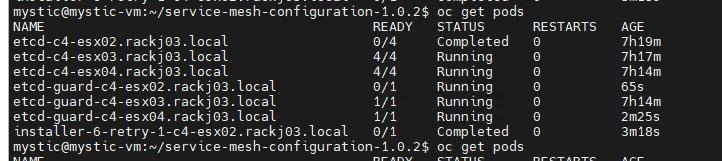
SSH login to the identified node, in above example the identified node name is "c4-esx02.rackj03.local".
1. Save the private key corresponding to the ssh public key which you generated on the cluster deploy wizard web page.
For example:
Run command: ssh-keygen -t ecdsa -b 521
Run command: ssh-keygen -t ecdsa -b 521
- Enter a file name that you want to save the key or using the default value.
- Enter passphrase or using the default value.
The command output is like:
Your identification has been saved in /root/.ssh/id_ecdsa
Your public key has been saved in /root/.ssh/id_ecdsa.pub
Your public key has been saved in /root/.ssh/id_ecdsa.pub
In this example, "/root/.ssh/id_ecdsa" is the private key file, it will be used in next command.
2. Run command: ssh -l core <node name> -i <private_key_file>
3. Run command: sudo systemctl restart kubelet
4. Retry cluster deploy process from the wizard web page
Affected Products
APEX Cloud Platform for Red Hat OpenShiftArticle Properties
Article Number: 000218328
Article Type: Solution
Last Modified: 18 سبتمبر 2026
Version: 5
Find answers to your questions from other Dell users
Support Services
Check if your device is covered by Support Services.