NVP vProxy: VM Backup Is Not Warning When VM Contains Independent Disk
Summary: NetWorker VMware Protection (NVP) is configured to backup a VM which contains Independent disks. The backup completes successfully. VMs with a mixture of independent and dependent disks are reported as successful backups, but the independent disk was not backed up. ...
Symptoms
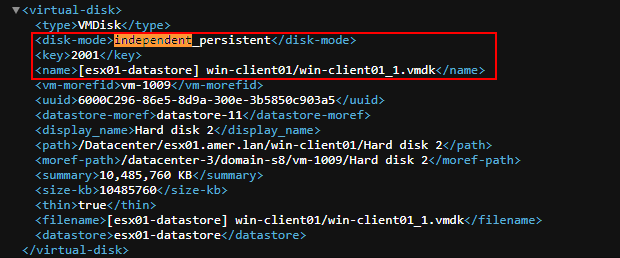
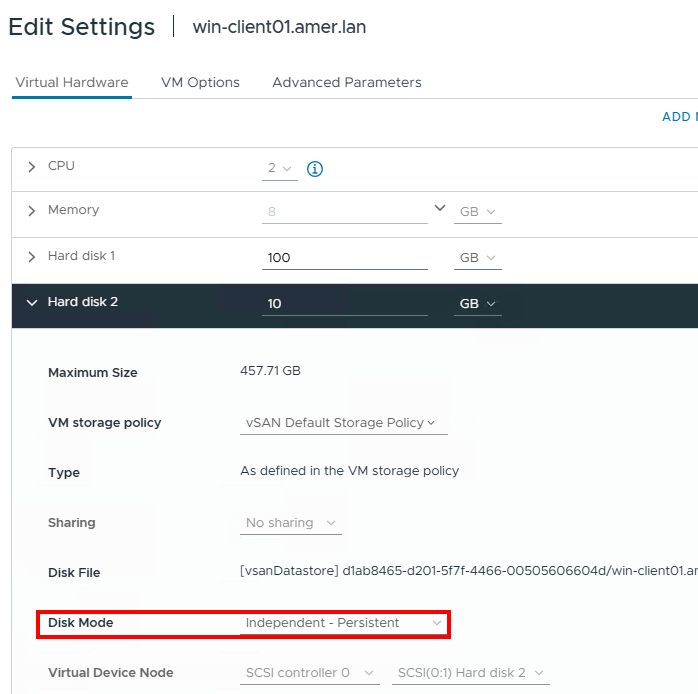
- A VMware VM protected by NetWorker is configured with at least one Independent Disk.
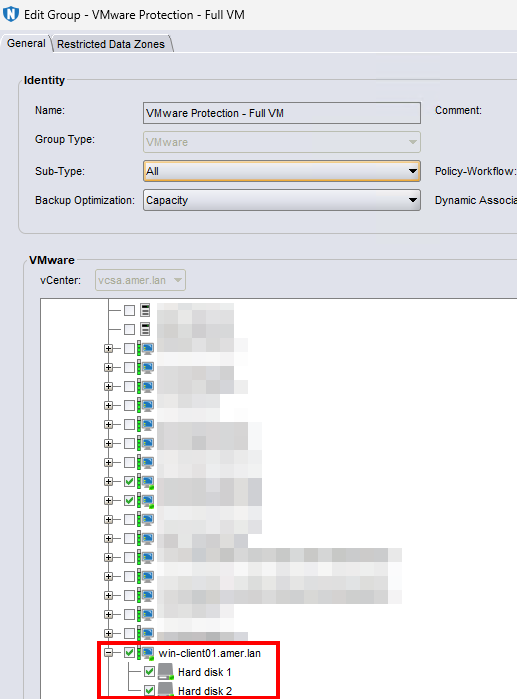
- The NetWorker group has the entire VM (both disks) selected:
- VM backup reports a successful backup. The backup session log only shows one disk backed up:
2026-04-30T18:43:16Z INFO:   [@(#) Build number: 95] DiskStats: Disk Label    |  Mode  | Bytes Moved |  Read Rate   |  Write Rate  |     Overhead  |   VDDK Wait   |   Total Time  | VM MORef  | VM Name
2026-04-30T18:43:16Z INFO:   [@(#) Build number: 95] DiskStats: ------------- | ------ | ----------- | ------------ | ------------ | ------------- | ------------- | ------------- | --------- | ------------------------------
2026-04-30T18:43:16Z INFO:   [@(#) Build number: 95] DiskStats: Hard disk 1   | hotadd |      17 GiB |     39 MiB/s |     86 MiB/s |       0:00:20 |       11.9 us |       0:09:16 | vm-4002   | win-client01.amer.lan
2026-04-30T18:43:16Z INFO:   [@(#) Build number: 95] DiskStats: Total         |        |      17 GiB |     39 MiB/s |     86 MiB/s |       0:00:20 |       11.9 us |       0:09:16 | vm-4002   | win-client01.amer.lan
VM Backup session logs are found in the following locations:- Linux NetWorker Server:
/nsr/logs/policy/POLICY_NAME/WORKFLOW_NAME - Windows NetWorker Server (Default):
C:\Program Files\EMC NetWorker\nsr\logs\policy\POLICY_NAME\WORKFLOW_NAME - vProxy Appliance:
/opt/emc/vproxy/runtime/logs/vbackupd/DATE
NOTE: The NetWorker server logs follow thejobsdbretention (default 72 hours). After the retention period has passed, the policy logs are removed. The vProxy appliance logs do not follow thejobsdbretention. - Linux NetWorker Server:
- There is no warning or alert that the VM contains unsupported disks.
- During a restore of the VM it is noticed that the VM is missing disks: NVP-vProxy: VM Restore is missing disks during recovery disk selection
Cause
This is expected behavior. The NetWorker VMware Integration Guide lists independent disks as unsupported disks. NetWorker documentation is available through: Support for NetWorker | Manuals & Documents (you must sign in with your Dell support account).
The vProxy limitations and unsupported features section states VMware snapshot for backup is not supported for independent disks.
NetWorker VMware Protection (NVP) uses VMware snapshot technology when performing VM backups. An independent disk does not participate in virtual machine snapshots. That is, the disk state is independent of the snapshot state and creating, consolidating, or reverting to snapshots does not have any effect on the disks. When using independent disks, you cannot perform VMware snapshot for backup.
Resolution
Option 1:
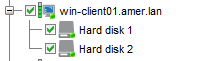
From the VM's settings in VMware, change the Disk Mode from Independent to Dependent. This will include the disk during VMware snapshot operations, and it will be protected during NVP backups of the VM. Before changing the Disk Mode, consult with the VM owner and the VMware administrator in case the VM has a specific requirement to have the disk in Independent mode. Once the Disk Mode is changed to Dependent, ensure that it is selected in a NetWorker VMware protection group:
Option 2:
If the Disk Mode cannot be changed but backups are needed for the data on the Independent disk, install the NetWorker client software on the VM and configure a NetWorker client to protect the data on the Independent disk. For information about installing the client software and configuring NetWorker clients, see the NetWorker Installation and Administration Guides: Support for NetWorker | Manuals & Documents (you must sign in with your Dell support account).
Additional Information
You can identify VMs with Independent disks by performing the following:
On the NetWorker server run:
nsrvim -d --names VCENTER_NAME
This creates a couple of .xml files. If Linux, under /nsr/cores/nsrvim. If Windows, the files are generated in the directory from which the nsrvim command was run.
Open the vcenter.xml file and search/filter for Independent.