VxRail: How to Reset the iDRAC Password From vCenter Using the VxRail Plugin
Summary: This article provides steps on how to reset the iDRAC password from vCenter using the VxRail Plugin. This helps when you have lost or forgotten the existing root password.
This article applies to
This article does not apply to
This article is not tied to any specific product.
Not all product versions are identified in this article.
Instructions
Process to Reset the IDRAC root password in vCenter.
- Open a browser window to the vCenter Appliance (VCSA). Log in as administrator@vphere.local or any other member of the SSO administrators group.
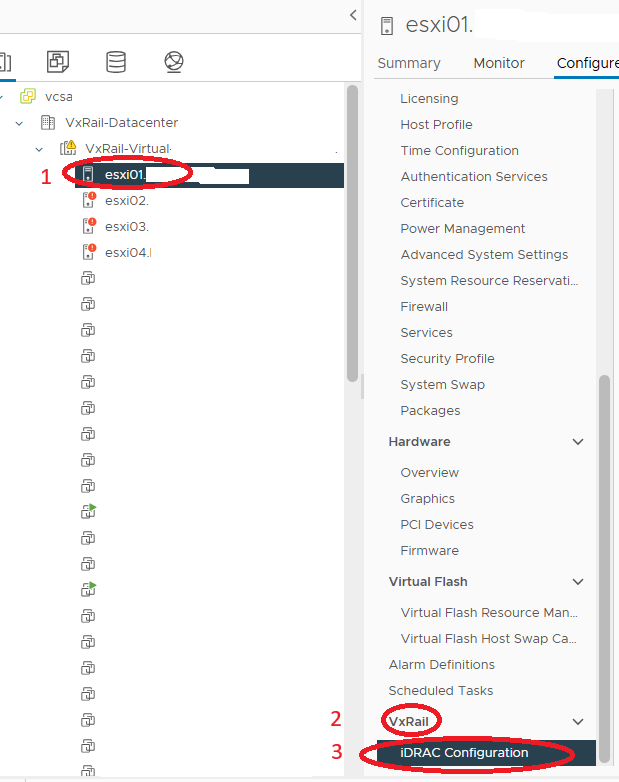
- Select the node where the iDRAC password has to be reset or changed. Go to Configure > VxRail > iDRAC Configuration
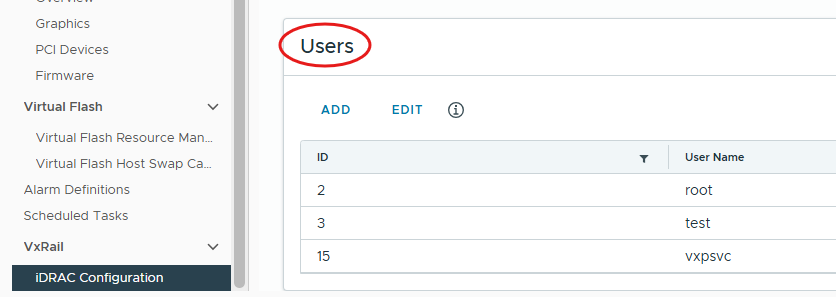
- Under Users, select Add
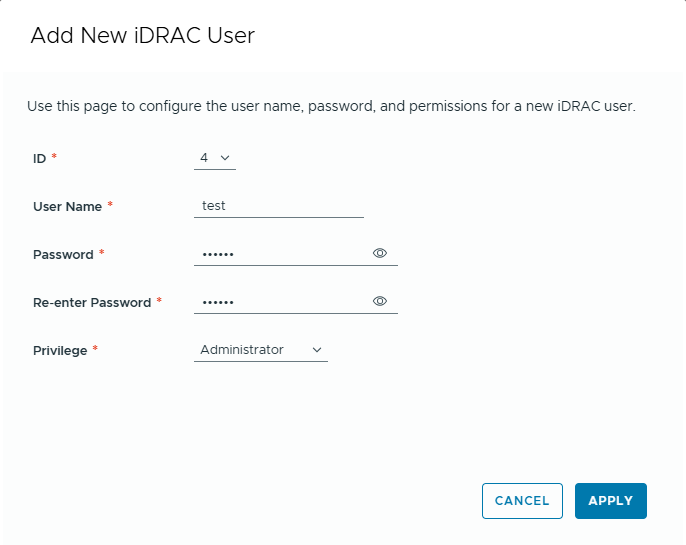
- Enter the New User Name and Password, assign Privileges as Administrator and click Apply to save.
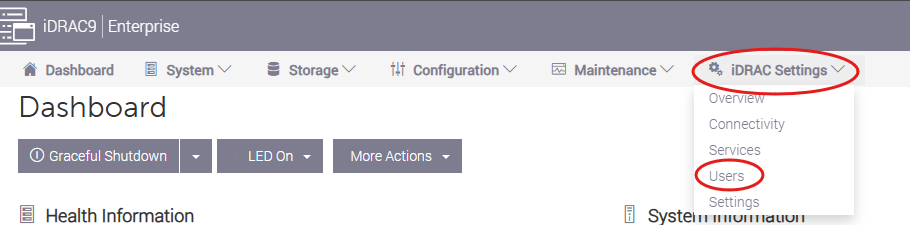
- Log in to the iDRAC with the new account created and go to iDRAC Settings > Users
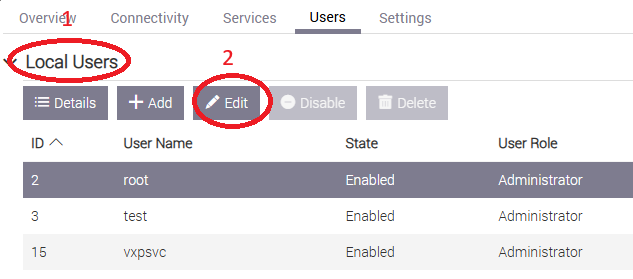
- Under Local Users, select root and click Edit.
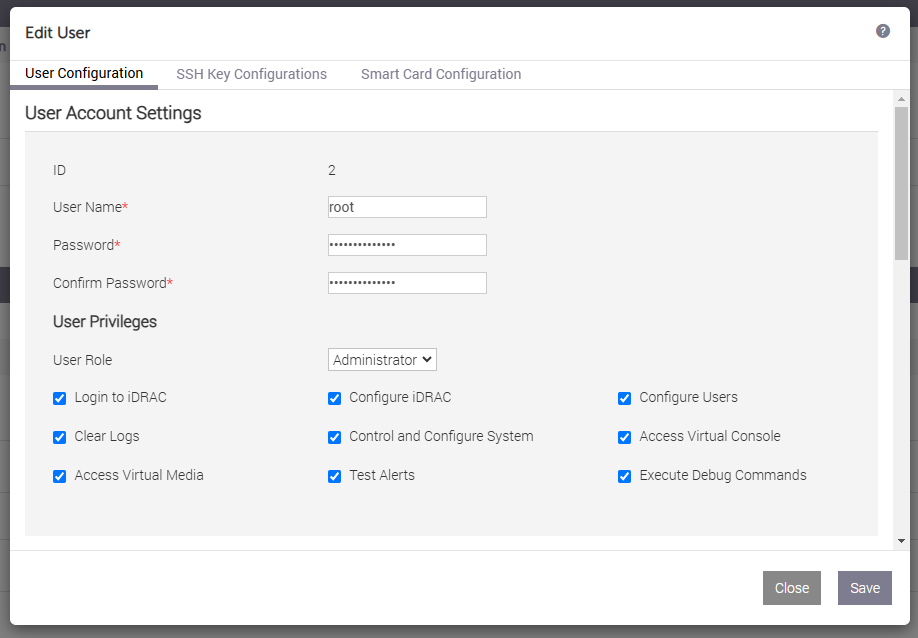
- Enter New Password, confirm the password, and Save.
- Log out of iDRAC and confirm that the iDRAC is accessible with the new password.
Additional Information
Delete the user created after the root password is reset.
Affected Products
VxRail, VxRail Appliance Series, VxRail G Series Nodes, VxRail D Series Nodes, VxRail D560, VxRail D560F, VxRail E Series Nodes, VxRail E560, VxRail E560F, VxRail E560N, VxRail E660, VxRail E660F, VxRail E660N, VxRail E665, VxRail E665F, VxRail E665N
, VxRail G560, VxRail G560F, VxRail P Series Nodes, VxRail P570, VxRail P570F, VxRail P580N, VxRail P670F, VxRail P670N, VxRail P675F, VxRail P675N, VxRail S Series Nodes, VxRail S570, VxRail S670, VxRail Software, VxRail V Series Nodes, VxRail V570, VxRail V570F, VXRAIL V670F, VxRail VD-4510C, VxRail VD-4520C, VxRail VD Series Nodes, VxRail VE-660, VxRail VE-6615, VxRail VE-670, VxRail VP-760, VxRail VP-7625, VxRail VP-770, VxRail VS-760
...
Article Properties
Article Number: 000275678
Article Type: How To
Last Modified: 03 يونيو 2026
Version: 3
Find answers to your questions from other Dell users
Support Services
Check if your device is covered by Support Services.