NetWorker: "Enable MFA" is not available when the Group has Administrators selected
Summary: "Enable MFA" in the NetWorker Web User Interface (NWUI) is not available when the Group has Administrators selected.
This article applies to
This article does not apply to
This article is not tied to any specific product.
Not all product versions are identified in this article.
Symptoms
When the Group "Administrators" is moved to "Selected," the "Enable MFA" attribute becomes unavailable (grayed out).
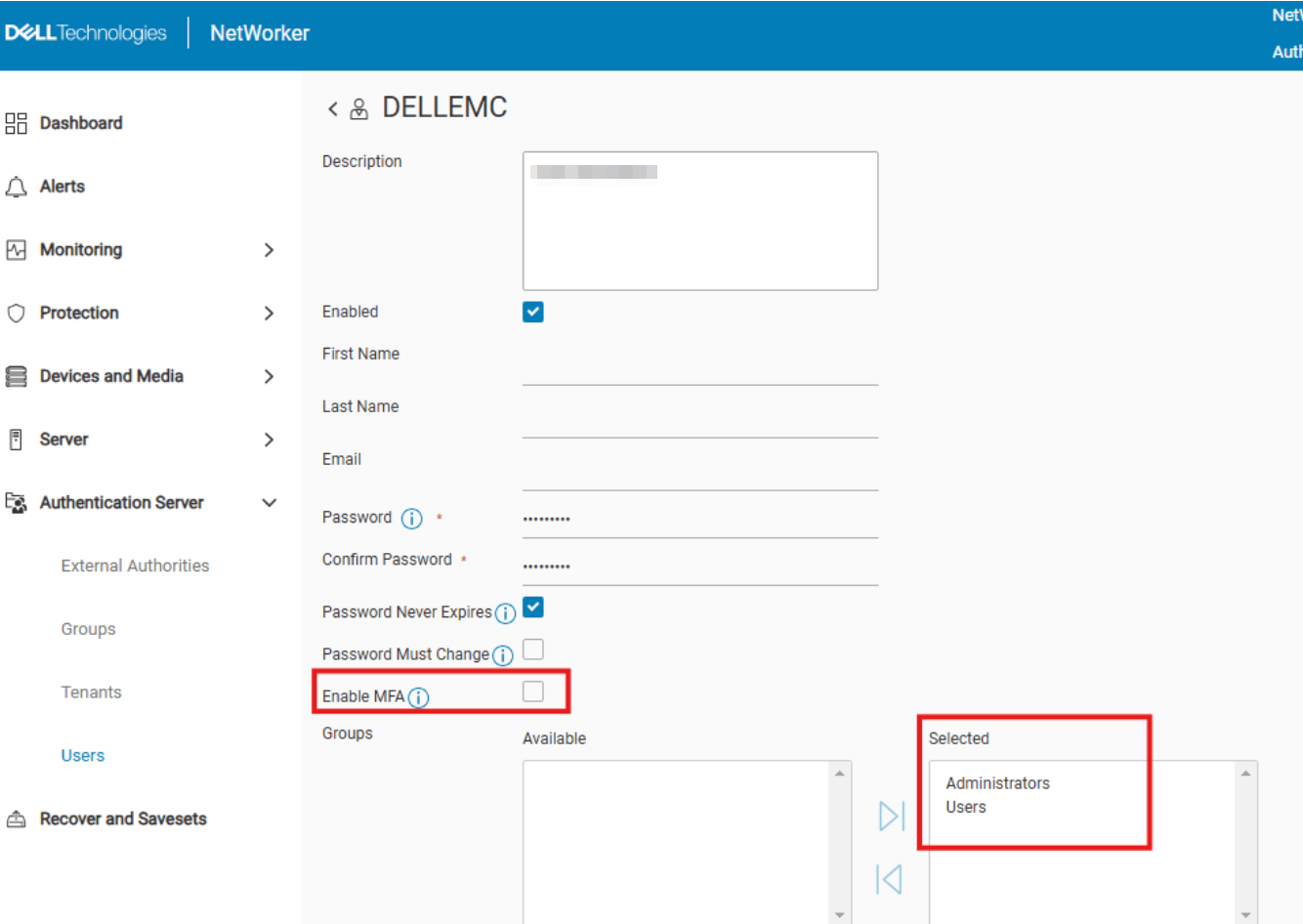
Similarly, when the "Enable MFA" attribute is marked, the "Administrators" group is unavailable (grayed out) under "Available."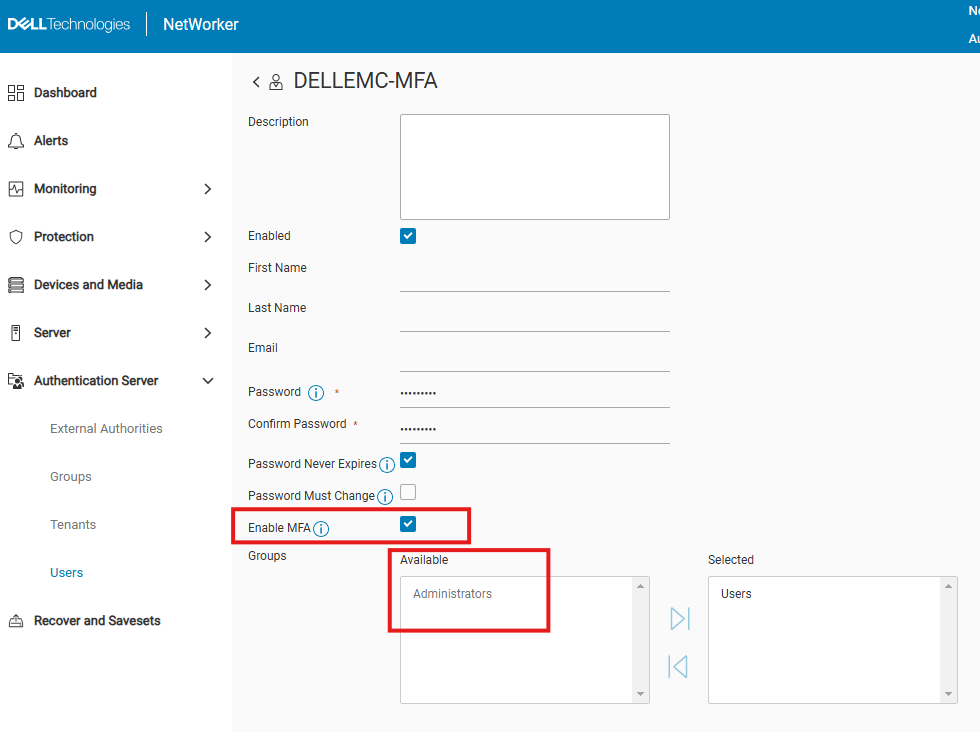
Cause
The NetWorker software is working as designed. MFA is only available for NetWorker "User" accounts that belong to the "Users" groups. MFA cannot be enabled for Administrator users.
Resolution
The request for this functionality is raised with Request For Enhancement (RFE) NW-I-2410. To track this RFE, contact your Dell account or sales team regarding RFE NW-I-2410.
Article Properties
Article Number: 000284723
Article Type: Solution
Last Modified: 18 فبراير 2026
Version: 3
Find answers to your questions from other Dell users
Support Services
Check if your device is covered by Support Services.