PowerFlex: Upgrade Failed BIOS_FIRMWARE_TYPE WARNING: Legacy boot detected
Summary: Compute Only node upgrade fails with the error BIOS_FIRMWARE_TYPE WARNING: Legacy boot detected ESXi servers running legacy BIOS are encouraged to move to Unified Extensible Firmware Interface (UEFI) ...
Symptoms
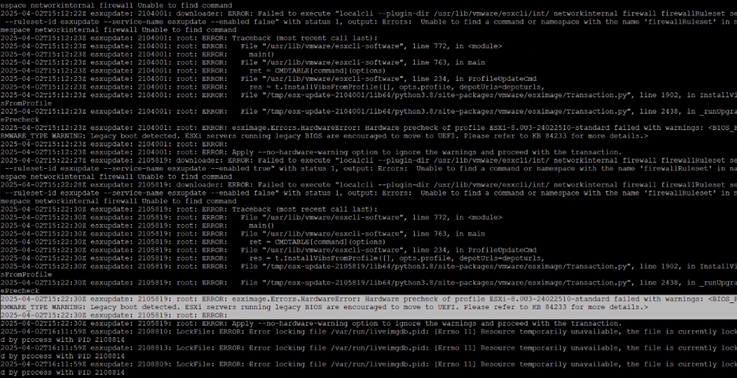
Error Message encountered while performing node upgrade in: /var/log/esxupdate.log
ERROR: esximage.Errors.HardwareError: Hardware precheck of profile ESXi-8.0U3-24022510-standard failed with warnings: <BIOS_FIRMWARE_TYPE WARNING: Legacy boot detected. ESXi servers running legacy BIOS are encouraged to move to UEFI. Please refer to KB 84233 for more details.>
Cause
As of vSphere 7.0 and all newer releases, VMware will no longer allow new server listings on VMware Compatibility Guide using legacy BIOS. vSphere 8.0 will drop support for legacy BIOS for new server platforms (Intel Cascade Lake and onwards; AMD Rome and onwards). This applies to all new server platforms, regardless of the server CPU series. If a server that was certified and running successfully with legacy BIOS is upgraded to a newer release of ESXi, it is possible the server will no longer function with that release. For example, some servers may fail to boot with an "Out of resources" message because the newer ESXi release is large to boot in legacy BIOS mode.
Resolution
- Capture the VMkernel IP and connected Ipswitch information.
- Place the relevant node into maintenance mode using vSphere if it is a compute node, and into protected maintenance mode if it is a hyperconverged node.
- Go to the iDRAC of the concerned node.
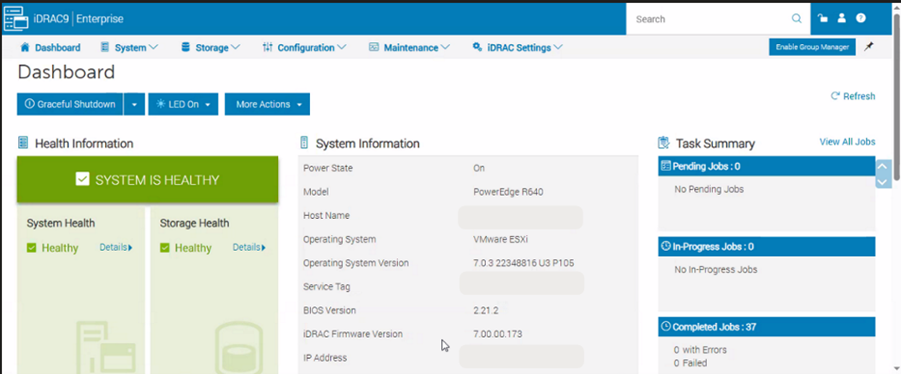
- Go to Configuration and choose BIOS Settings.
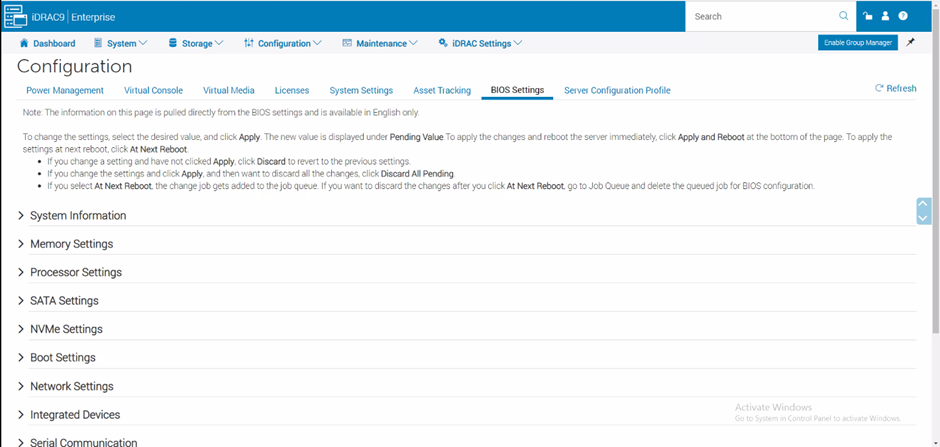
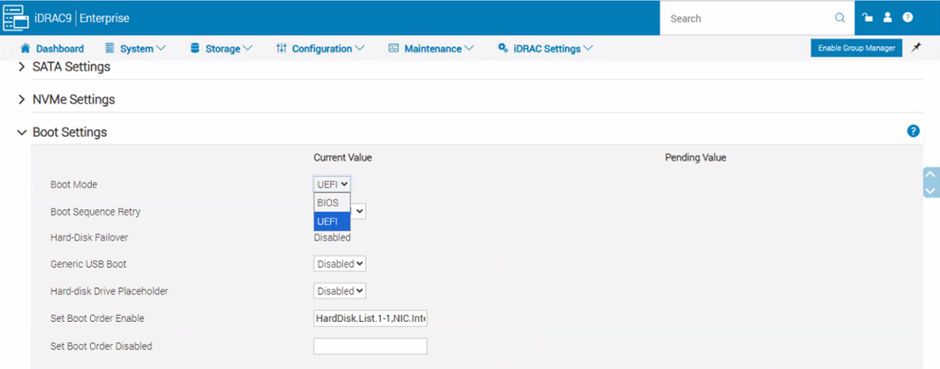
- Expand the Boot settings option
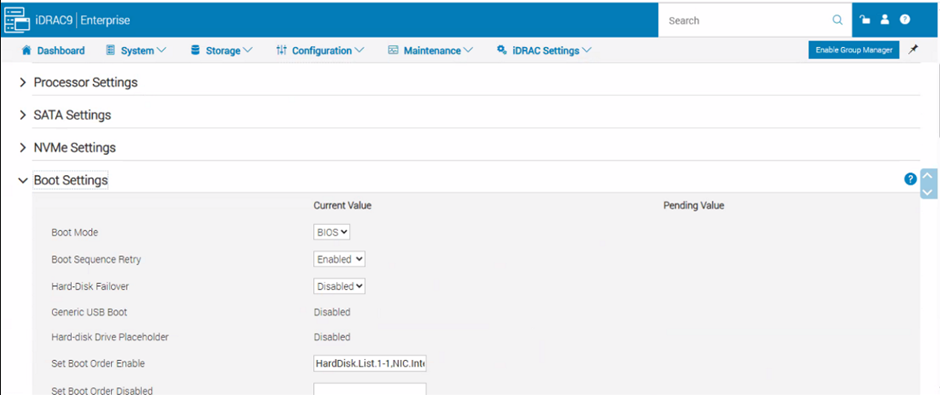
- Under Boot Mode change BIOS to UEFI.
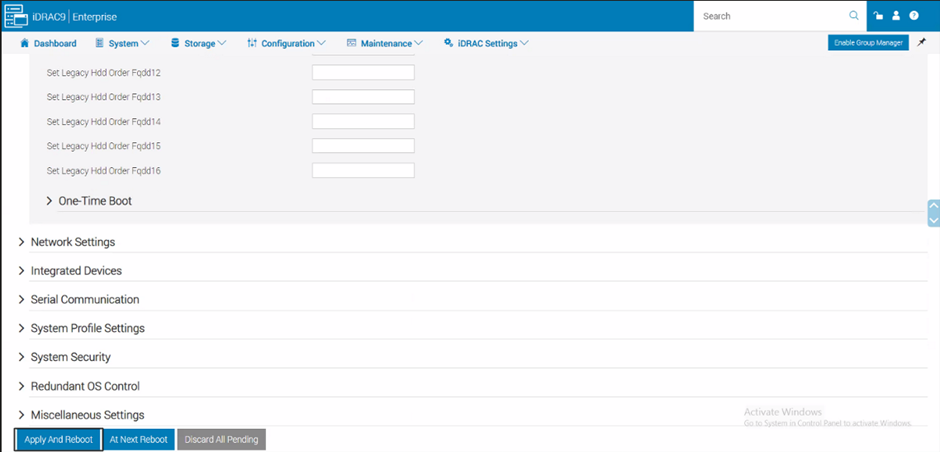
- Scroll to the bottom of the screen and click Apply and Reboot.
- After the node is back from reboot, remove it from Maintenance Mode and restart the upgrade.
Alternatively, changing the BIOS can be done from the BIOS Setup Page.