PowerStore: UI Report Too Many Records Found When Viewing Historical Space Usage
Summary: UI Report Too Many Records Found When Viewing Historical Space Usage
This article applies to
This article does not apply to
This article is not tied to any specific product.
Not all product versions are identified in this article.
Symptoms
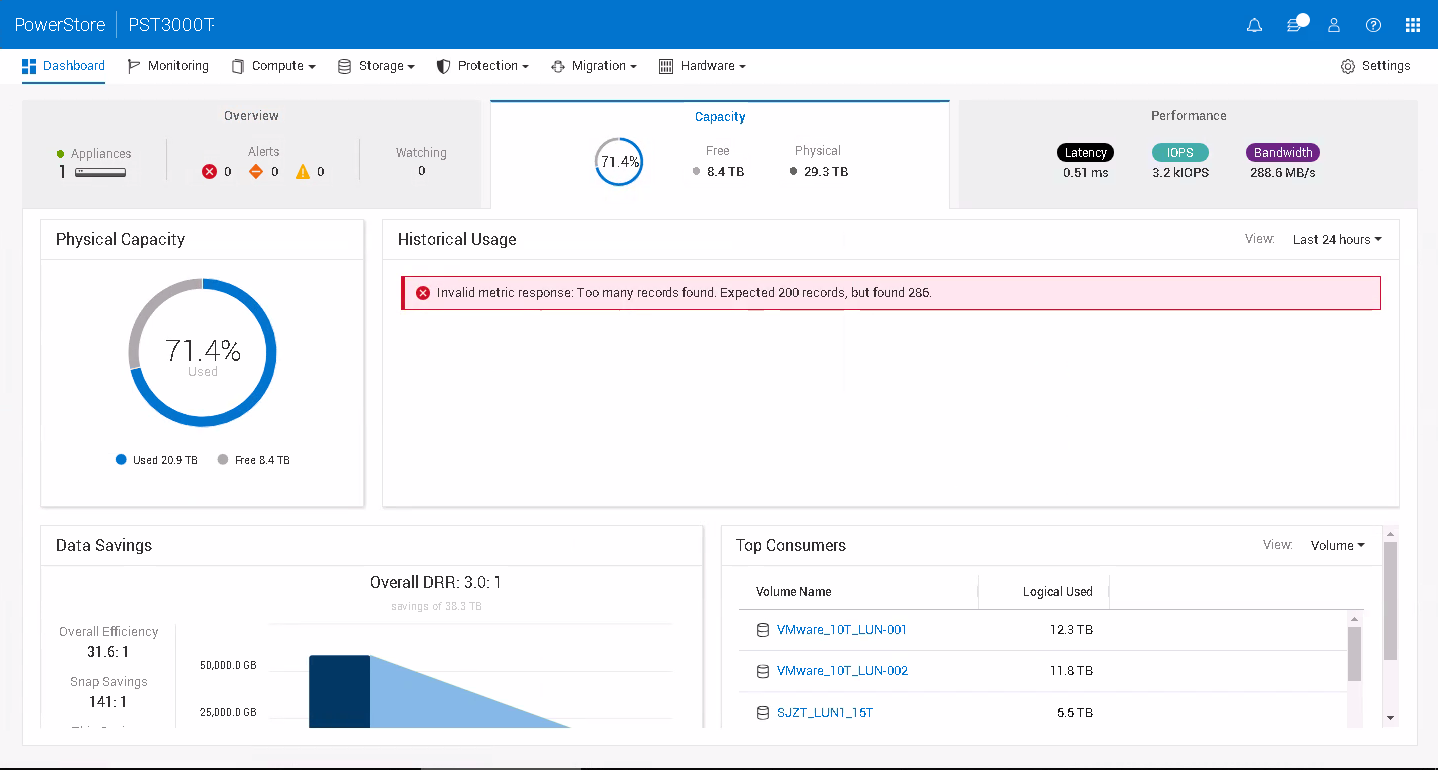
UI Report Too Many Records Found When Viewing Historical Space Usage:
Invalid metric response: Too many records found: Expected 200 records, but found 286.
NOTE: The number of data points returned are variable based on the time period queried.
Cause
If a language package is installed, the option saved in user preference is in the local language, instead of English.
- User chooses "过去24小时" (Chinese of "Last 24 hours") when viewing historical capacity usage.
- The option saved in user preference is "过去24小时."
- Switches the language to English
- "过去24小时" is loaded from the user preference to get the capacity data.
- The capacity metrics can be properly retrieved, and the total received was 288 data points.
- During the dataset verification stage, "过去24小时" is not properly translated to English, but used directly.
- It does not match to any valid period option and falls to the default value of 20 sec/last hour, which gives us the limitation of 200 data points.
- A total of 288 data points exceed the limit of 200 and resulted in the error.
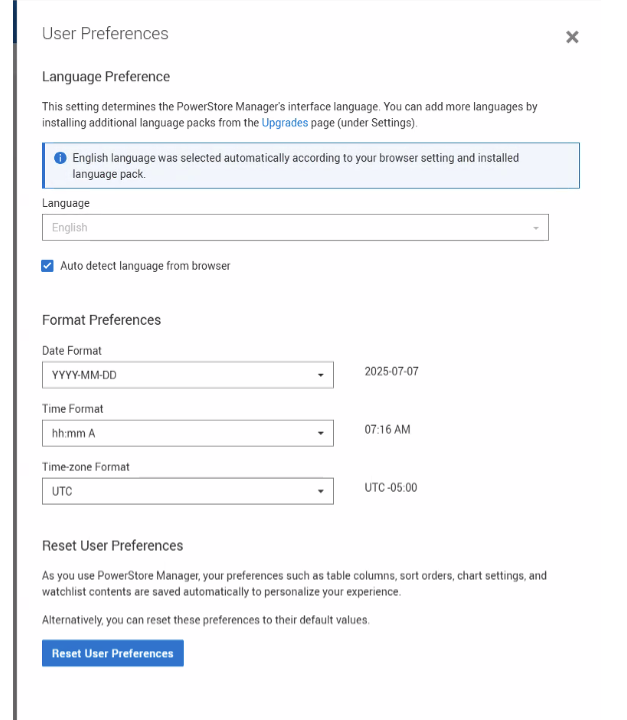
Alternatively, if you are running into this error, it was noticed that clearing the auto-detect language from the browser resolves the issue. Then can recheck the box.
Resolution
The issue is addressed in version 4.2 code.
Workaround:
- Use English as UI display language.
- Select a different query period from the drop-down list if encountering this issue after switching language.
Affected Products
PowerStoreArticle Properties
Article Number: 000317562
Article Type: Solution
Last Modified: 08 يناير 2026
Version: 3
Find answers to your questions from other Dell users
Support Services
Check if your device is covered by Support Services.