DELL APEX Cloud Platform for Red Hat OpenShift: How to switch external registry
Summary: This KB tells how to set up a new external registry and switch from the old one.
This article applies to
This article does not apply to
This article is not tied to any specific product.
Not all product versions are identified in this article.
Instructions
Prerequisites
- You have successfully set up a new external registry and it is now ready for use.
Procedure
- Edit the global pull-secret secret (namespace: openshift-config) to add the credential of new registry. Refer to the OpenShift documentation Updating the global cluster pull secret
for detailed instructions.
e.g.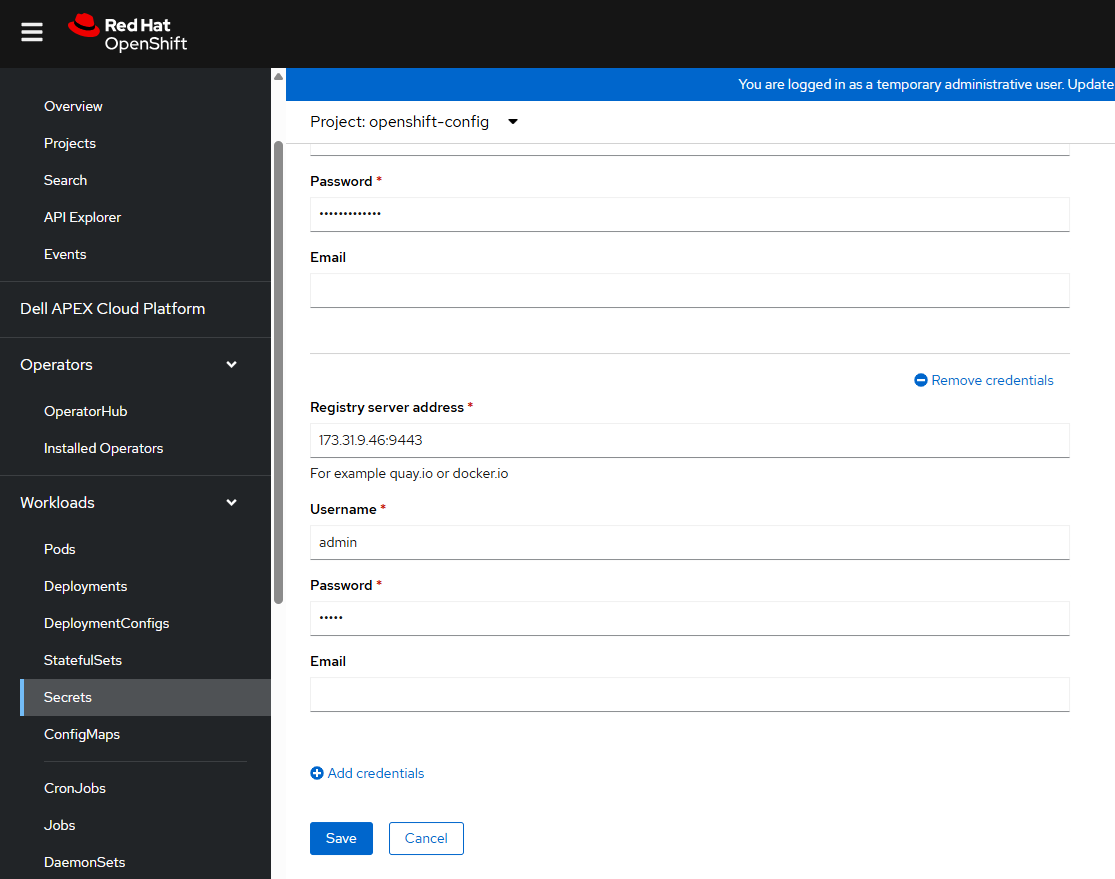
- (Optional) If the old registry is no longer in use, you can remove its associated credentials from this page.
- Configure the registry for container image access.
- If your registry configuration uses HTTPS, prepare the root CA certificate of the registry as a PEM format file. Then, add the registry's root CA certificate to the OCP cluster by editing the existing acp-ingress-ca config map resource in the openshift-config namespace.
e.g.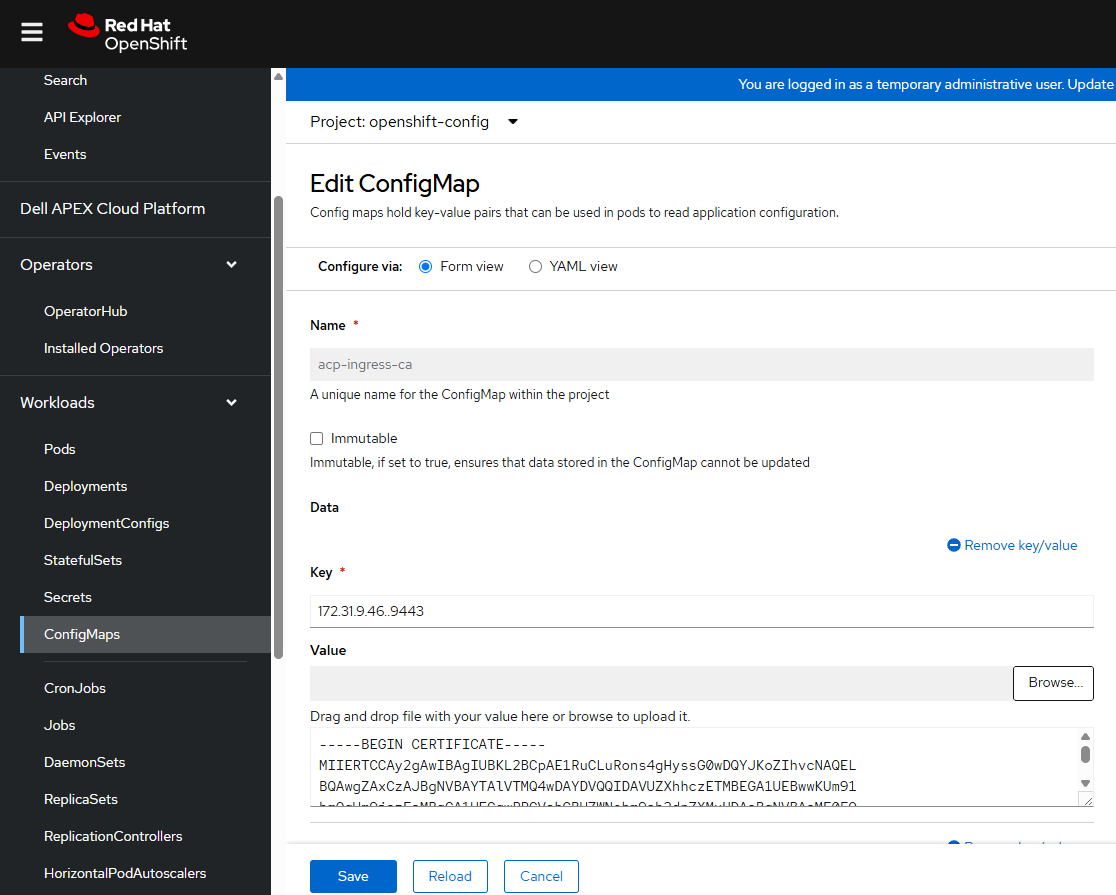
- If your registry configuration uses HTTP, add it to the insecure registries list in the global Image configuration.
e.g.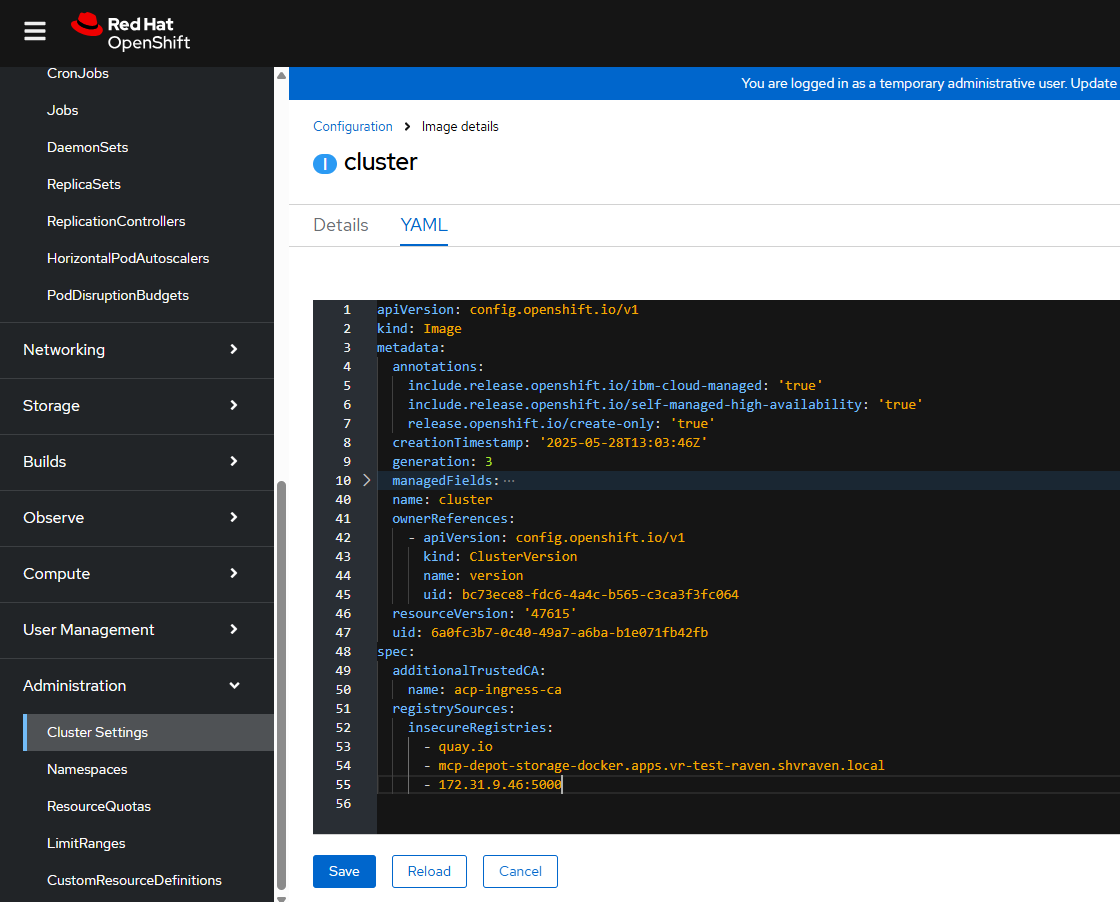
- If your registry configuration uses HTTPS, prepare the root CA certificate of the registry as a PEM format file. Then, add the registry's root CA certificate to the OCP cluster by editing the existing acp-ingress-ca config map resource in the openshift-config namespace.
- (Optional) If the old registry is no longer in use, you can remove its associated items from the same pages.
-
To update images from Depot Manager to the new external registry, follow these steps:
-
Refer to the Dell APEX Cloud Platform for Red Hat OpenShift Administrator Guide and perform the procedure of "Update Images from the Depot Manager to the External Registry".
Note: The --registry (or -r) option is required and must be specified. - Once the images are updated, verify that they can be pulled from the external registry by following the procedure of "Verify pull ocp-v4.0-art-dev from the external registry for cluster power outage, shutdown, and reboot".
-
- (Optional) For the systems with restricted network access, you need switch the registry for OperatorHub.
- Refer to the Dell APEX Cloud Platform for Red Hat OpenShift Deployment Guide and follow the procedure of "Configure the OperatorHub on a restricted network system".
Affected Products
APEX Cloud Platform for Red Hat OpenShiftArticle Properties
Article Number: 000330807
Article Type: How To
Last Modified: 05 مارس 2026
Version: 2
Find answers to your questions from other Dell users
Support Services
Check if your device is covered by Support Services.