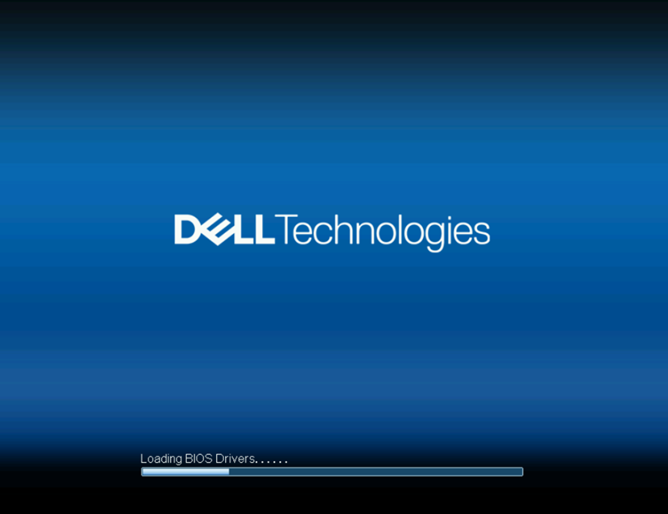
PowerEdge: "Loading BIOS drivers" 화면에서 XE7740 시스템이 중지됨
Summary: iDRAC 1.20.80.50 업데이트 후 PowerEdge XE7740 시스템이 "Loading BIOS Drivers" 화면에서 중지됩니다.
This article applies to
This article does not apply to
This article is not tied to any specific product.
Not all product versions are identified in this article.
Symptoms
PowerEdge XE7740 시스템이 Loading BIOS Drivers iDRAC이 버전 1.20.80.50으로 업데이트되었지만 BIOS는 버전 1.3.1 이전으로 유지될 때 화면이 표시됩니다.
Cause
BIOS가 iDRAC 펌웨어에서 잘못된 페이로드 크기를 수신합니다.
Resolution
단기 해결 방법:
- iDRAC을 1.20.80.50 이전 버전으로 되돌립니다.
- BIOS를 버전 1.6.4로 업데이트합니다.
- iDRAC를 버전 1.20.80.50으로 업데이트합니다.
펌웨어 업데이트를 실행하면 프로세스 중에 전원이 끊길 경우 시스템이 부팅되지 않을 위험이 있습니다. 서버가 UPS(Uninterrupted Power Supply)에 연결되어 있는지 확인하고 업데이트가 중단되지 않도록 합니다.
Dell은 2026년 3월에 수정된 iDRAC 펌웨어를 릴리스할 계획입니다. 업데이트를 사용할 수 있게 되면 업데이트를 적용하여 롤백 해결 방법이 필요하지 않도록 할 수 있습니다.
문제가 발생하거나 단계를 잘 모르는 경우 Dell 지원 부서에 문의하십시오. 지침 없이 추가 문제 해결을 시도하지 마십시오.
Affected Products
PowerEdge XE7740Article Properties
Article Number: 000396296
Article Type: Solution
Last Modified: 24 مايو 2026
Version: 3
Find answers to your questions from other Dell users
Support Services
Check if your device is covered by Support Services.