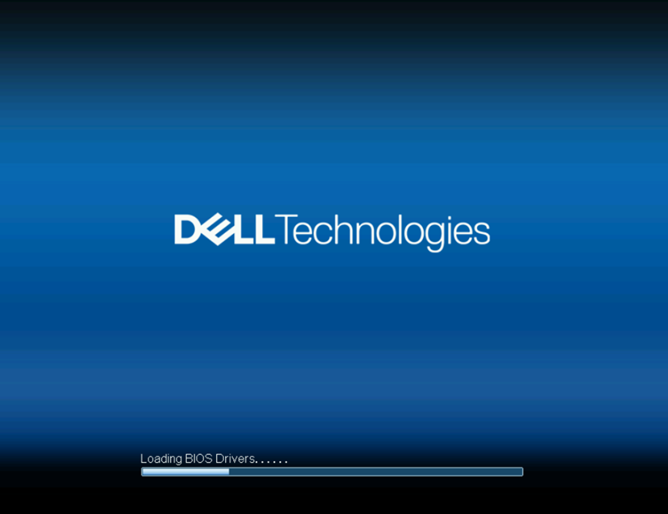
PowerEdge XE7740 系統在「正在載入 BIOS 驅動程式」畫面停止
Summary: iDRAC 1.20.80.50 更新後,PowerEdge XE7740 系統會在「正在載入 BIOS 驅動程式」畫面停止。
This article applies to
This article does not apply to
This article is not tied to any specific product.
Not all product versions are identified in this article.
Symptoms
PowerEdge XE7740 系統會在 Loading BIOS Drivers 當 iDRAC 更新至版本 1.20.80.50,而 BIOS 維持在 1.3.1 版或更舊版本時的畫面。
Cause
BIOS 會收到來自 iDRAC 韌體的無效裝載大小。
Resolution
短期因應措施:
- 將 iDRAC 還原至 1.20.80.50 之前的版本。
- 將 BIOS 更新至 1.6.4 版。
- 將 iDRAC 更新至 1.20.80.50 版。
如果在更新過程中斷電,執行韌體更新將有系統無法開機的風險。確定伺服器是連接至不間斷電源供應器 (UPS),並避免中斷更新。
Dell 計畫在 2026 年 3 月發佈修正的 iDRAC 韌體。當更新可用時,您可以應用它來消除回滾解決方法的需要。
如果您遇到任何問題,或不確定要採取什麼步驟,請聯絡 Dell 支援以取得協助。在沒有指導的情況下,請勿嘗試進行其他故障診斷。
Affected Products
PowerEdge XE7740Article Properties
Article Number: 000396296
Article Type: Solution
Last Modified: 17 ديسمبر 2025
Version: 1
Find answers to your questions from other Dell users
Support Services
Check if your device is covered by Support Services.