ECS: OBS: The Data Pending Geo-Replication Stat and the ongoing CM task do not match.
Summary: The Data Pending Geo-Replication Stat and the ongoing Compute Manager (CM) task do not match. Data pending Geo replication is not reducing although the Recovery Point Objective (RPO) is up to date. ...
Symptoms
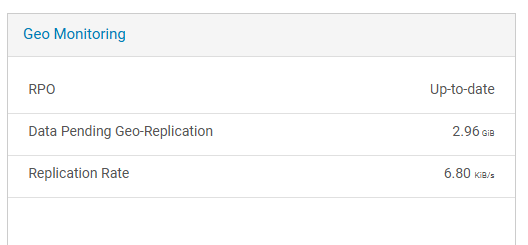
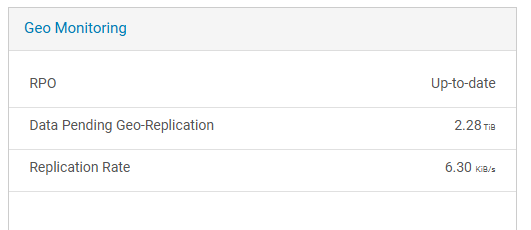
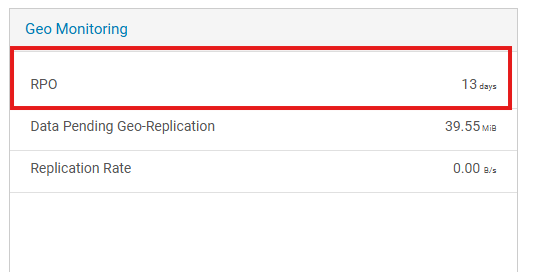
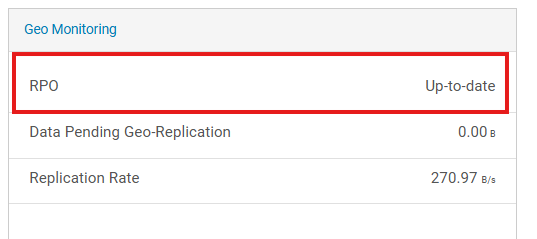
As shown in the figure below, the Data Pending Geo-Replication value on the UI is high and does not decrease.
Example screenshot1:
Example screenshot2:
Cause
This is a day-one issue caused by the loss of in-memory records, which results in incorrect stat calculations.
This may lead users to think that some data have not been successfully replicated, affecting their confidence in the product. However, since no functionality depends on this state, the overall functional impact on the product is minimal.
After starting PSO, the user noticed that the amount of data pending replication displayed on the UI was abnormally high.
The tracking of data pending replication relies on the RPO Tracker, which stores this information in memory.
When data must be replicated, the RPO Tracker records the number of bytes to be replicated. Once replication succeeds, these bytes are deducted accordingly.
In the current environment, frequent CM restarts have caused the previously recorded stat data to be lost. When a chunk has been successfully replicated, the corresponding RPO Tracker record is already missing. Therefore, there is no new entry to offset it, and the deduction does not occur.
This results in the Data Pending Replication value on the UI continuously accumulating. The data may have already been successfully replicated, but the UI state does not reflect it correctly.
Resolution
There are two possible solutions:
- Users can check the RPO status in the UI to determine whether any data has not been fully replicated.
Screenshot:
- Before running PSO, the service team can use
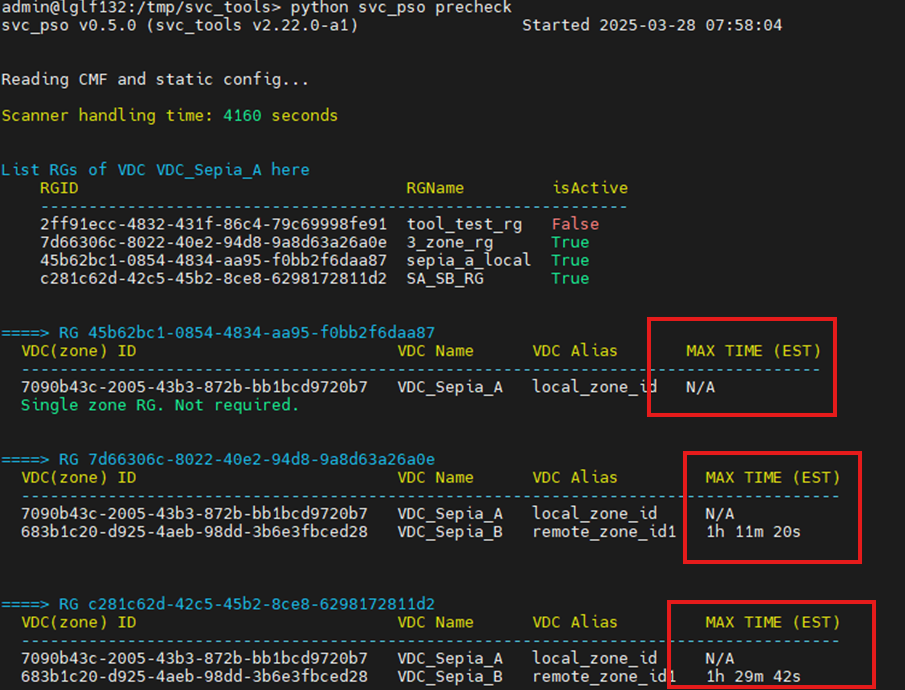
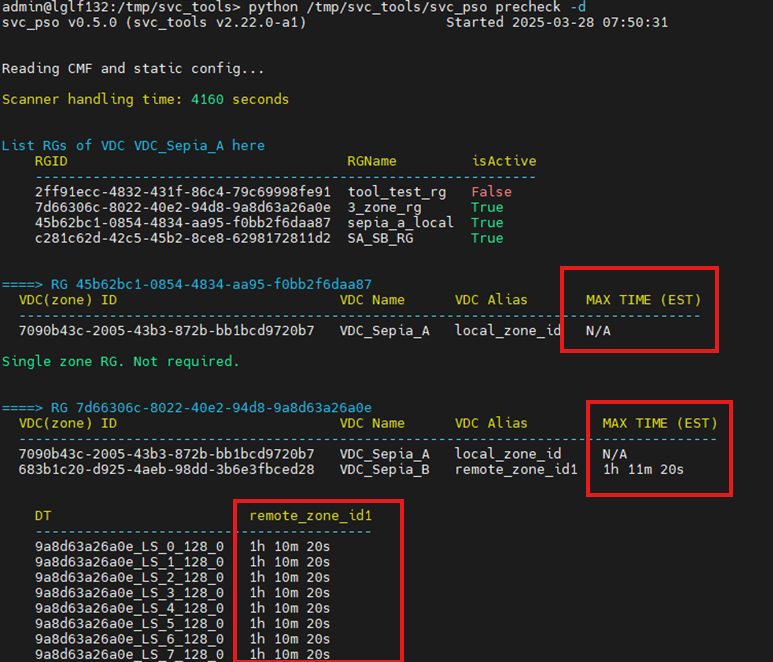
svc_pso precheckto view the current replication status.
Command:
python svc_pso precheck
python svc_pso precheck -d
Example: