Dell Unity: Cómo habilitar y deshabilitar SSH
Summary: En este artículo, se describen varias maneras de habilitar y deshabilitar SSH en arreglos Dell Unity.
This article applies to
This article does not apply to
This article is not tied to any specific product.
Not all product versions are identified in this article.
Instructions
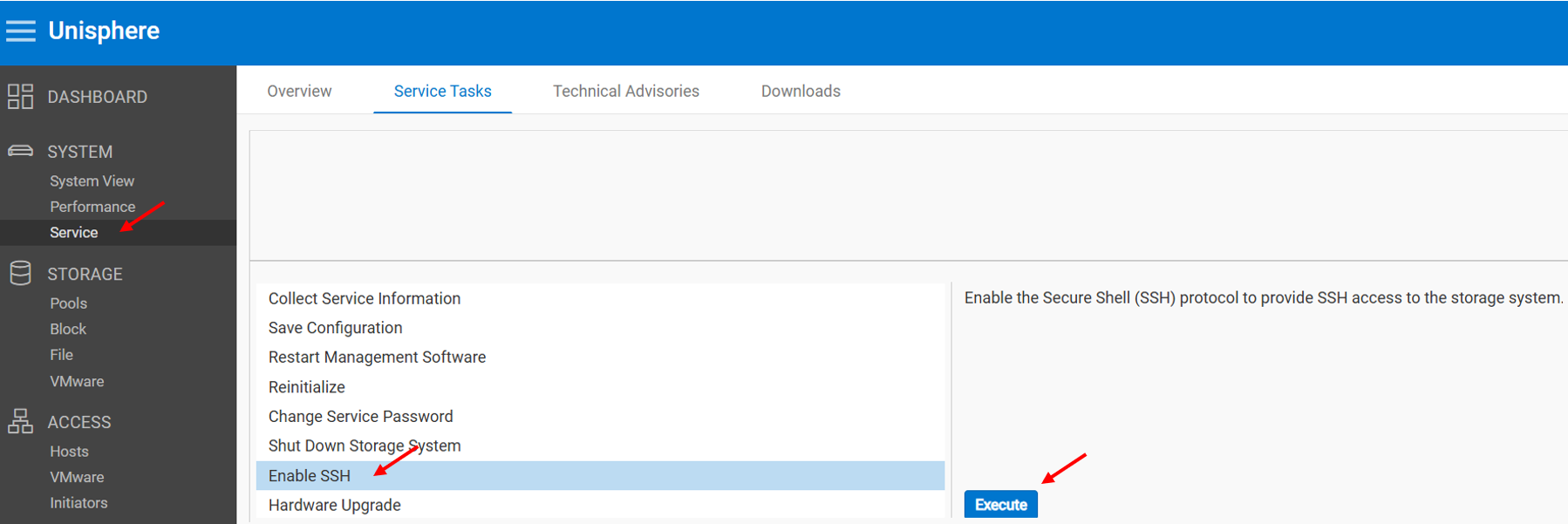
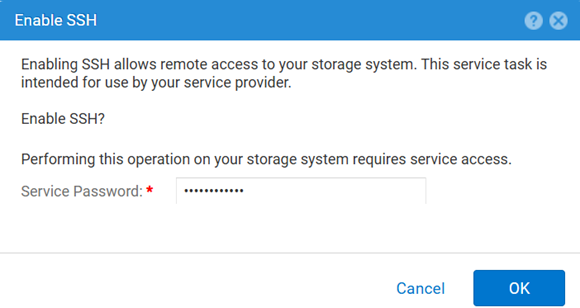
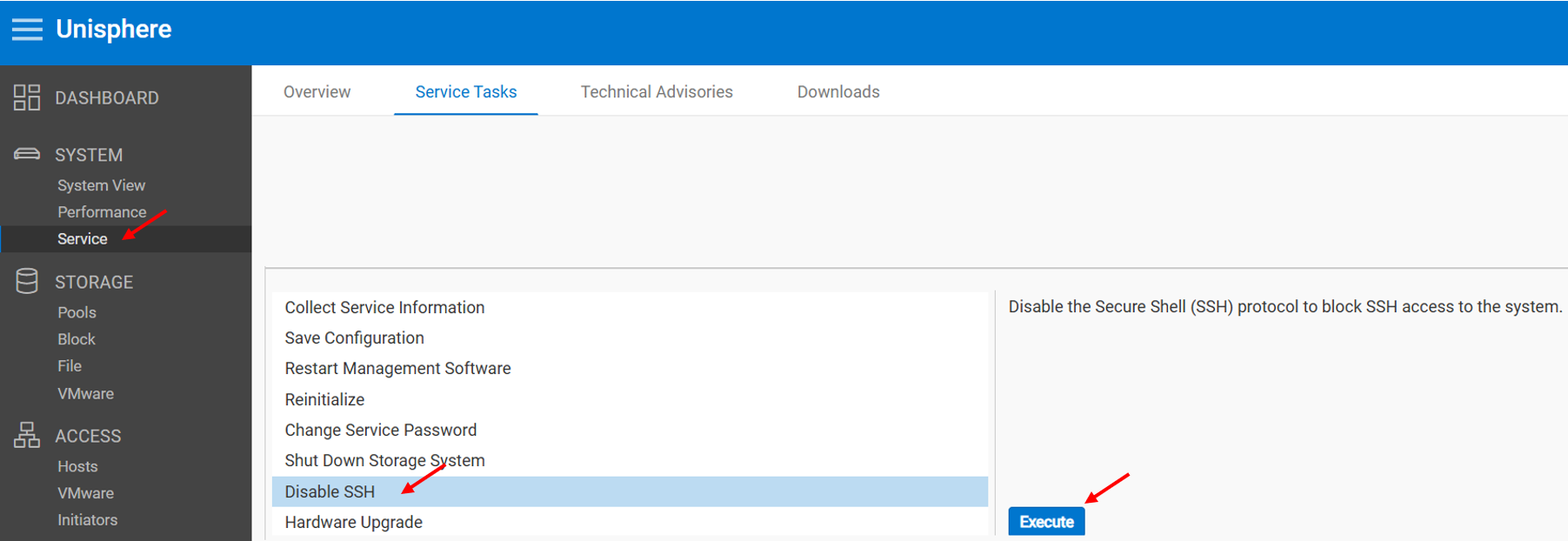
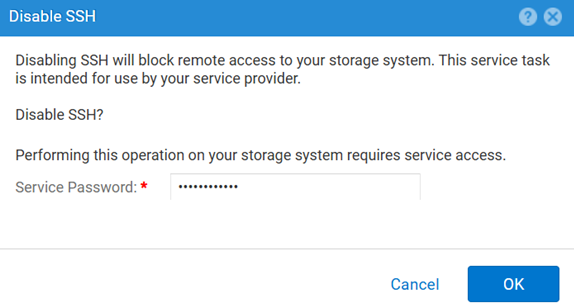
MÉTODO 1: Desde Unisphere (UI), cuando el arreglo está en modo normal
Para habilitar:
Para deshabilitar:
MÉTODO 2: UEMCLI
Para ver la configuración de SSH:
uemcli.exe -d <MGMT IP> -u admin -securePassword /service/ssh showPara habilitar SSH:
uemcli.exe -d <MGMT IP> -u admin -securePassword /service/ssh set -enabled yesPara deshabilitar SSH:
uemcli.exe -d <MGMT IP> -u admin -securePassword /service/ssh set -enabled noMÉTODO 3: Con un IPMI Conexión
Para ver el SSH Estado:
svc_ssh -sPara habilitar SSH:
svc_ssh -ePara deshabilitar SSH:
svc_ssh -d
MÉTODO 4: Desde el servicio Unisphere (UI), cuando el arreglo está en modo de servicio
1. Abra un navegador.
2. Vaya a https://<management_IP>/service.html
3. Use el comando admin .
4. Desde este menú SSH se puede habilitar.
Additional Information
Otros artículos útiles para solucionar problemas relacionados con SSH:
Affected Products
Dell EMC Unity, Dell Unity 450F DC, Dell Unity 300, Dell Unity 300 DC, Dell EMC Unity 300F, Dell EMC Unity 350F, Dell Unity 350F DC, Dell EMC Unity XT 380, Dell EMC Unity XT 380F, Dell EMC Unity 400, Dell Unity 400 DC, Dell EMC Unity 400F
, Dell EMC Unity 450F, Dell EMC Unity XT 480, Dell EMC Unity XT 480F, Dell EMC Unity 500, Dell EMC Unity 500F, Dell EMC Unity 550F, Dell EMC Unity 600, Dell EMC Unity 600F, Dell EMC Unity 650F, Dell EMC Unity XT 680, Dell EMC Unity XT 680F, Dell EMC Unity XT 880, Dell EMC Unity XT 880F, Dell EMC Unity Family |Dell EMC Unity All Flash, Dell EMC Unity Hybrid
...
Products
Dell Command | ConfigureArticle Properties
Article Number: 000446216
Article Type: How To
Last Modified: 15 أبريل 2026
Version: 1
Find answers to your questions from other Dell users
Support Services
Check if your device is covered by Support Services.