Dell Unity: SSH:n ottaminen käyttöön ja poistaminen käytöstä
Summary: Tässä artikkelissa kuvataan useita tapoja ottaa SSH käyttöön ja poistaa se käytöstä Dell Unity -levyjärjestelmissä.
This article applies to
This article does not apply to
This article is not tied to any specific product.
Not all product versions are identified in this article.
Instructions
MENETELMÄ 1: Unispherestä (UI) - kun järjestelmä on normaalitilassa
Voit tehdä seuraavat toimet:
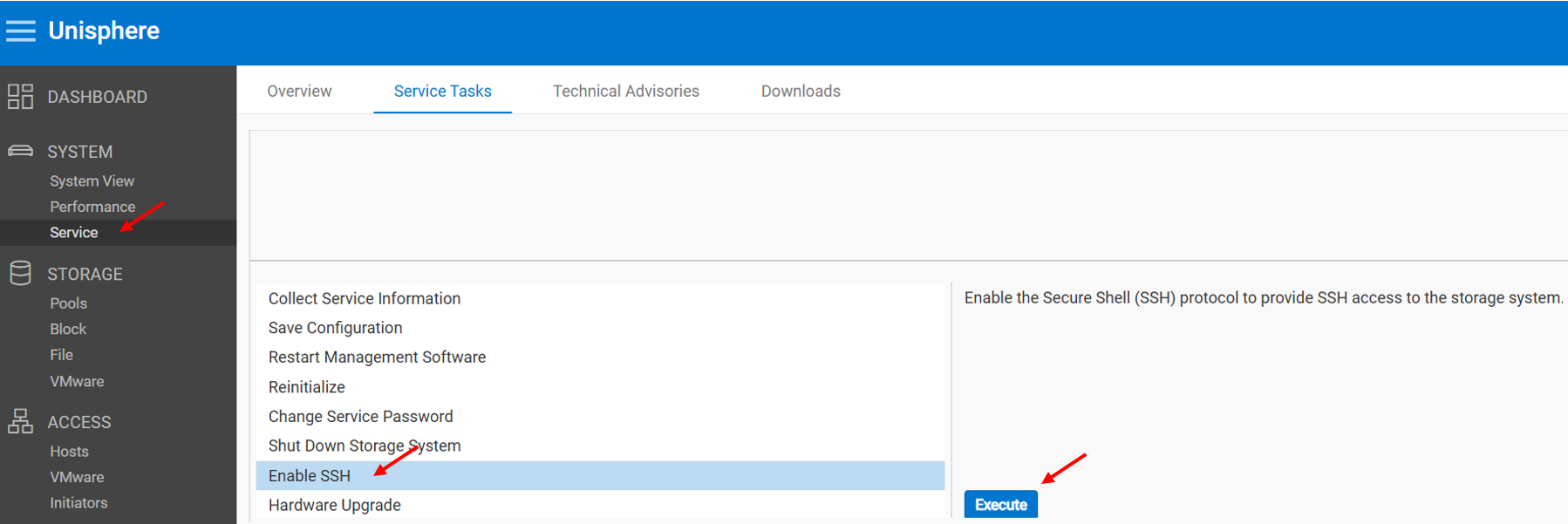
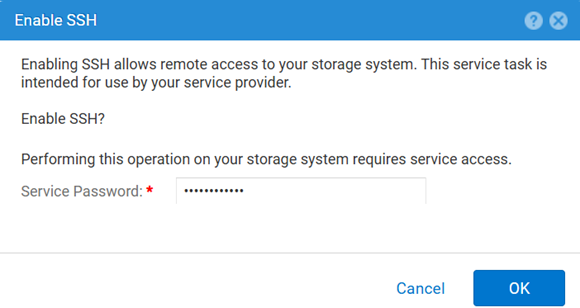
Voit poistaa käytöstä seuraavasti:
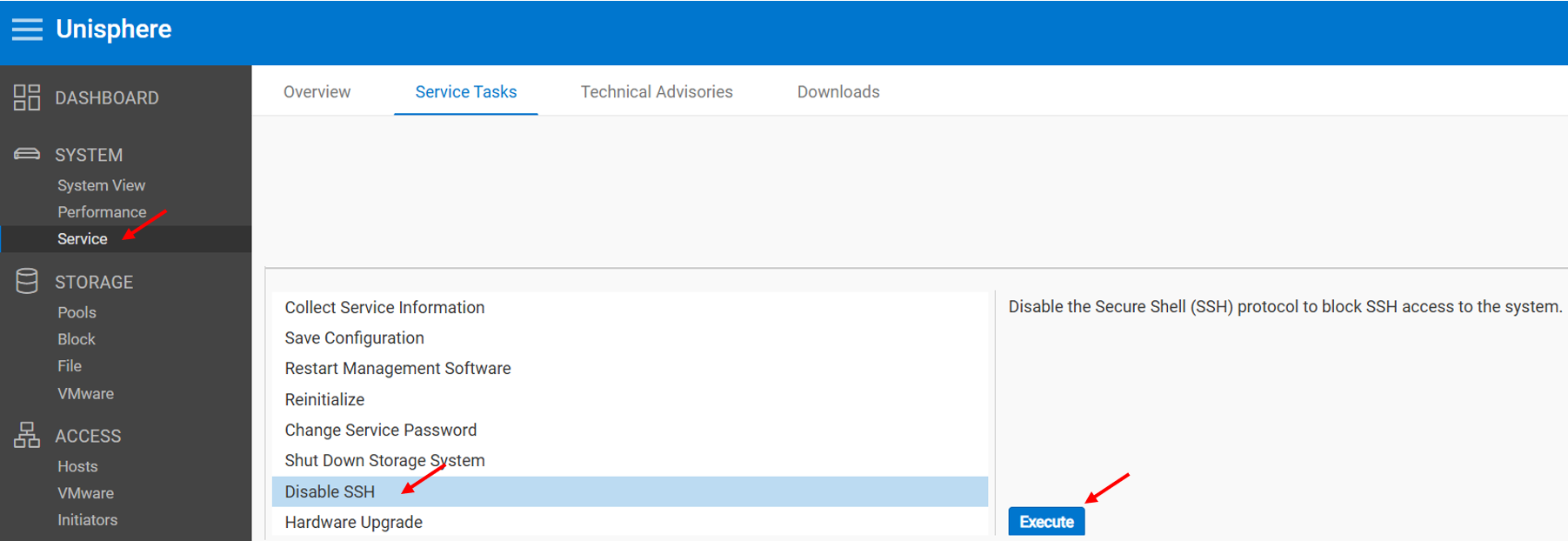
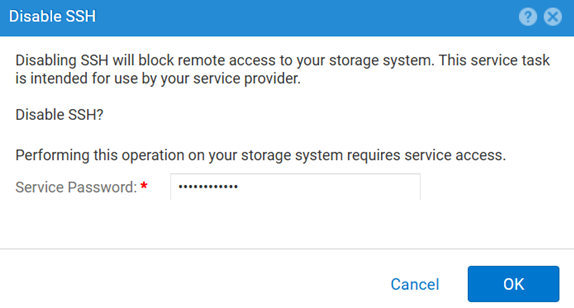
MENETELMÄ 2: UEMCLI
SSH-asetuksen tarkasteleminen:
uemcli.exe -d <MGMT IP> -u admin -securePassword /service/ssh showSSH:n ottaminen käyttöön:
uemcli.exe -d <MGMT IP> -u admin -securePassword /service/ssh set -enabled yesSSH:n poistaminen käytöstä:
uemcli.exe -d <MGMT IP> -u admin -securePassword /service/ssh set -enabled noMENETELMÄ 3: Kun IPMI Yhteys
Voit tarkastella SSH Tila:
svc_ssh -sOttaa käyttöön SSH:
svc_ssh -eVoit poistaa käytöstä SSH:
svc_ssh -d
MENETELMÄ 4: Unisphere Servicestä (UI), kun järjestelmä on huoltotilassa
1. Avaa selain.
2. Siirry https://<management_IP>/service.html
3. Korosta admin Tunnistetiedot.
4. Tästä valikosta SSH voidaan ottaa käyttöön.
Additional Information
Muita hyödyllisiä artikkeleita SSH-ongelmien vianmäärityksestä:
Affected Products
Dell EMC Unity, Dell Unity 450F DC, Dell Unity 300, Dell Unity 300 DC, Dell EMC Unity 300F, Dell EMC Unity 350F, Dell Unity 350F DC, Dell EMC Unity XT 380, Dell EMC Unity XT 380F, Dell EMC Unity 400, Dell Unity 400 DC, Dell EMC Unity 400F
, Dell EMC Unity 450F, Dell EMC Unity XT 480, Dell EMC Unity XT 480F, Dell EMC Unity 500, Dell EMC Unity 500F, Dell EMC Unity 550F, Dell EMC Unity 600, Dell EMC Unity 600F, Dell EMC Unity 650F, Dell EMC Unity XT 680, Dell EMC Unity XT 680F, Dell EMC Unity XT 880, Dell EMC Unity XT 880F, Dell EMC Unity Family |Dell EMC Unity All Flash, Dell EMC Unity Hybrid
...
Products
Dell Command | ConfigureArticle Properties
Article Number: 000446216
Article Type: How To
Last Modified: 15 أبريل 2026
Version: 1
Find answers to your questions from other Dell users
Support Services
Check if your device is covered by Support Services.