Dell Unity:SSHを有効または無効にする方法
Summary: この記事では、Dell UnityアレイでSSHを有効または無効にする複数の方法について説明します。
This article applies to
This article does not apply to
This article is not tied to any specific product.
Not all product versions are identified in this article.
Instructions
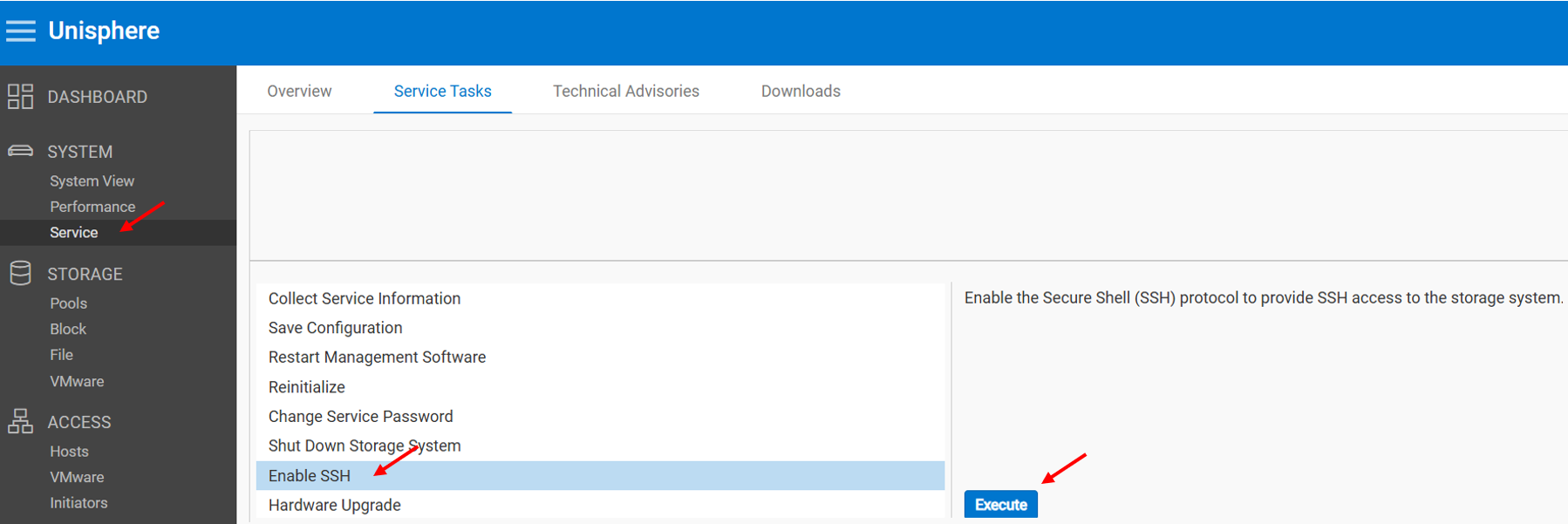
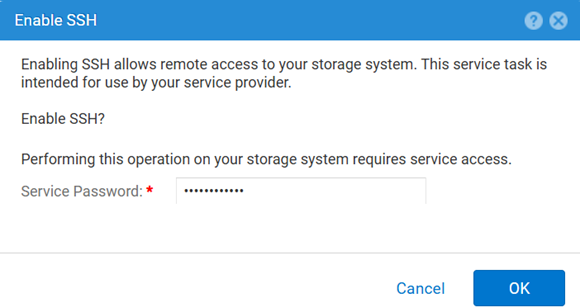
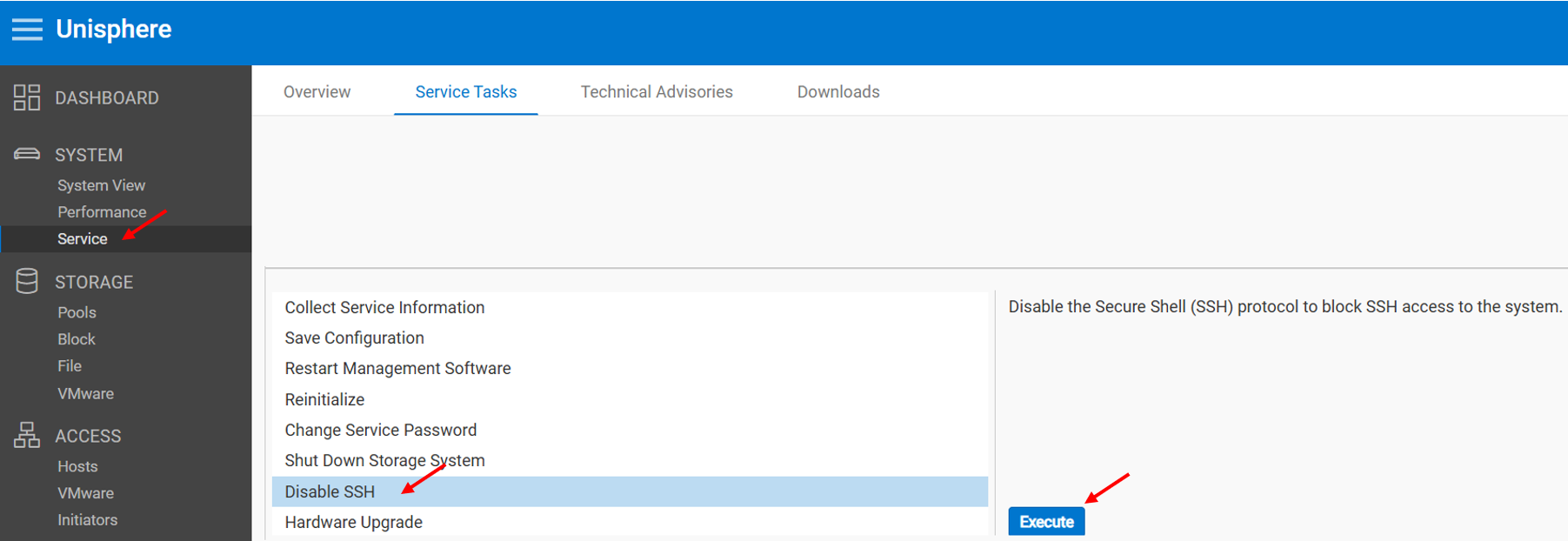
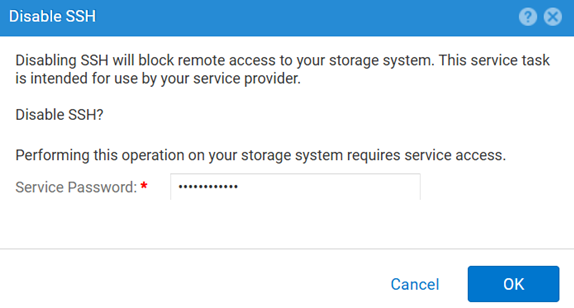
方法1: Unisphere(UI)から:アレイが通常モードの場合
有効にするには、次の手順を実行します。
無効にするには、次の手順を実行します。
メソッド2: UEMCLI
SSH設定を表示するには、次の手順を実行します。
uemcli.exe -d <MGMT IP> -u admin -securePassword /service/ssh showSSHを有効にするには、次の手順を実行します。
uemcli.exe -d <MGMT IP> -u admin -securePassword /service/ssh set -enabled yesSSHを無効にするには、次の手順を実行します。
uemcli.exe -d <MGMT IP> -u admin -securePassword /service/ssh set -enabled no方法3: と IPMI 接続
表示するには SSH ステータス:
svc_ssh -s有効にするには SSHファイルに置き換えます。
svc_ssh -e次を無効にするには: SSHファイルに置き換えます。
svc_ssh -d
方法4:Unisphere Service (UI)から:アレイがサービス モードの場合
1.ブラウザーを開きます。
2.次のリンクにアクセスする: https://<management_IP>/service.html
3.コマンド admin の資格情報でログインします。
4.このメニューから SSH を有効にすることができます。
Additional Information
SSH関連の問題をトラブルシューティングする際に役立つその他の記事:
Affected Products
Dell EMC Unity, Dell Unity 450F DC, Dell Unity 300, Dell Unity 300 DC, Dell EMC Unity 300F, Dell EMC Unity 350F, Dell Unity 350F DC, Dell EMC Unity XT 380, Dell EMC Unity XT 380F, Dell EMC Unity 400, Dell Unity 400 DC, Dell EMC Unity 400F
, Dell EMC Unity 450F, Dell EMC Unity XT 480, Dell EMC Unity XT 480F, Dell EMC Unity 500, Dell EMC Unity 500F, Dell EMC Unity 550F, Dell EMC Unity 600, Dell EMC Unity 600F, Dell EMC Unity 650F, Dell EMC Unity XT 680, Dell EMC Unity XT 680F, Dell EMC Unity XT 880, Dell EMC Unity XT 880F, Dell EMC Unity Family |Dell EMC Unity All Flash, Dell EMC Unity Hybrid
...
Products
Dell Command | ConfigureArticle Properties
Article Number: 000446216
Article Type: How To
Last Modified: 15 أبريل 2026
Version: 1
Find answers to your questions from other Dell users
Support Services
Check if your device is covered by Support Services.