Dell Unity: Slik aktiverer og deaktiverer du SSH
Summary: Denne artikkelen beskriver flere metoder for å aktivere og deaktivere SSH på Dell Unity-arrayer.
This article applies to
This article does not apply to
This article is not tied to any specific product.
Not all product versions are identified in this article.
Instructions
METODE 1: Fra Unisphere (UI) – når matrisen er i normal modus
Slik aktiverer du:
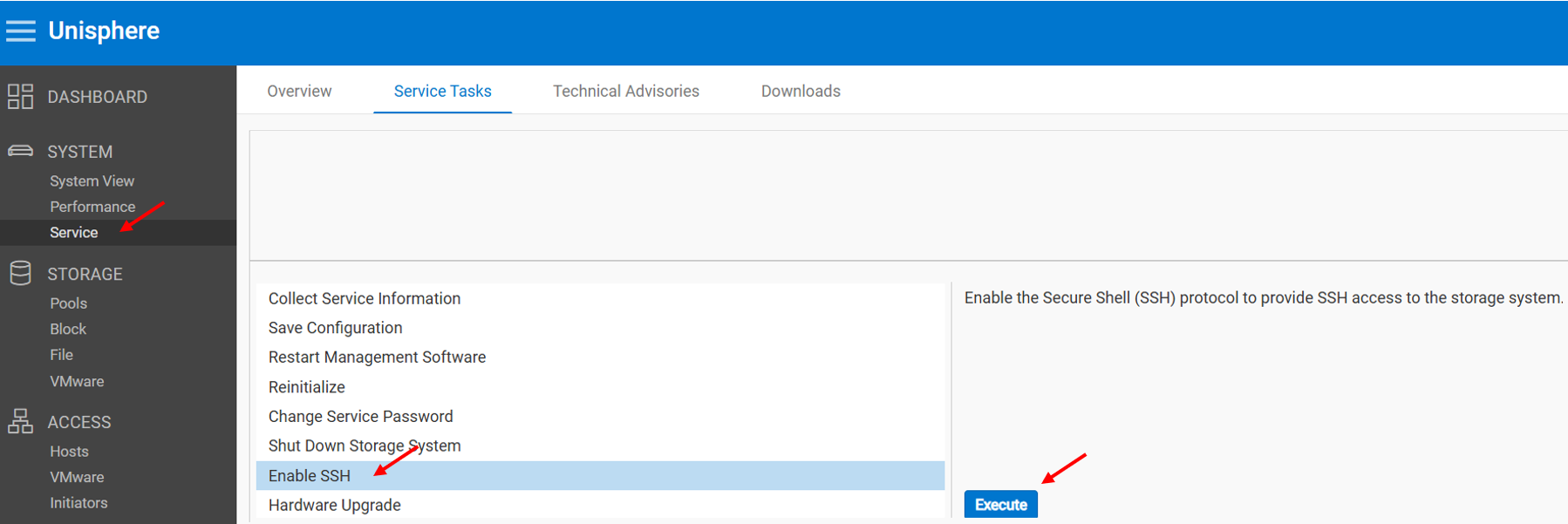
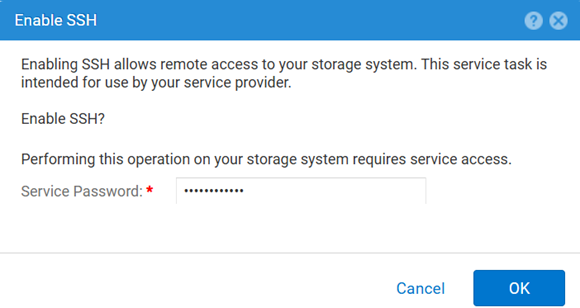
Slik deaktiverer du:
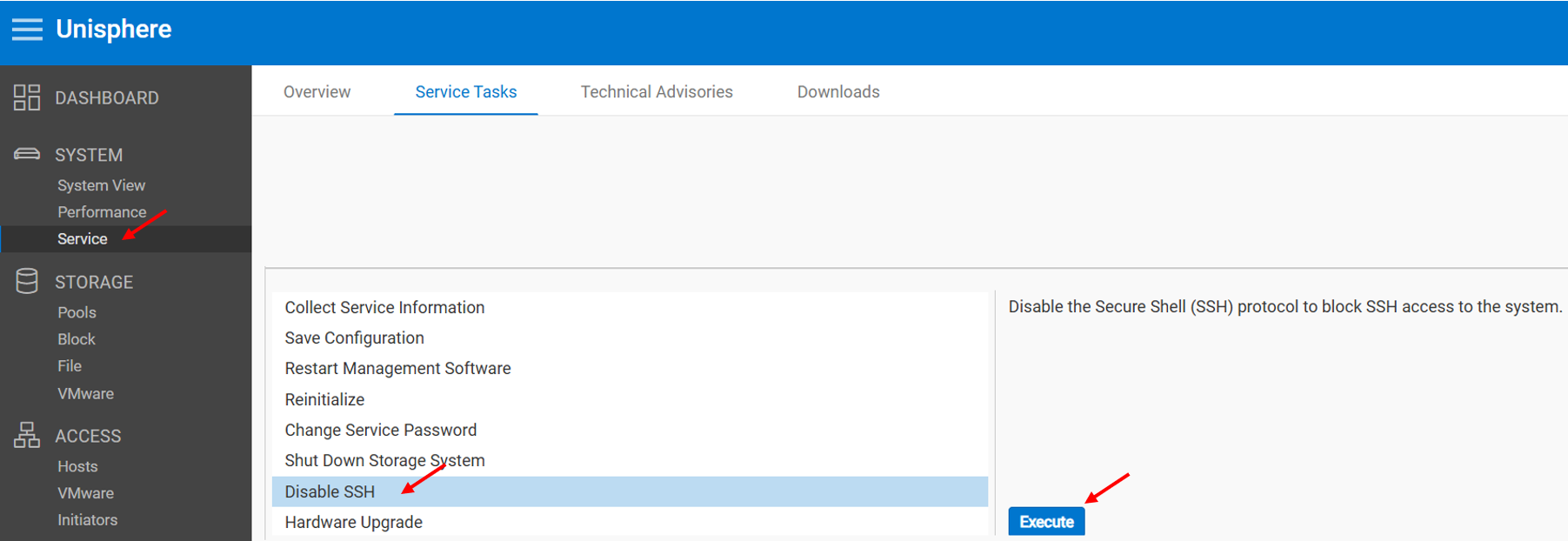
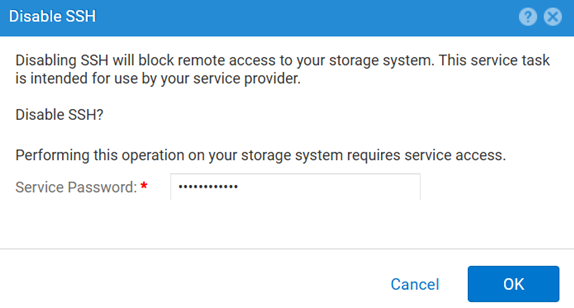
METODE 2: UEMCLI
Slik viser du SSH-innstillingen:
uemcli.exe -d <MGMT IP> -u admin -securePassword /service/ssh showSlik aktiverer du SSH:
uemcli.exe -d <MGMT IP> -u admin -securePassword /service/ssh set -enabled yesSlik deaktiverer du SSH:
uemcli.exe -d <MGMT IP> -u admin -securePassword /service/ssh set -enabled noMETODE 3: Med en IPMI Tilkobling
For å vise SSH Status:
svc_ssh -sSlik aktiverer du: SSH:
svc_ssh -eSlik deaktiverer du: SSH:
svc_ssh -d
METODE 4: Fra Unisphere Service (UI) – når matrisen er i servicemodus
1. Åpne en nettleser.
2. Gå til https://<management_IP>/service.html
3. Trykk på admin Legitimasjon.
4. Fra denne menyen SSH kan aktiveres.
Additional Information
Andre nyttige artikler mens du feilsøker SSH-relaterte problemer:
Affected Products
Dell EMC Unity, Dell Unity 450F DC, Dell Unity 300, Dell Unity 300 DC, Dell EMC Unity 300F, Dell EMC Unity 350F, Dell Unity 350F DC, Dell EMC Unity XT 380, Dell EMC Unity XT 380F, Dell EMC Unity 400, Dell Unity 400 DC, Dell EMC Unity 400F
, Dell EMC Unity 450F, Dell EMC Unity XT 480, Dell EMC Unity XT 480F, Dell EMC Unity 500, Dell EMC Unity 500F, Dell EMC Unity 550F, Dell EMC Unity 600, Dell EMC Unity 600F, Dell EMC Unity 650F, Dell EMC Unity XT 680, Dell EMC Unity XT 680F, Dell EMC Unity XT 880, Dell EMC Unity XT 880F, Dell EMC Unity Family |Dell EMC Unity All Flash, Dell EMC Unity Hybrid
...
Products
Dell Command | ConfigureArticle Properties
Article Number: 000446216
Article Type: How To
Last Modified: 15 أبريل 2026
Version: 1
Find answers to your questions from other Dell users
Support Services
Check if your device is covered by Support Services.