Dell Unity:如何启用和禁用 SSH
Summary: 本文介绍在 Dell Unity 阵列上启用和禁用 SSH 的多种方法。
This article applies to
This article does not apply to
This article is not tied to any specific product.
Not all product versions are identified in this article.
Instructions
方法 1:从 Unisphere (UI) — 当阵列处于正常模式时
要启用:
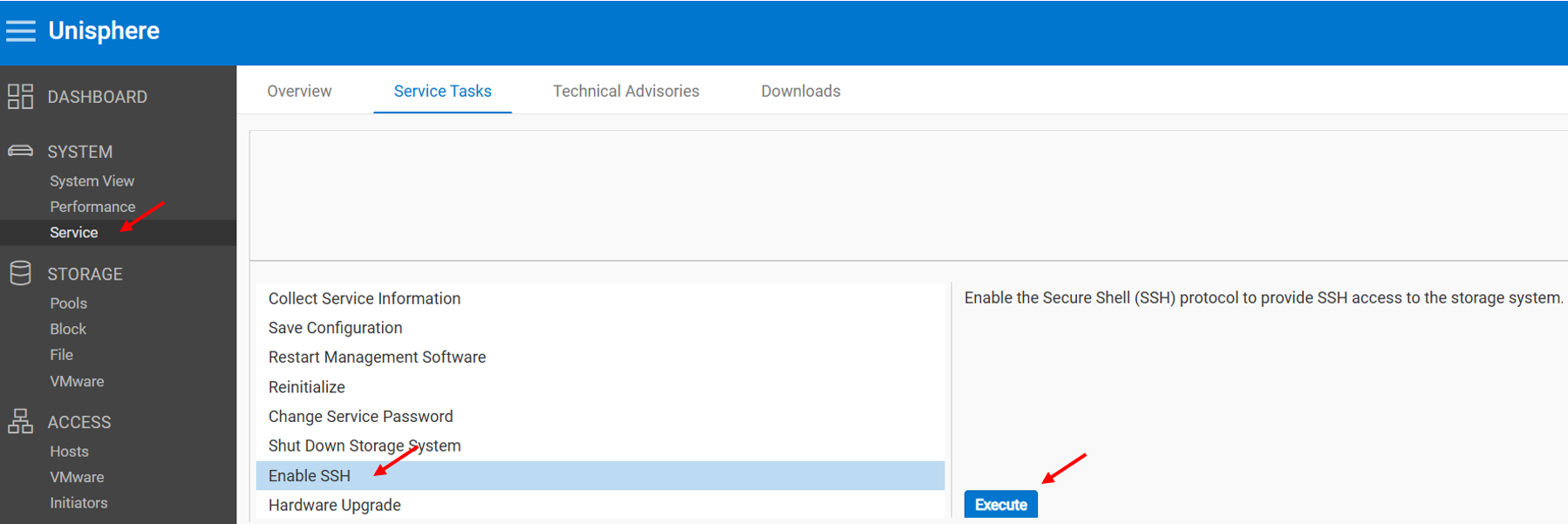
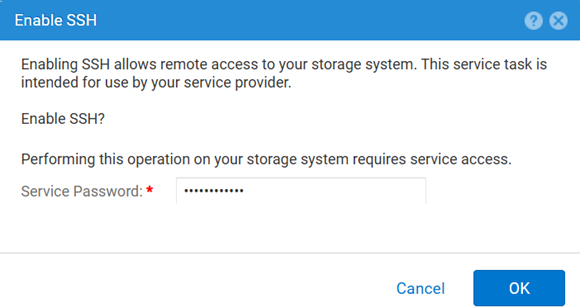
要禁用:
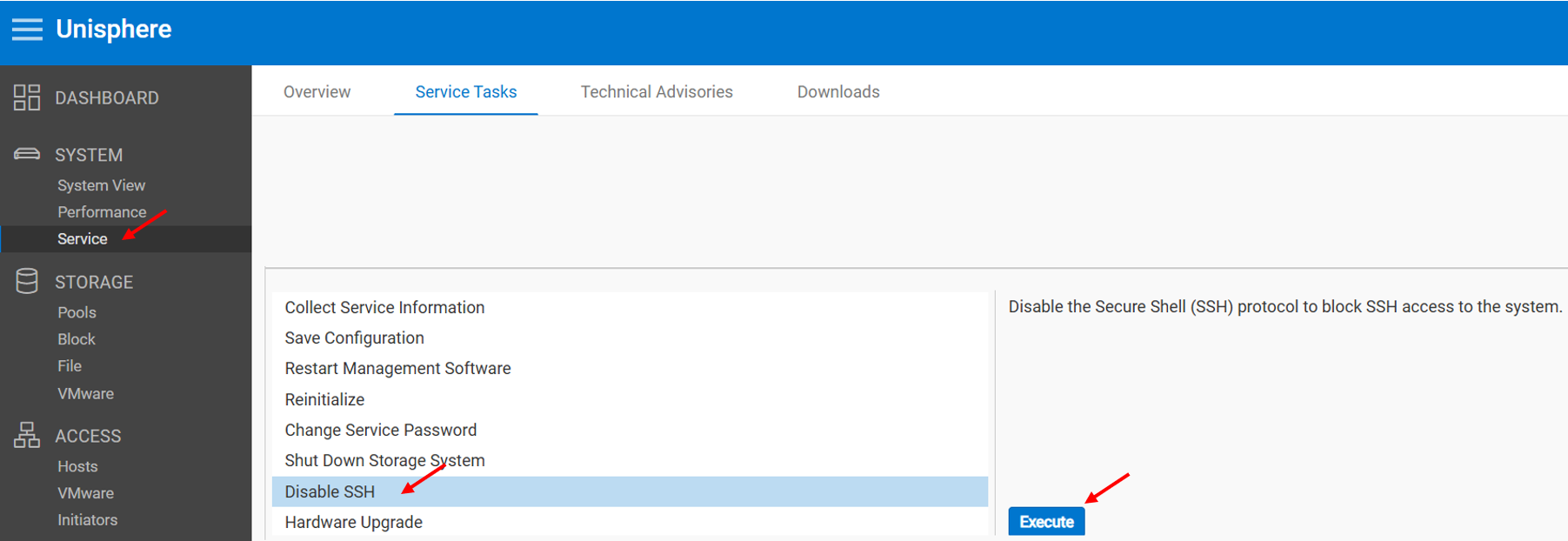
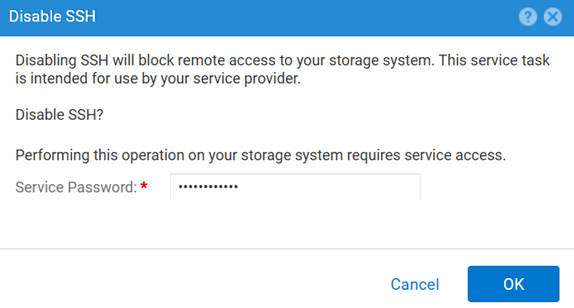
方法 2:UEMCLI
要查看 SSH 设置,请执行以下操作:
uemcli.exe -d <MGMT IP> -u admin -securePassword /service/ssh show要启用 SSH,请执行以下操作:
uemcli.exe -d <MGMT IP> -u admin -securePassword /service/ssh set -enabled yes要禁用 SSH,请执行以下操作:
uemcli.exe -d <MGMT IP> -u admin -securePassword /service/ssh set -enabled no方法 3:使用 IPMI 连接
要查看 SSH 地位:
svc_ssh -s要启用 SSH管理此进程:
svc_ssh -e要禁用 SSH管理此进程:
svc_ssh -d
方法 4:从 Unisphere 服务 (UI) — 当阵列处于服务模式时
1.打开浏览器。
2.请转至 https://<management_IP>/service.html
3.使用 admin 凭据登录。
4.从此菜单 SSH 可以启用。
Additional Information
对 SSH 相关问题进行故障处理时的其他有用文章:
Affected Products
Dell EMC Unity, Dell Unity 450F DC, Dell Unity 300, Dell Unity 300 DC, Dell EMC Unity 300F, Dell EMC Unity 350F, Dell Unity 350F DC, Dell EMC Unity XT 380, Dell EMC Unity XT 380F, Dell EMC Unity 400, Dell Unity 400 DC, Dell EMC Unity 400F
, Dell EMC Unity 450F, Dell EMC Unity XT 480, Dell EMC Unity XT 480F, Dell EMC Unity 500, Dell EMC Unity 500F, Dell EMC Unity 550F, Dell EMC Unity 600, Dell EMC Unity 600F, Dell EMC Unity 650F, Dell EMC Unity XT 680, Dell EMC Unity XT 680F, Dell EMC Unity XT 880, Dell EMC Unity XT 880F, Dell EMC Unity Family |Dell EMC Unity All Flash, Dell EMC Unity Hybrid
...
Products
Dell Command | ConfigureArticle Properties
Article Number: 000446216
Article Type: How To
Last Modified: 15 أبريل 2026
Version: 1
Find answers to your questions from other Dell users
Support Services
Check if your device is covered by Support Services.