Dell Networking PowerSwitch Time Required for ONIE Firmware Update
Summary: This article explains about the time required for complete ONIE Firmware Update in the Dell S and Z series.
Instructions
What does the ONIE Firmware Updater do?
The ONIE Firmware Updater checks versions and updates hardware firmware components, including:
BIOSBMC (Baseboard Management Controller)CPLDFPGASSD firmware (when applicable)ONIE
It ensures that all components are at Dell‑supported versions required for stable operation.
How much time does it take to run ONIE Firmware Updater package?
The package includes multiple firmware components.
If a component on the switch already matches the version in the package, the upgrade for that component is skipped, saving time.
If the package contains a newer version of a firmware component, it is upgraded.
The ONIE version is updated first, if needed, and the switch reboots to load the updated version and proceeds with the firmware upgrade (BIOS, CPLD, FPGA, and BMC). Once all the firmware is updated, the switch again reboots into the NOS (OS10, SONiC).
Typically, a full ONIE Firmware Update takes approximately 25+ minutes to complete.
Where can we download the latest ONIE Firmware Updater package?
The ONIE Firmware Updater is available under the Drivers & Downloads section for your specific switch model.
In the below example, we download the Latest ONIE Firmware for S5200.
Steps:
- Go to Dell Support
Search by Service Tag (best option)
Or
Search by Model (for example: S5248F‑ON, S5224F‑ON, S5232F‑ON)
Sample Screenshot
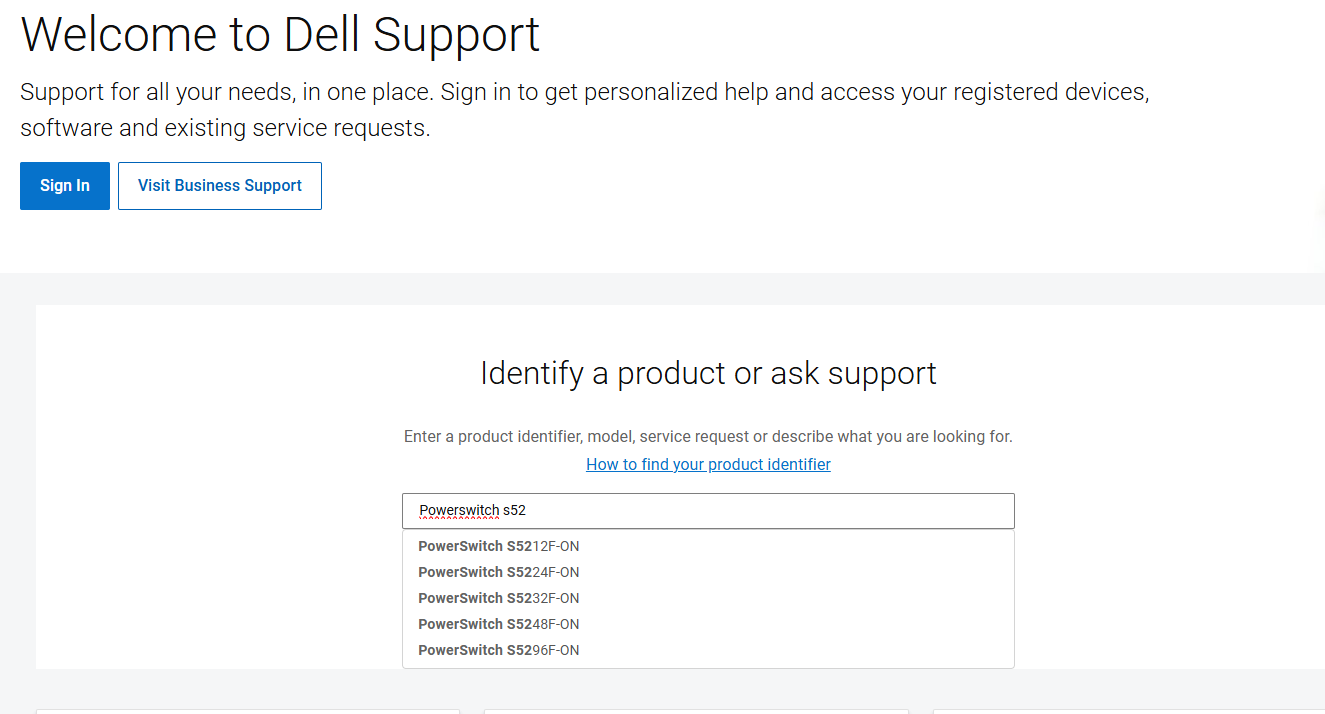
2. Open Drivers & Downloads
Filter by:
-
- Category: Device Firmware
Sample Screenshot
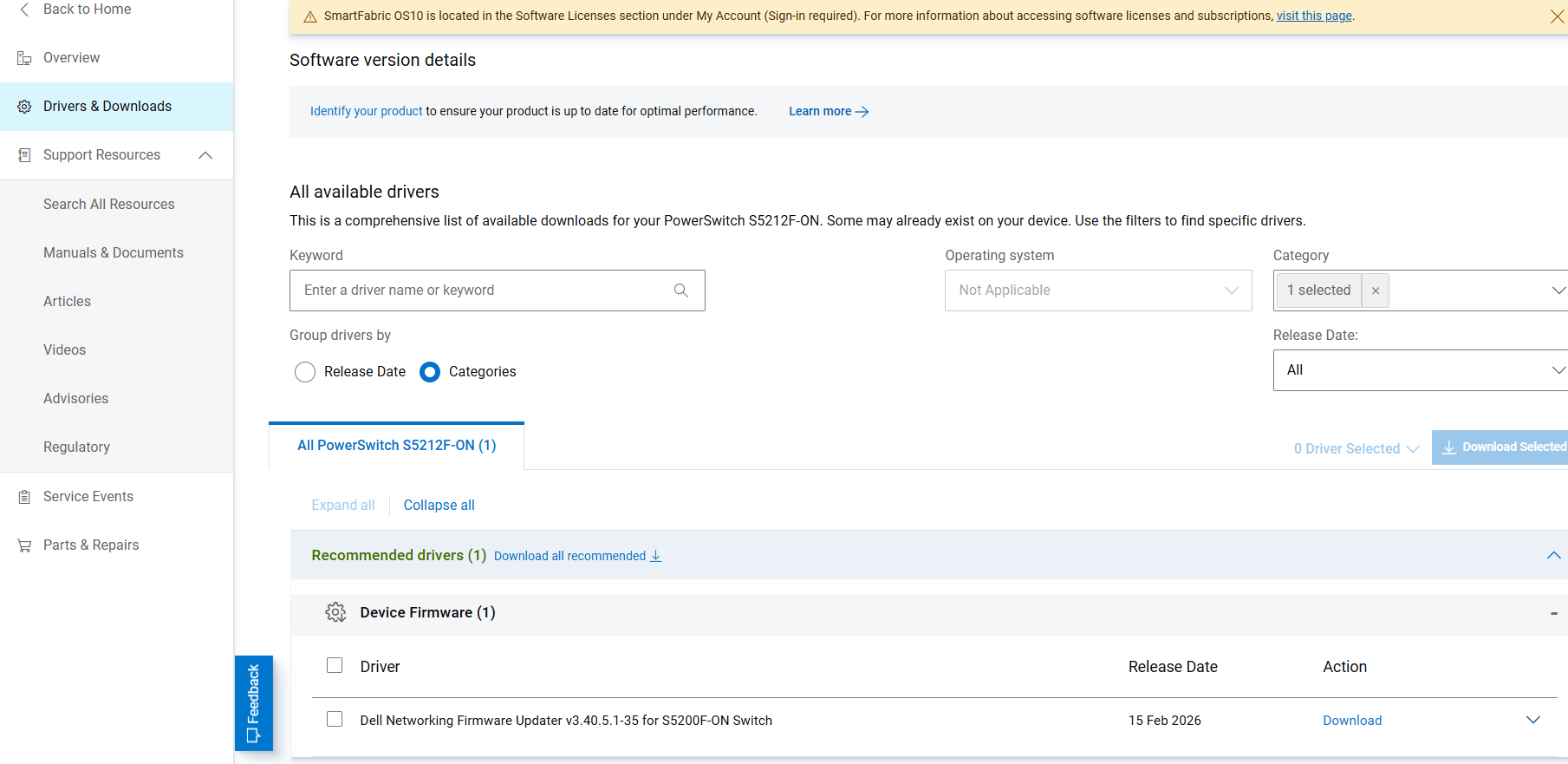
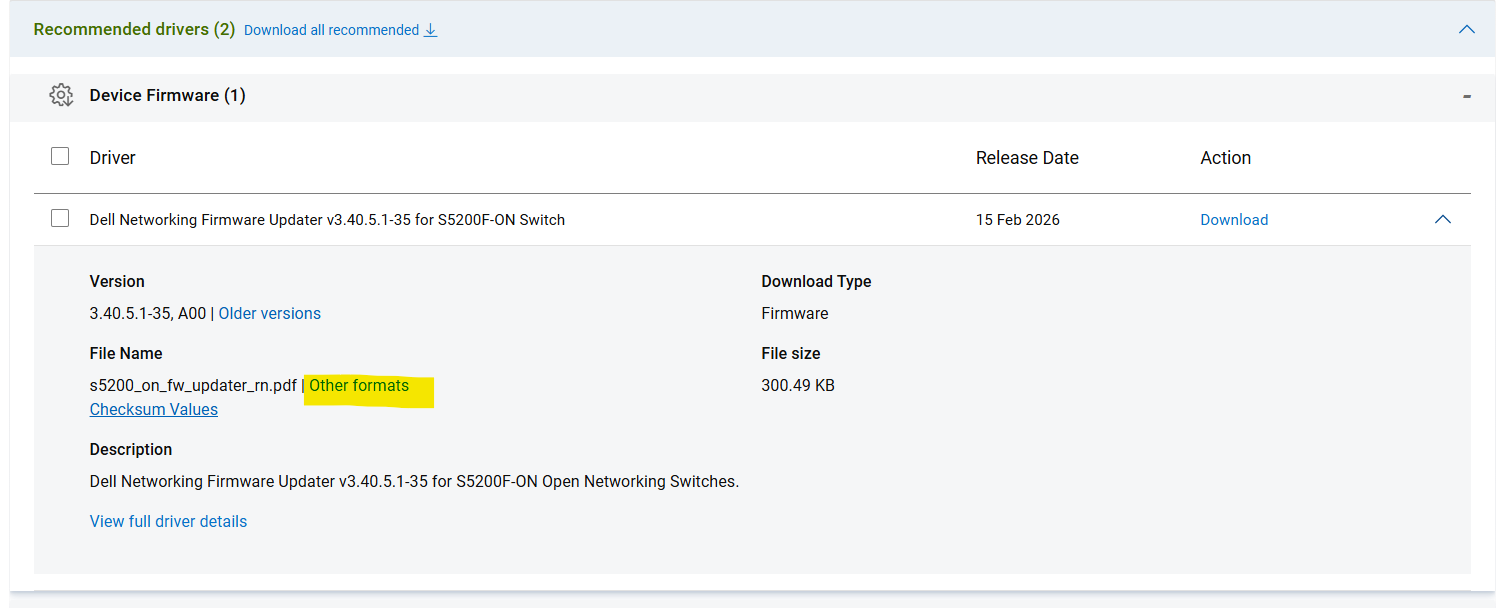
To download the package.
Click drop-down (highlighted with yellow in sample screenshot)
Sample Screenshot

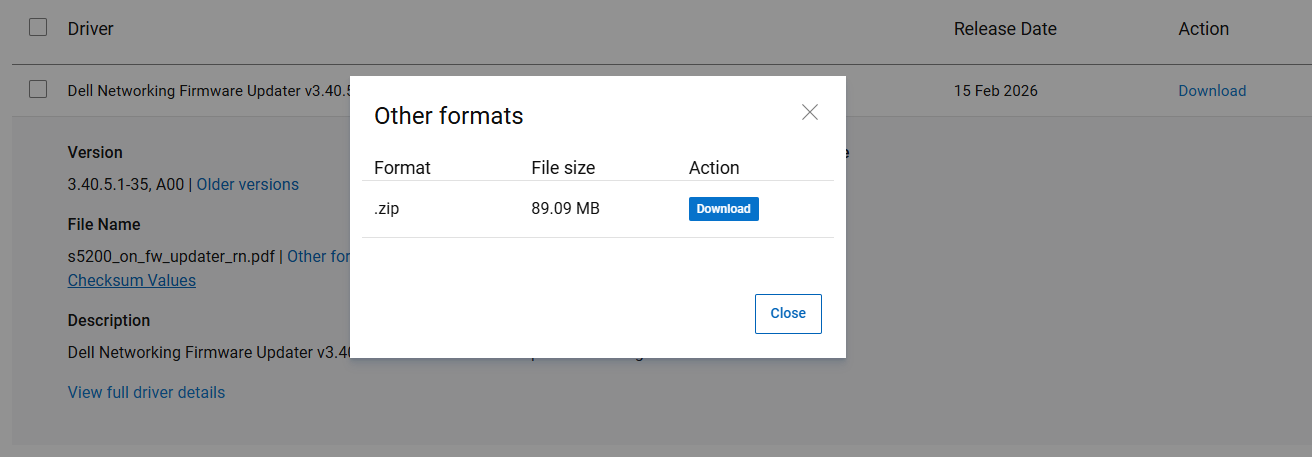
Click Other Formats
Sample Screenshot
Download the .zip file.
Sample Screenshot
How to update ONIE firmware?
Refer to the ONIE Firmware Updater Release Notes on how to upgrade the ONIE firmware.