PowerProtect Data Manager: Virtual Machine Restore remains in queued status
Summary: The virtual machine (VM) restore is configured, but it remains in a queued state with no progress due to an expired Data Domain certificate.
Symptoms
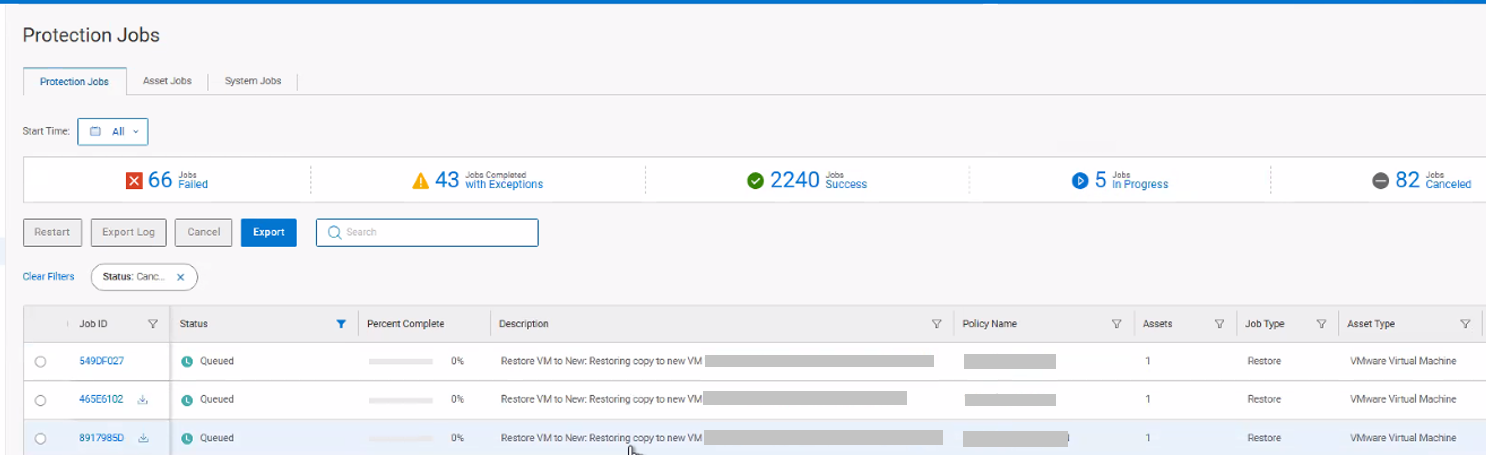
The PowerProtect Appliance is used to protect the vSphere environment with the VM Direct Engine solution. The virtual machine (VM) restore is configured, but it remains in a queued state with no progress.
The /var/log/brs/vmdm/vmdm.log shows:
YYYY-MM-DD HH:MM:SS ERROR [] [request-dispatch-service-1] [][][][][] [c.e.b.d.c.r.c.DdRestClient.executeDataDomainAuthRequest(205)] -  issue with certificate when execute request hostname: my-datadomain.my-domain.com, username: sysadmin
YYYY-MM-DD HH:MM:SS ERROR [] [request-dispatch-service-1] [][][][][] [c.e.b.d.c.r.c.DdRestClient.executeDataDomainAuthRequest(209)] -  Exception when trying to login, PowerProtect DD System = my-datadomain.my-domain.com, username = sysadmin error = The operation was unsuccessful because of an issue with certificate.  Verify that the certificate was accepted.
YYYY-MM-DD HH:MM:SS ERROR [] [request-dispatch-service-1] [][][][][] [c.e.b.d.c.u.DDCommonUtils.getRestConnectionFromCache(504)] -  getRestConnectionFromCache failed
java.util.concurrent.ExecutionException: com.emc.brs.datadomain.common.rest.connection.DdRestClientException: The operation was unsuccessful because of an issue with certificate.  Verify that the certificate was accepted.
	at com.google.common.util.concurrent.AbstractFuture.getDoneValue(AbstractFuture.java:592)
	at com.google.common.util.concurrent.AbstractFuture.get(AbstractFuture.java:551)
	at com.google.common.util.concurrent.AbstractFuture$TrustedFuture.get(AbstractFuture.java:111)
	at com.google.common.util.concurrent.Uninterruptibles.getUninterruptibly(Uninterruptibles.java:247)
…
Cause
The Data Domain Certificate in the PowerProtect Data Manager configuration is expired. The Data Domain Certification expiration date may be validated from the PowerProtect Interface under "Administration > Certificates > External Servers."
Resolution
Validate the Data Domain Certificate has been renewed on the Data Domain Appliance. Refer to KB 000198864 Data Domain: Web UI Inaccessible Due to Expired https Certificate for further details.
Once the Data Domain Certificate is updated, the Certificate may be updated in the PowerProtect Data Manager Interface under "Administration > Certificates > External Servers > 'my-datadomain.my-domain.com' > Renew."