PowerProtect Data Manager: 보호 정책에서 Hyper-V VM 자산을 제거할 수 없음
Summary: 이 문서에서는 PowerProtect Data Manager UI에서 Hyper-V VM(Virtual Machine)을 삭제할 때 발생하는 문제에 대해 설명합니다.
This article applies to
This article does not apply to
This article is not tied to any specific product.
Not all product versions are identified in this article.
Symptoms
PowerProtect Data Manager의 보호 정책에서 Hyper-V VM을 제거할 수 없습니다. 보호 정책 또는 자산 탭에서 Hyper-V VM 자산을 제거하면 다음 메시지가 나타납니다.
Error
404: Missing document ID XXXXXXXXX-XXXX-XXXX-XXXX-XXXXXXXXXXX
Check to ensure that the resource if exits.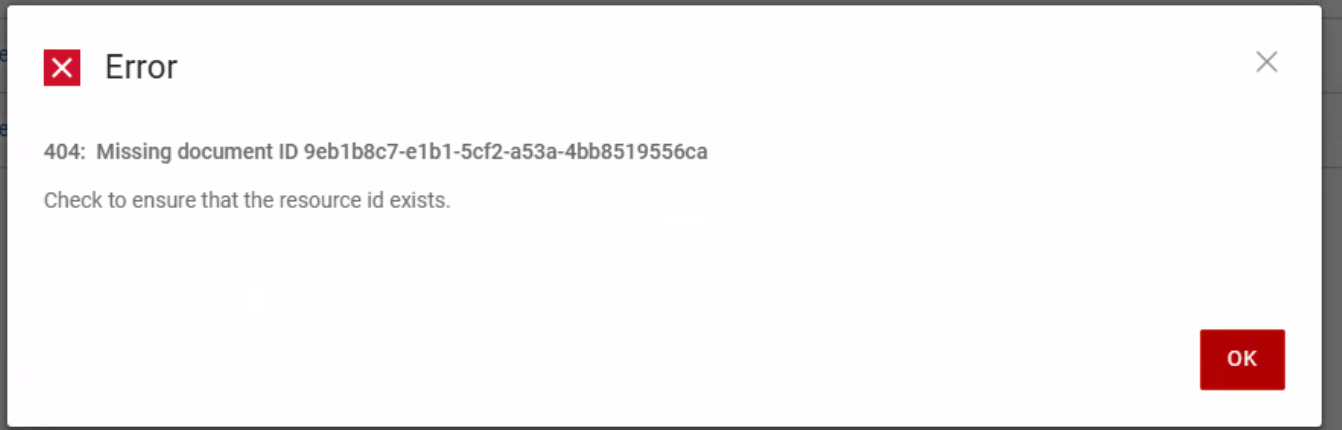
asset-storage 로그에는 다음과 같은 오류 메시지가 표시됩니다.
Caused by: java.lang.IllegalStateException: Duplicate key d4f8654d-9a75-44a2-b248-04653b1DELL-disk-key-100_differencing.vhd (attempted merging values class FtVirtualMachineDisk {
    com.emc.dpsg.ppdm.assetstoragesvc.model.fieldtype.FtVirtualMachineDisk@eaa3c6a3
    name: d4f8654d-9a75-44a2-b248-04653b1DELL-disk-key-100_differencing.vhd
    externalId: C:\Program Files\Dell\PPDM Hyper-V Agent\tmp\97aa99bc-5b0a-45f5-8c1c-3877bbdb61bb\1767810686/d4f8654d-9a75-44a2-b248-04653b1DELL-disk-key-100_differencing.vhd
    containingFolder: C:\Program Files\Dell\PPDM Hyper-V Agent\tmp\97aa99bc-5b0a-45f5-8c1c-3877bbdb61bb\1767810686
    sizeAllocationType: Differencing
    format: VHD
    usedSize: 7.1716864E7
    totalSize: 1.363673088E11
    excluded: false
    storageSources: null
    type: null
    busType: null
    deviceIndex: null
Cause
이는 PowerProtect Data Manager 19.19.0-15 이상에서 알려진 문제입니다. Hyper-V VM에는 파일 이름이 동일한 VHD(가상 하드 디스크) 파일이 여러 개 있습니다.
Resolution
PowerProtect Data Manager 20.1.0-17 및 19.22.0-16의 문제를 해결하기 위해 핫픽스가 생성되었습니다. 필요한 경우 Dell 지원 부서에 문의하여 지원이나 추가 질문을 받고 핫픽스를 요청하십시오.
Additional Information
영향: 핫픽스가 없으면 Hyper-V 서버 또는 클러스터에서 VM을 제거해도 PowerProtect Data Manager UI의 자산이 정리되지 않아 오래된 항목이 생성됩니다.
Affected Products
PowerProtect Data ManagerArticle Properties
Article Number: 000462583
Article Type: Solution
Last Modified: 27 مايو 2026
Version: 1
Find answers to your questions from other Dell users
Support Services
Check if your device is covered by Support Services.