VxRail: VxRail Manager Certificate Management
Summary: This article provides instruction on how to view, generate, replace, and manage the VxRail Manager certificate. This information is current as of VxRail 8.0.380; UI options may be limited or missing in earlier versions. NOTE: This does NOT apply to VCF clusters or environments. ...
This article applies to
This article does not apply to
This article is not tied to any specific product.
Not all product versions are identified in this article.
Instructions
How to view the VxRail Manager certificate:
From the UI:
- Log in to vCenter with administrator credentials.
- In Hosts and Clusters, select the VxRail cluster, then go to the Configure tab, and choose VxRail > Security.
- Click the Certificate header.
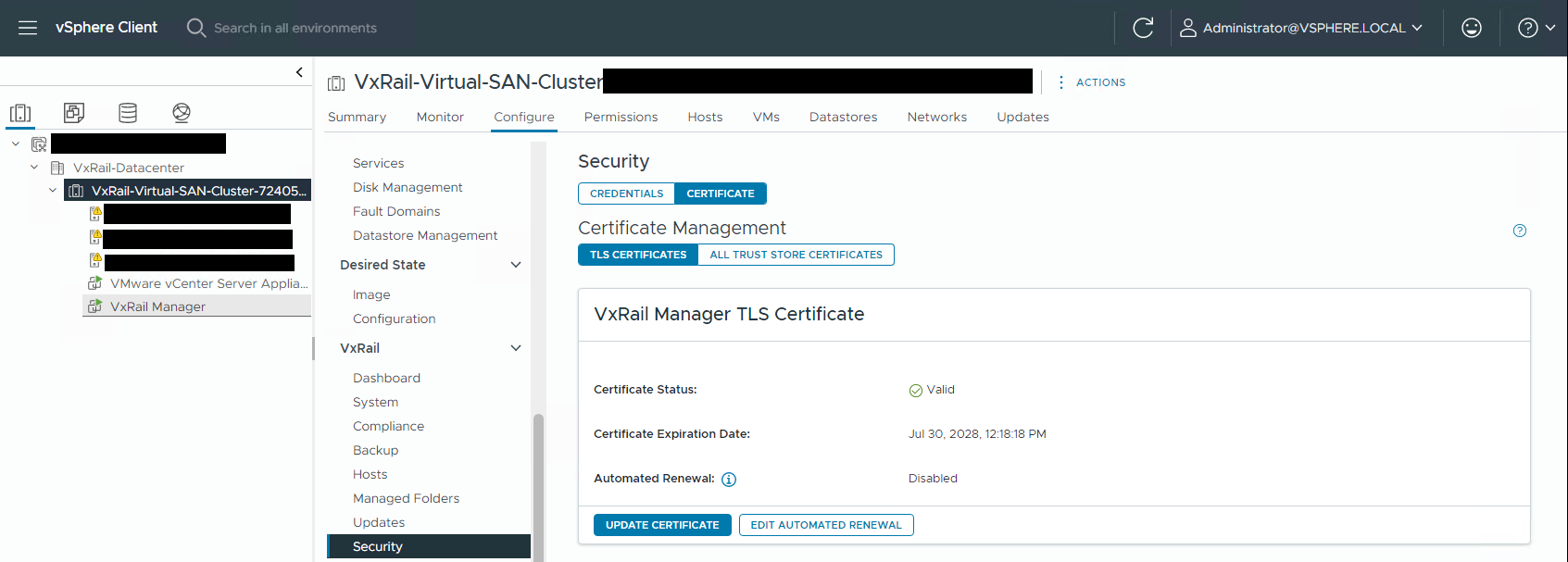
From CLI:
- SSH to VxRail Manager and login with credentials
- Run the command:
su. - Enter the VxRail Manager root password.
- Run the below command:
openssl x509 -in /etc/vmware-marvin/ssl/server.crt -text -noout
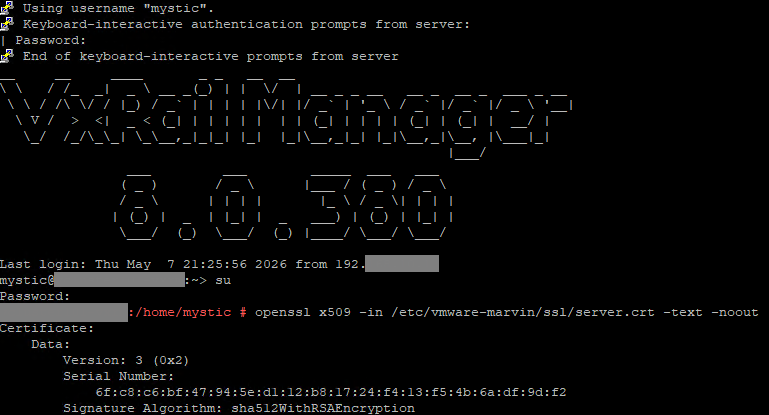
How to update the VxRail Manager certificate:
If the VxRail Manager certificate IS NOT expired and the VxRail vCenter plugin is working:
- Follow the steps above to view the VxRail Manager certificate in the vCenter UI.
- Click Update Certificate.
- From the display window, either generate a new VxRail self-signed certificate or provide a custom Customer certificate.

If the VxRail Manager certificate IS expired and or the VxRail Plugin is not working:
- Follow Dell article VxRail: User Guide for VxRail Troubleshooting Toolbox to download and run the VxRail Toolbox script. (Log in as a registered Dell Support user may be required to view this article.)
- Choose the Regenerate VXM cert option and follow the prompts to TEMPORARILY generate a new self-signed certificate to allow the plugin to function.
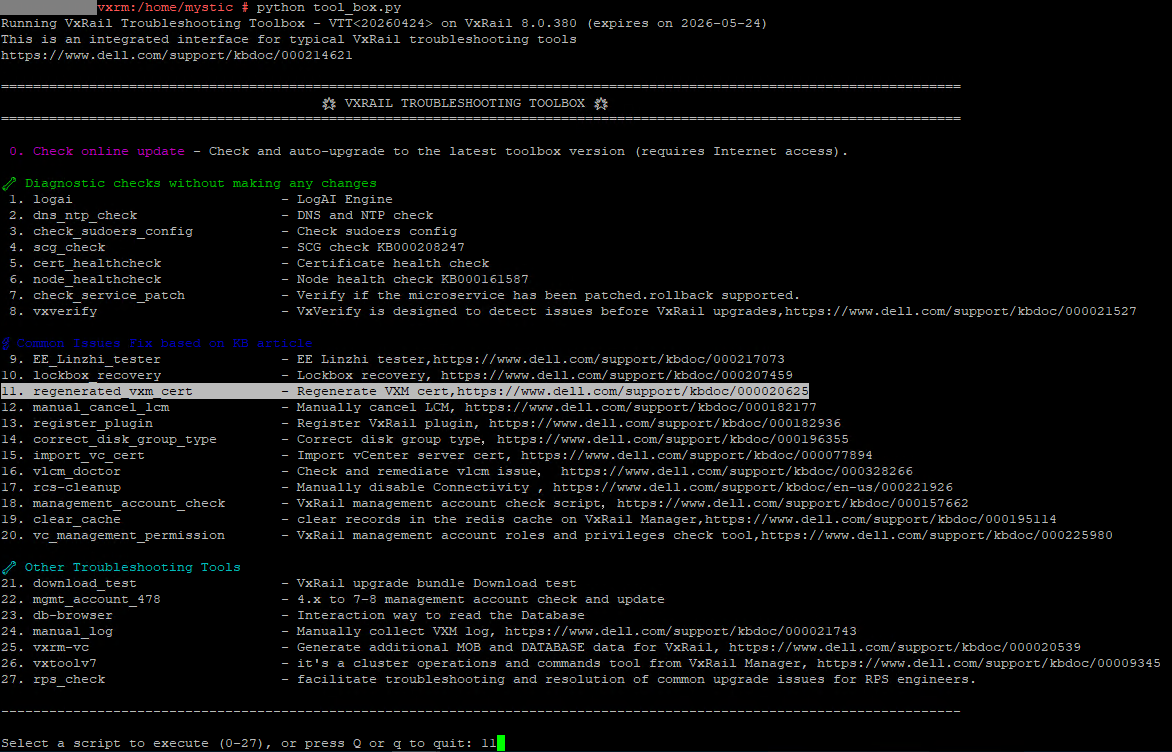
- Once the plugin is working again, follow the instructions above to Update Certificate using the UI, whether self-signed or custom. This allows vCenter to import and trust the certificate, and is a mandatory step if vLCM is enabled or custom certs are needed.
- If the UI option to Update Certificate is not available, use the following CLI command from vCenter shell to import the VxRail Manager certificate:
/usr/lib/vmware-updatemgr/bin/updatemgr-utility.py install-cert [VxRail manager FQDN]
NOTE: Confirm that vCenter trusts the correct self-signed VxRail Manager certificate by running the below command from vCenter shell. If it does not match the VxRail Manager self-signed certificate information, regenerate the certificate using the UI.
openssl x509 -in /usr/lib/vmware-updatemgr/bin/ssl/self-signed.crt -noout -text
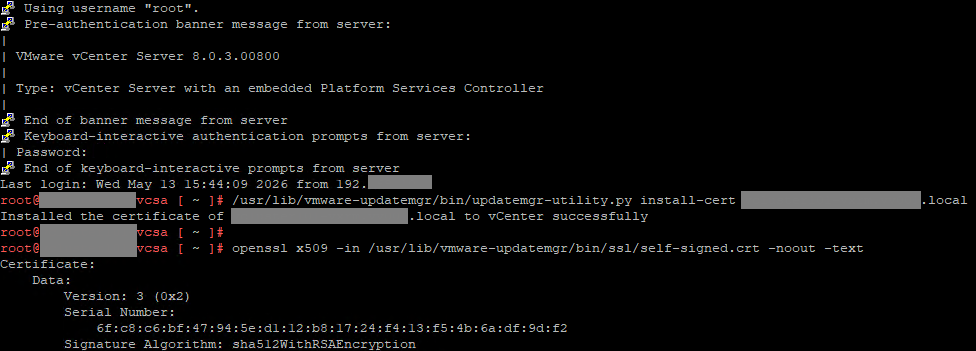
If you have further questions or issues, contact Dell Support.
Affected Products
VxRail Appliance Series, VxRail SoftwareArticle Properties
Article Number: 000464206
Article Type: How To
Last Modified: 03 يوليو 2026
Version: 3
Find answers to your questions from other Dell users
Support Services
Check if your device is covered by Support Services.