PowerProtect: Error when Running 'PowerProtect DM' Collection
Summary: LiveOptics data collection for Data Protection component PowerProtect Data Manager, returns errors '429' and '404'.
This article applies to
This article does not apply to
This article is not tied to any specific product.
Not all product versions are identified in this article.
Symptoms
PowerProtect Data Manager version is prior to 19.19.0-15.
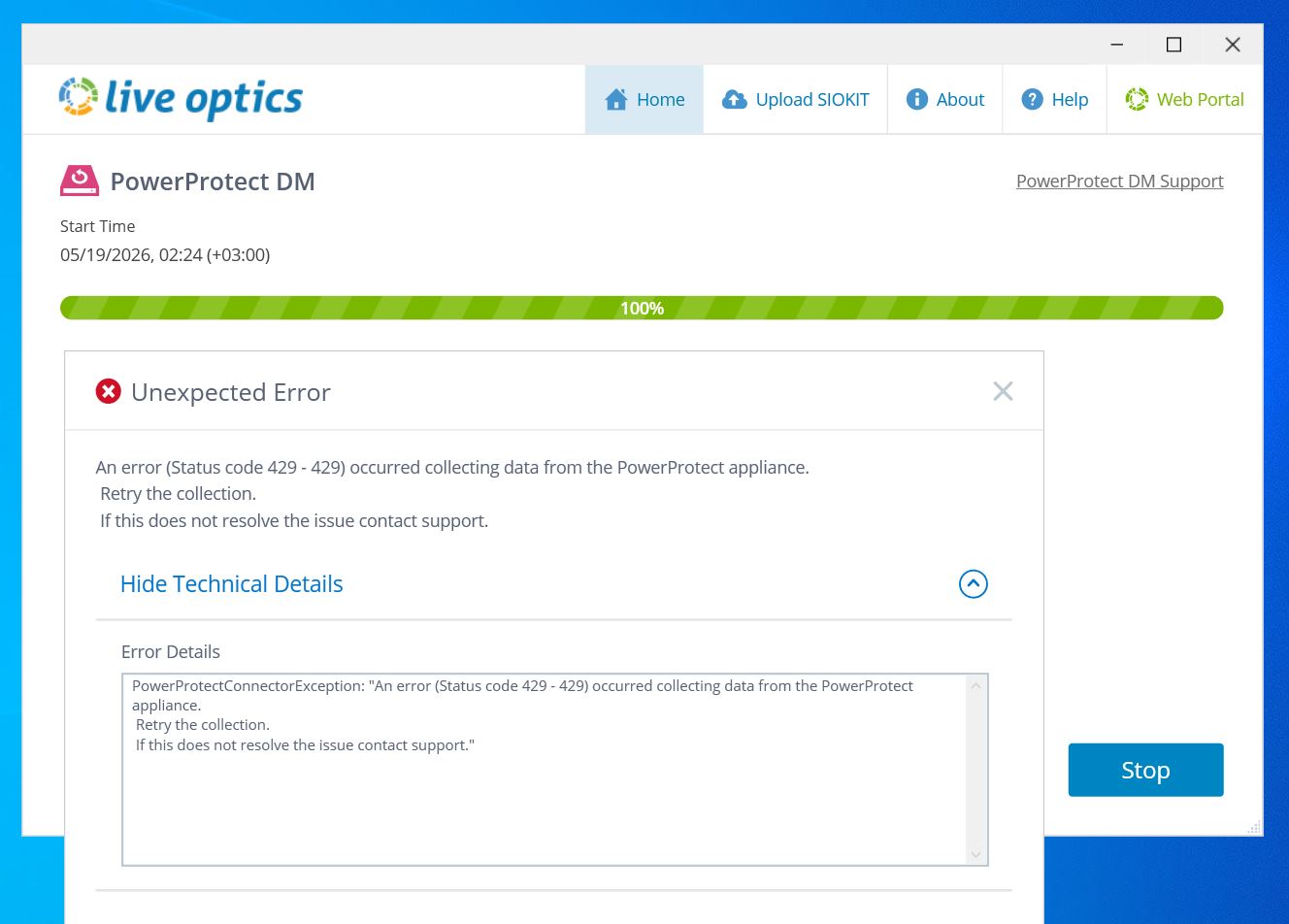
LiveOptics data collection for Data Protection component PowerProtect Data Manager returns the following error:
PowerProtectConnectorException: "An error (Status code 429 - 429) occurred collecting data from the PowerProtect appliance. Retry the collection. If this does not resolve the issue contact support." PPDM Software Version: < 19.19.0-15 LiveOptics trace log contains errors like this: 2026-05-08T02:43:20Z [ERROR] [Session.1] [AssetAdaptor.PowerProtect.33] [PowerProtectConnector] Failed GET anomaly-detection/settings/4c57f51f-74b9-565b-b446-840ae5d31bc2 with status code 404 - - Response Payload: {"timestamp":"2026-05-08T05:43:20.875+03:00","status":404,"error":"Not Found","path":"/api/v3/anomaly-detection/settings/4c57f51f-74b9-565b-b446-840ae5d31bc2"}
Cause
Support for the API call to was first implemented in PowerProtect Data Manager version 19.19.0-15. Versions earlier than version 19.19.0-15 return status code 404 (not found) for this API call
Resolution
Upgrade to PowerProtect Data Manager 19.19.0-15 or preferably the latest available version.
Article Properties
Article Number: 000468092
Article Type: Solution
Last Modified: 26 مايو 2026
Version: 1
Find answers to your questions from other Dell users
Support Services
Check if your device is covered by Support Services.