Avamar: Windows VSS backup failing with error "avvss Error <17883> no storage space volume
Summary: Microsoft issue with Windows Management Instrumentation (WMI) for no storage space volume detected
Symptoms
Backup Failure Messages
The following error messages appear in the Avamar logs after patching or server re‑installation:
2016-05-18 02:32:22 avvss Info <14712>: Could not connect to WMI \\.\Root\Microsoft\Windows\Storage. return code = 8004100e
2016-05-18 02:32:22 avvss Error <17883>: Cannot connect \\.\Root\Microsoft\Windows\Storage namespace.
2016-05-18 02:32:22 avvss Error <17895>: Failed while checking storage spaces and online volumes
2016-05-18 02:32:22 avvss Info <17885>: No storage space volume detected
2016-05-18 02:32:22 avvss Info <17886>: No online volume detected
Cause
WMI Component Issues
The problem occurs on Windows servers where the Windows Management Instrumentation (WMI) component is malfunctioning or corrupted.
Potential Underlying Factors
- WMI repository corruption
- Missing or invalid WMI classes (e.g.,
MSFT_Disk) - Improper installation or patching that affects WMI services
When the WMI repository is damaged, queries to the \Root\Microsoft\Windows\Storage namespace fail, causing Avamar VSS backups to abort.
Resolution
Verify and Diagnose WMI Component
- Open an elevated Command Prompt (Run as "Administrator").
Run
systeminfo. If it fails with "ERROR: Invalid class", the WMI repository is likely corrupted.
- Open Windows PowerShell as Administrator and execute the following commands:
Get-WmiObject
Get-Windowsfeature
Get-Storagesetting
Get-WmiObject -Namespace "root/Microsoft/Windows/Storage" -Class MSFT_Disk
If any command returns "Invalid Class", the WMI namespace is damaged.
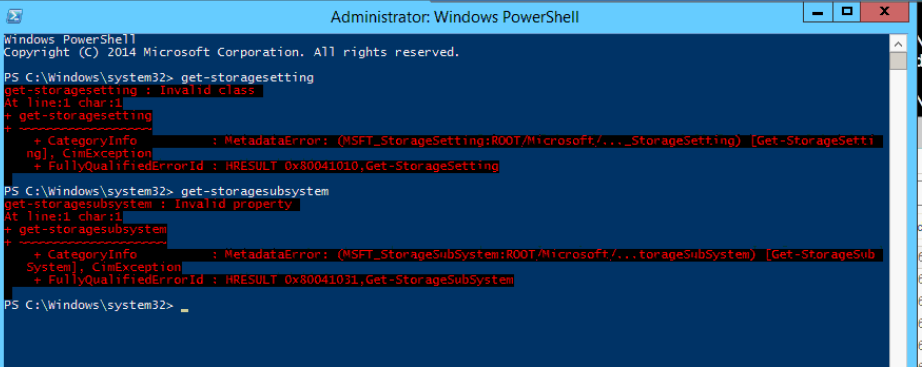
- Attempt to open "Add Roles" in Server Manager. If it does not start, this further indicates WMI problems.
- Launch the WMI Control console:
Start → Run → wmimgmt.msc. Review the General and Advanced tabs for errors.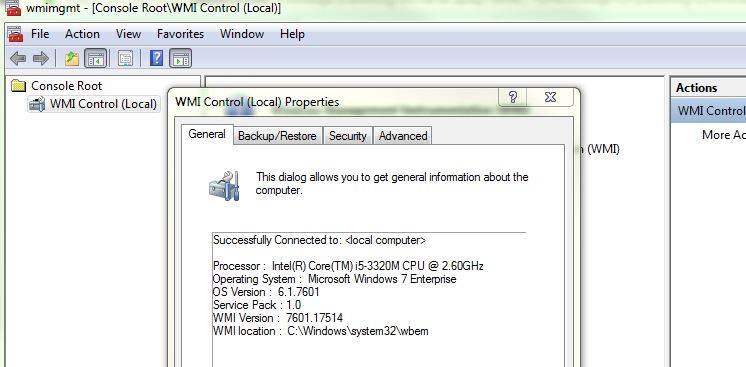
Reference Articles
- WMI Repository Corruption or Not (External Link)
- WMI Troubleshooting Tips (External Link)
- Server Manager Invalid Class Error (External Link)
winmgmt /resetrepository or mofcomp as they can break applications. If winmgmt /verifyrepository reports inconsistency, first run winmgmt /salvagerepository then verify again.
Additional Information
What is the Windows WMI component?
The WMI Repository (%windir%System32WbemRepository) is the database that stores meta-information and definitions for WMI classes; in some cases the repository also stores static class data as well.
If the repository becomes corrupted, the WMIservice will not be able to function correctly.