NetWorker: NMC Reports does not reflect the backup "total amount" value when synthetic backup is enabled.
Summary: On the monitoring screen, the total amount shown is the sum of the last full backup and the incremental backup, while NMC reports only the incremental backup.
Symptoms
Reviewing synthetic full backup details from the NetWorker Management Console (NMC) shows the sum of the last full backup and the incremental backup.
The backup details show that a summed value for Total amount represents the Synthetic Full Backup size. In the lower window, it shows the actual incremental backup size and previous Full backup size, that summed result in the Total amount size.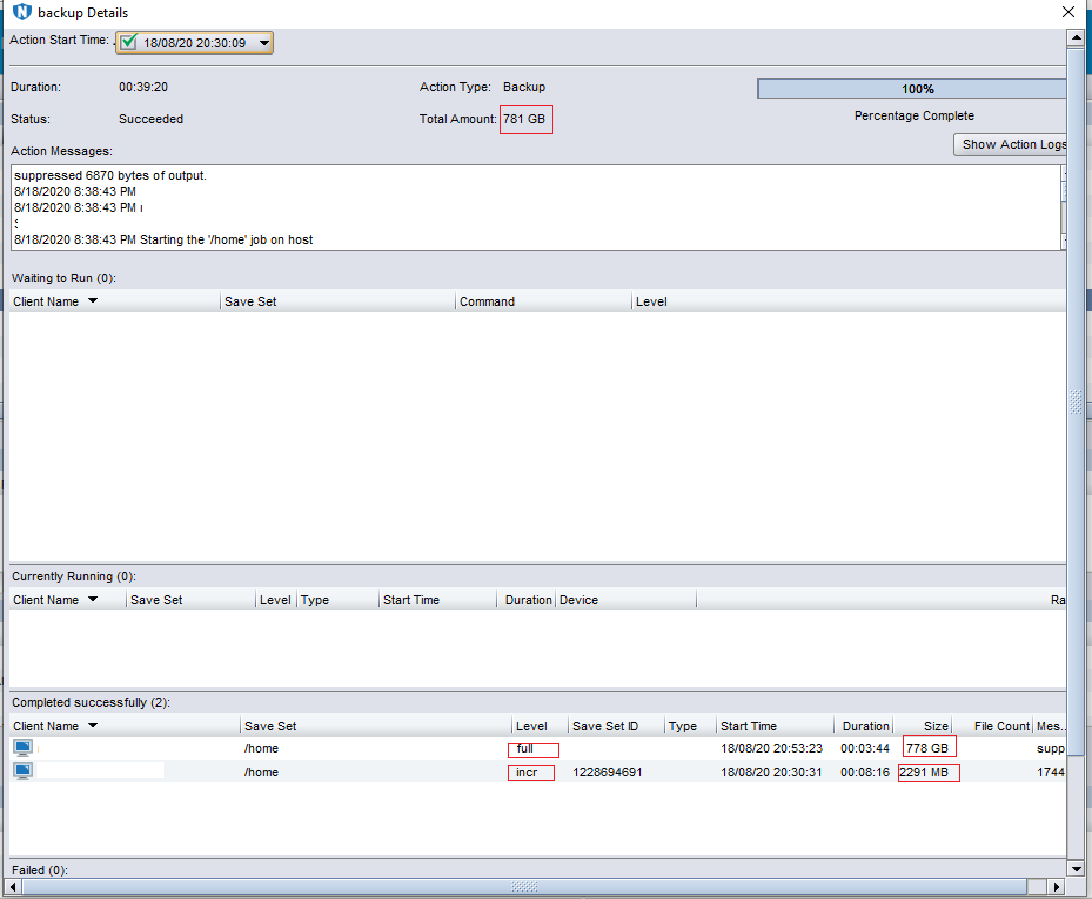
However, reviewing the "Daily Summary" NMC Reports, the Amount of Data only represents the incremental or Full backup size (Synthetics are not considered).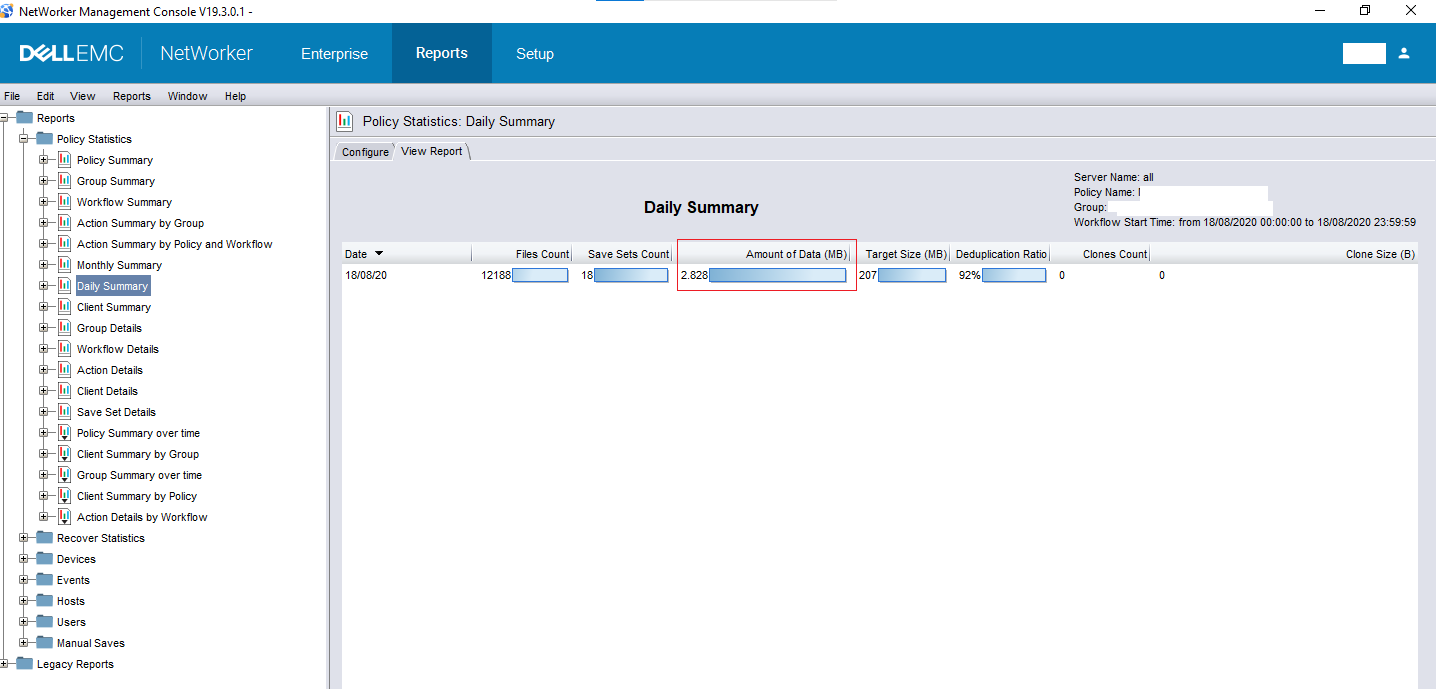
Cause
NetWorker is working as designed.
Resolution
In order to get the full amount of data, you must run the NMC Report adding the original full backup and the following incremental, them sum them up.
The command mminfo -q syntheticfull -c client -N save_set also present only the synthetic full backups and its sizes.