使用 SC 區域名稱或節點 IP 位址存取 oneFS webui 時的異常行為
Summary: 開啟 oneFS webui 時,由於叢集上的 http 設定,會出現如下所示的症狀。
This article applies to
This article does not apply to
This article is not tied to any specific product.
Not all product versions are identified in this article.
Symptoms
在未指定連接埠 8080 的情況下,向任何瀏覽器輸入 SmartConnect 區域名稱或節點 IP 位址時,會顯示以下頁面:
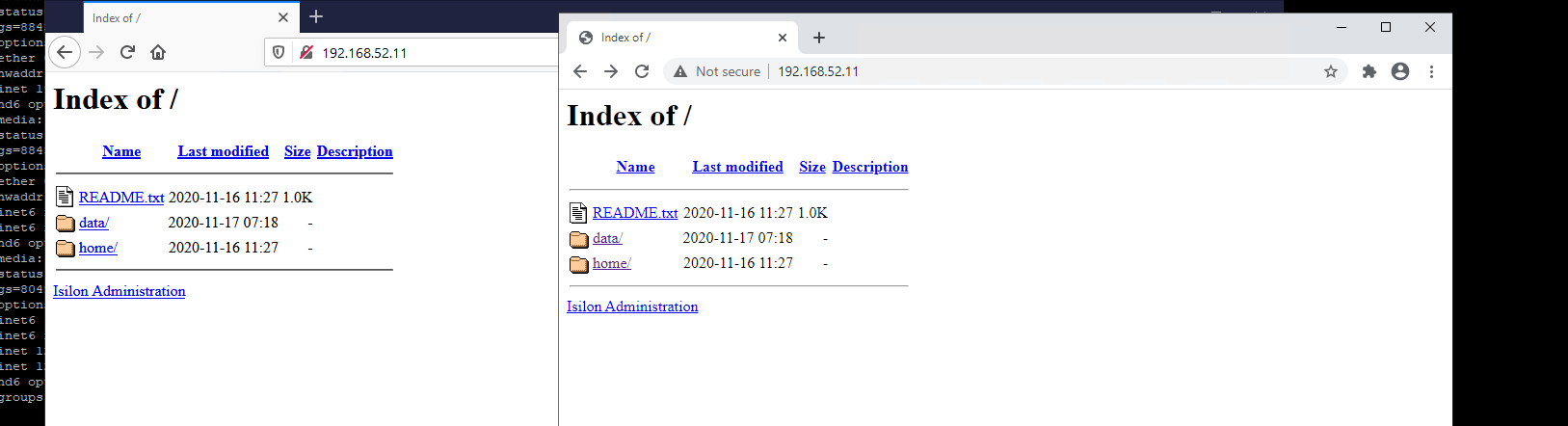
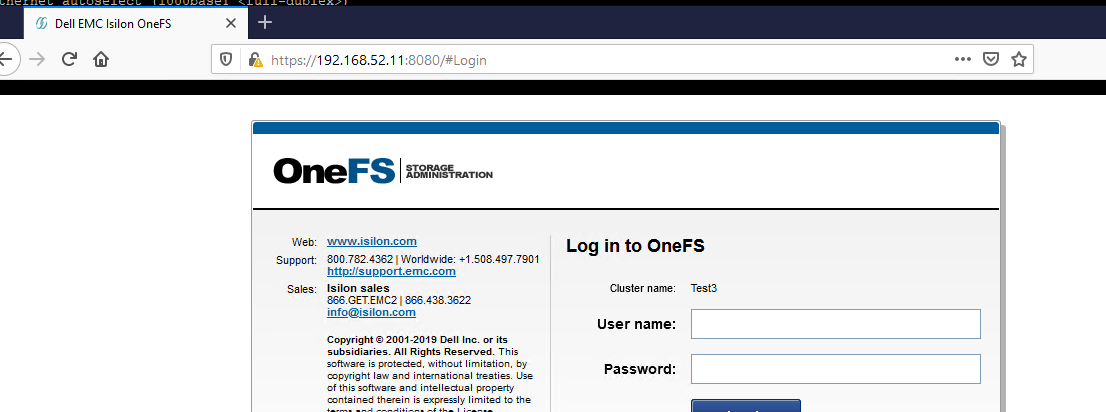
若要存取 oneFS webui,使用者必須按一下此頁面上的「Isilon Administration」,或指定連接埠 8080。
然後,對 webui 的訪問應正常運行。
Cause
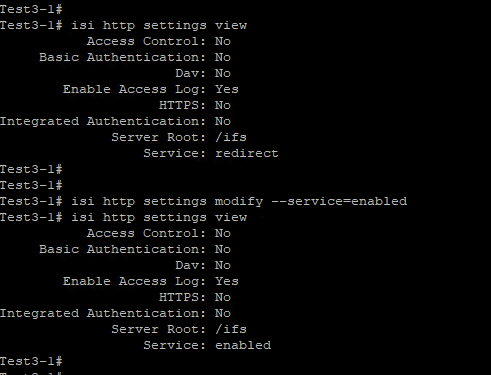
此行為是由於叢集上的 http 服務設定所導致。
此處看到的更改將導致上面記錄的行為。
Resolution
若要解決此問題,HTTP 設定應還原為預設值,即重新導向:
isi http settings modify --service=redirect
Affected Products
PowerScale OneFSArticle Properties
Article Number: 000180120
Article Type: Solution
Last Modified: 21 شوال 1447
Version: 5
Find answers to your questions from other Dell users
Support Services
Check if your device is covered by Support Services.