PowerEdge: Drives connected to a PERC are NOT detected in Windows or VMware Installations if Firmware Device Order (FDO) is enabled
Summary: Information about how drives behind a PERC are NOT detected in Windows/VMware ESXi Installation if Firmware Device Order (FDO) is enabled.
Symptoms
Drives behind a PERC10 or PERC11 controller are not detected during Windows or VMware ESXi installation when Firmware Device Order (FDO) is enabled in the PERC Controller HII menu.
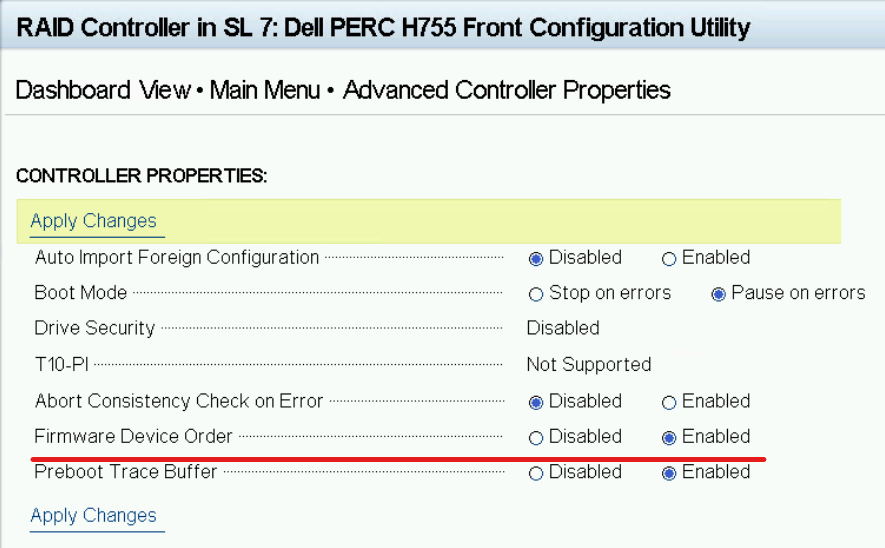
The following screenshot shows FDO set to Enabled under Advanced Controller Properties:
Cause
Firmware Device Order (FDO) is a Linux-only feature. Windows and VMware ESXi do not support FDO.
When FDO is enabled and the server boots an unsupported operating system, the PERC controller blocks storage devices from being presented to the OS. This prevents drives from being detected during OS installation.
Resolution
This is expected behavior. To resolve the issue, disable Firmware Device Order (FDO) in the PERC Controller HII menu.
Disable Firmware Device Order
- During server POST, press Ctrl+R or F2 to enter the PERC Controller HII Configuration Utility.
- Navigate to Dashboard View > Main Menu > Advanced Controller Properties.
- Set Firmware Device Order to Disabled.
- Select Apply Changes.
- Reboot the server and proceed with the Windows or VMware ESXi installation.
POST warning message when FDO is enabled with an unsupported OS
If FDO is enabled and the server boots with Windows or VMware ESXi, the following warning message appears during POST:
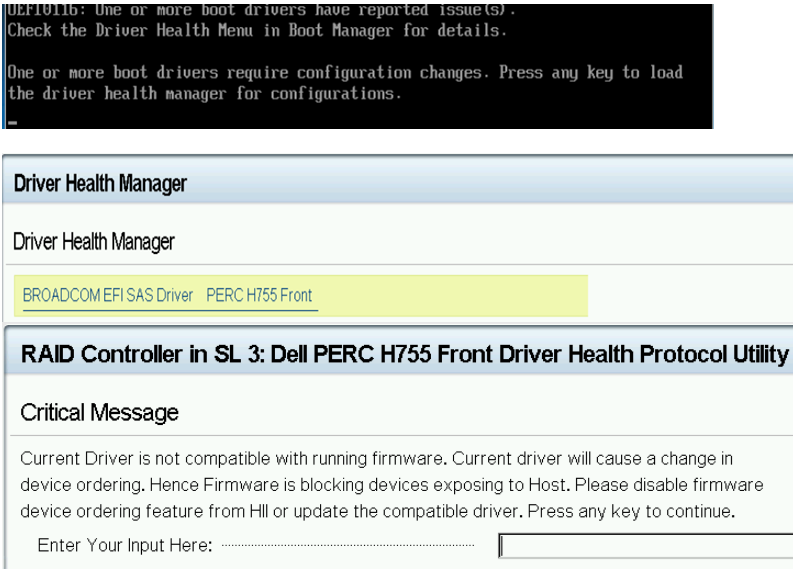
This message indicates that the current driver is not compatible with the running firmware and that FDO is blocking devices from being exposed to the host. Disable FDO from the HII menu as described above to resolve this message.
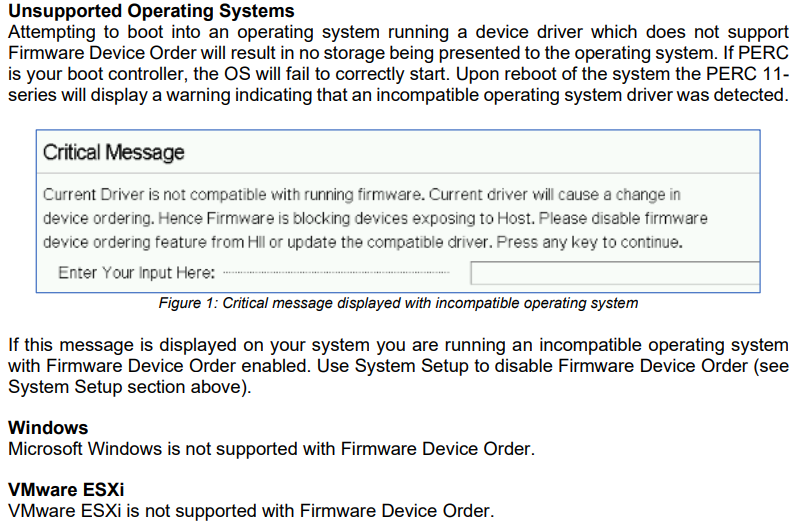
Unsupported operating systems
The following operating systems do not support Firmware Device Order:
- Microsoft Windows (all versions)
- VMware ESXi (all versions)
FDO is supported only on Linux operating systems. For details, refer to the documentation screenshot below and the Dell Direct from Development (DfD) document.
Additional Resources
- PERC 11 Linux Firmware Device Ordering — Direct from Development (PDF)
— See page 5 for unsupported operating system details.