VxRail: Event Code VXR128016
Summary: Event VXR128016 is reported when the node management account password expires in 14 days.
This article applies to
This article does not apply to
This article is not tied to any specific product.
Not all product versions are identified in this article.
Symptoms
Severity: Warning
YELLOW alarm 'VXR128016' present in vCenter portal
Cause
The node management account password expires in 14 days.
Resolution
To resolve this status, follow these steps to update the password of the management account for the specific ESXi node:
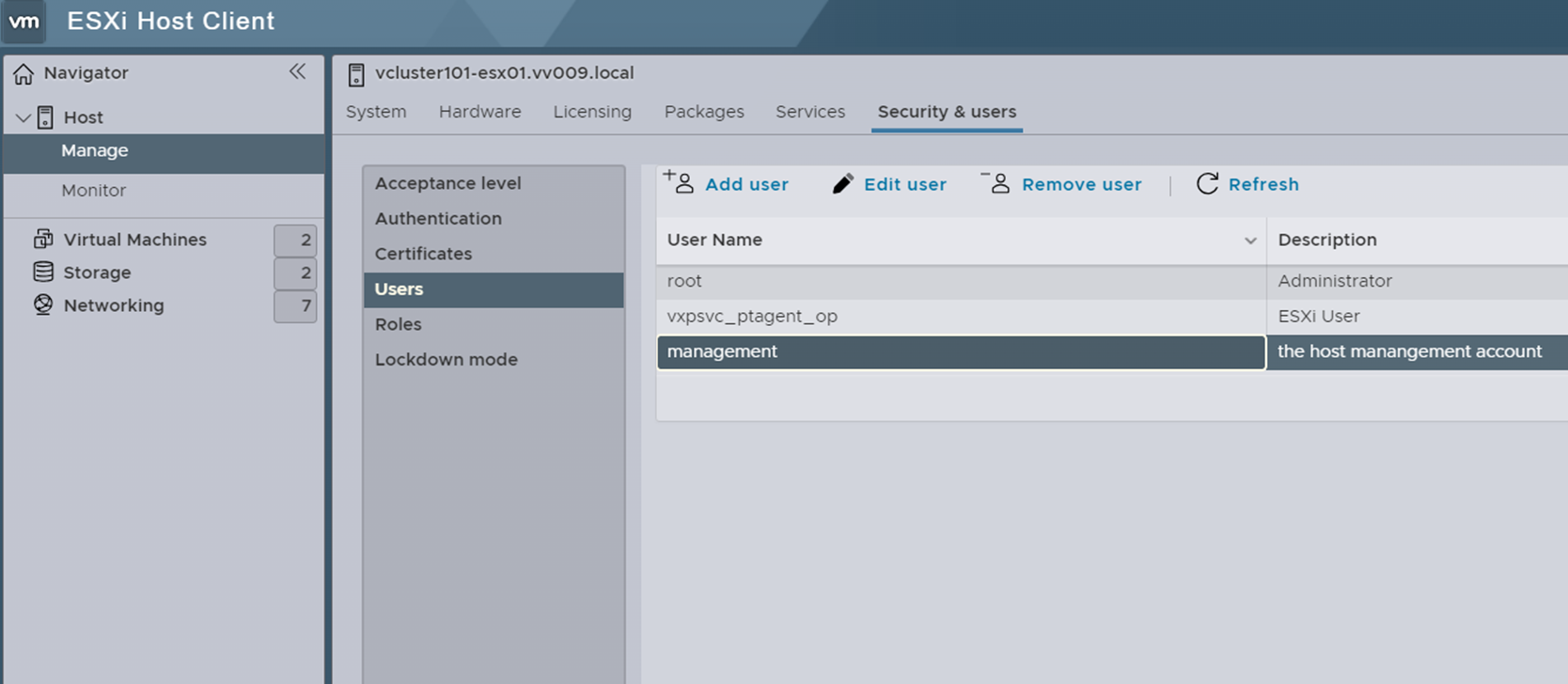
- Change the password of the management account through the ESXi UI. You can find it by following these steps: Manage → Security & users → Users → management → Edit user

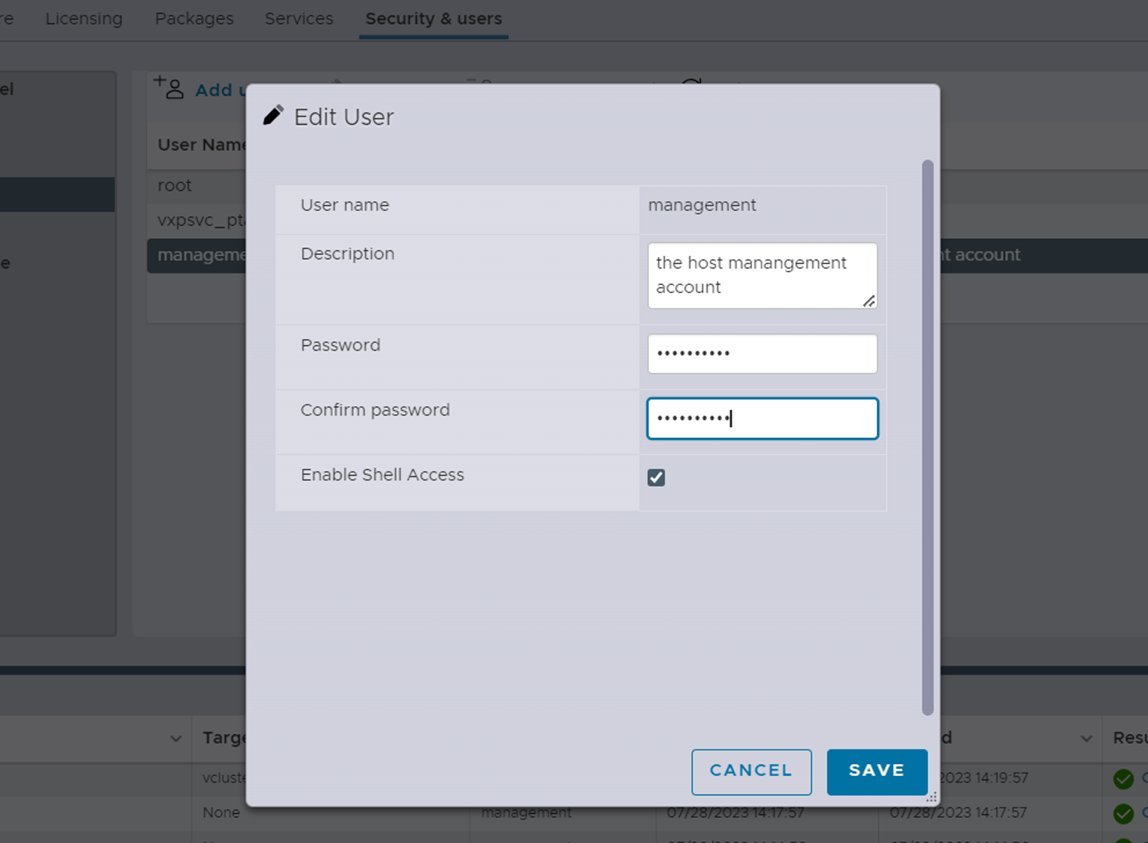
- Input the new password and click the SAVE button. Please remember the password that you entered.

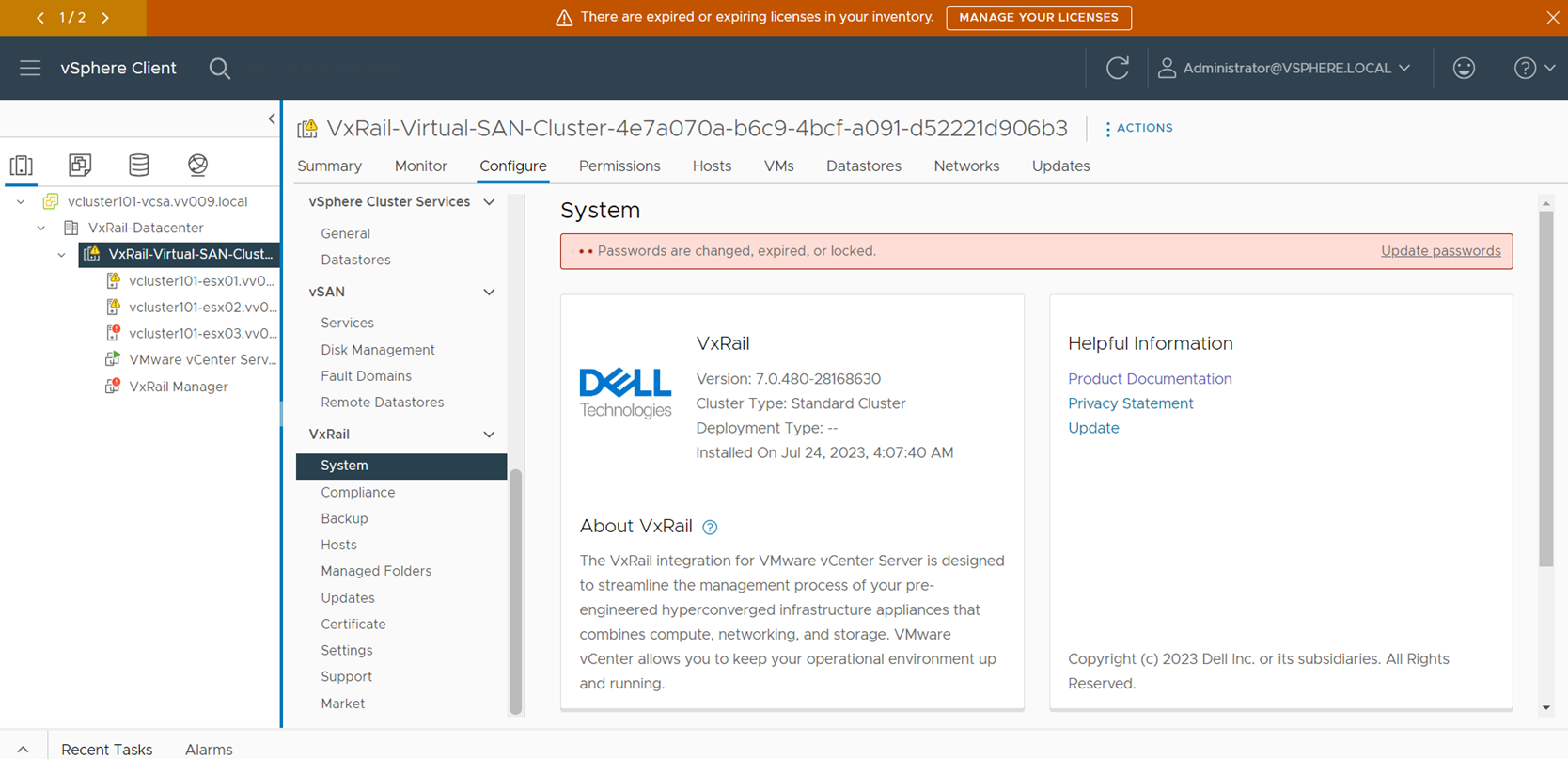
- After a few minutes, a prompt message will be displayed on "System" page as shown below. Click "Update passwords" in the prompt message.

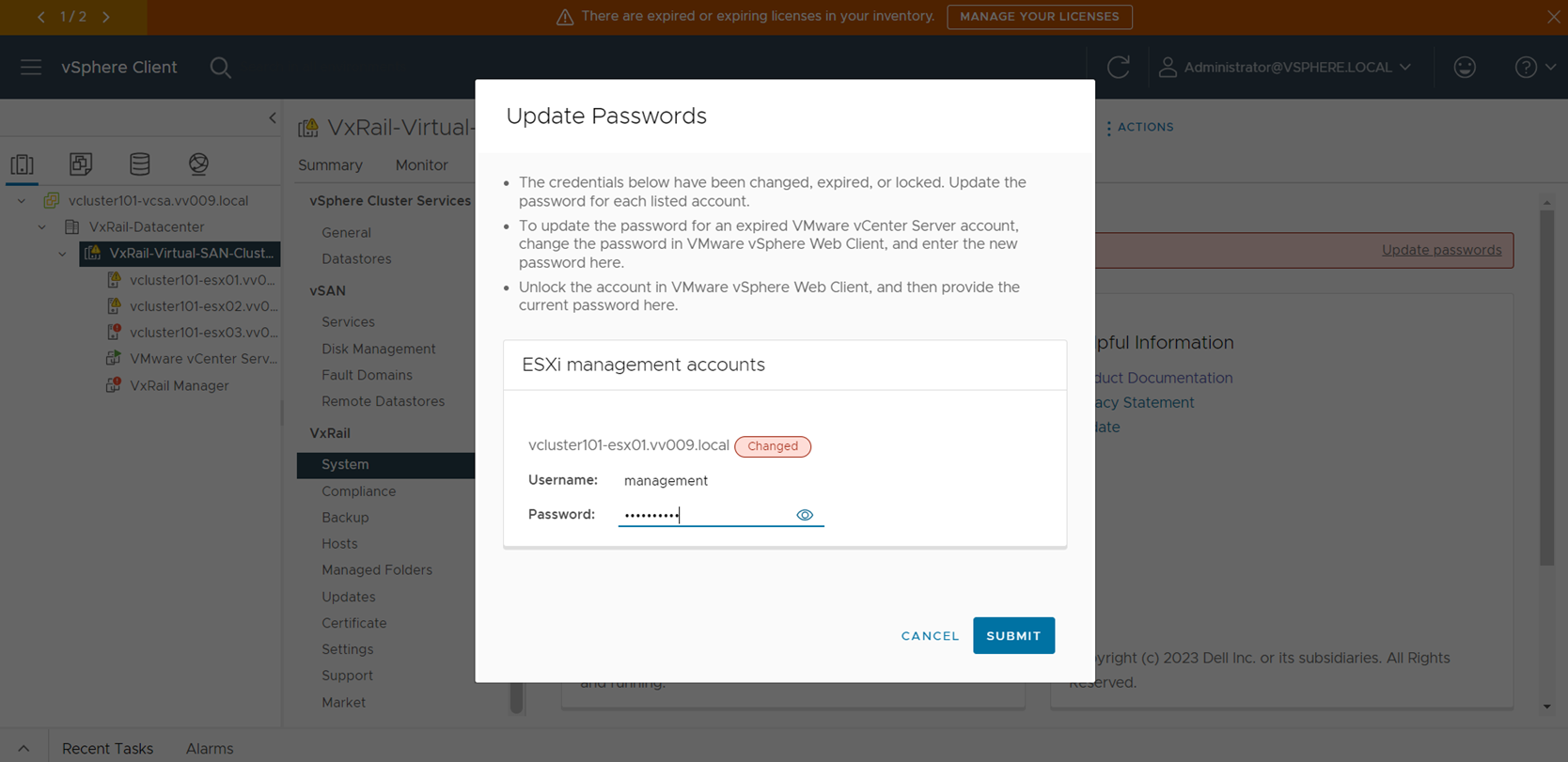
- Input the new password again and click "SUBMIT" to update password.

After that, the vCenter alarm will be resolved within one day. Alternatively, you can manually reset the alarm to green manually after completing the above steps.
Affected Products
VxRail, VxRail SoftwareArticle Properties
Article Number: 000215057
Article Type: Solution
Last Modified: 09 ذو الحجة 1447
Version: 2
Find answers to your questions from other Dell users
Support Services
Check if your device is covered by Support Services.