PowerEdge: Wiring instructions for a DC power supply unit
Summary: This article provides some checklist to prevent unnecessary components replacement on DC power supply implementation.
This article applies to
This article does not apply to
This article is not tied to any specific product.
Not all product versions are identified in this article.
Instructions
Need to know information:
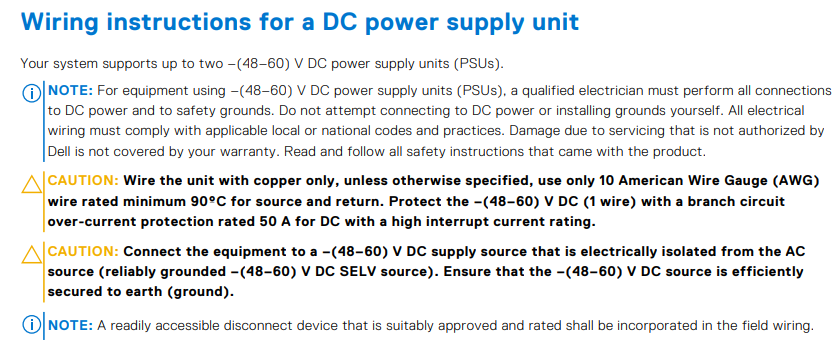
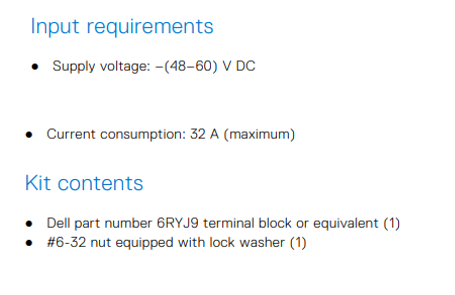
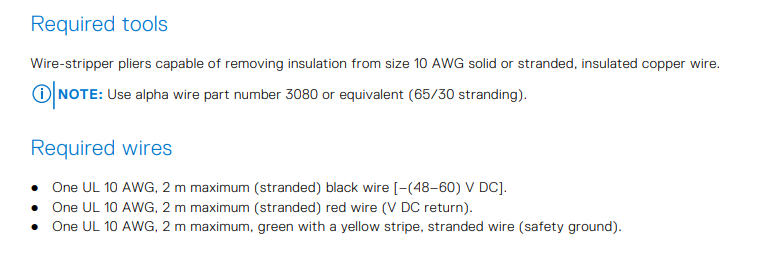
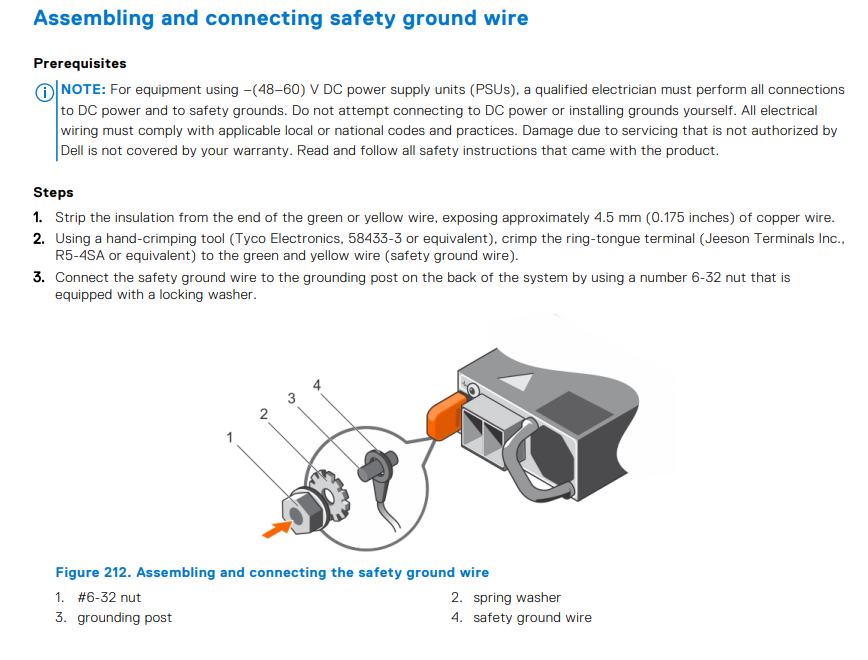
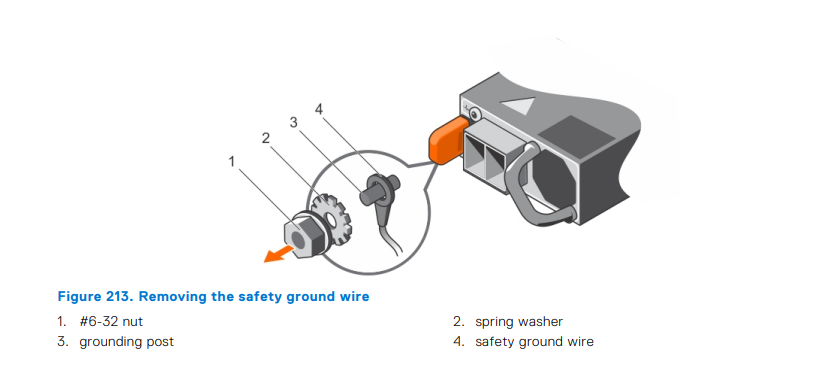
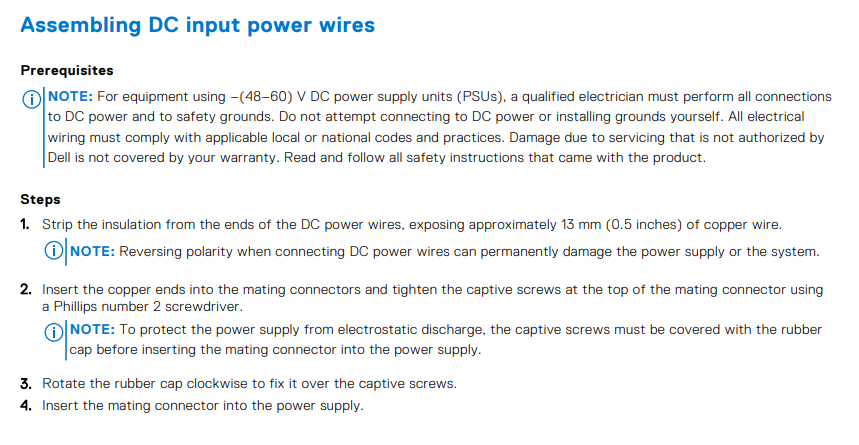

Checklist:
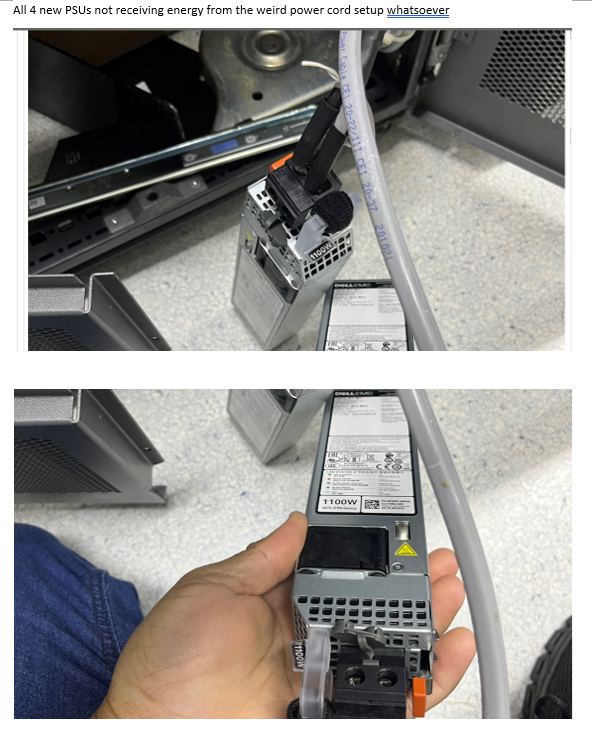
The figures below show an example of not following the wiring best practices missing the ground cable.
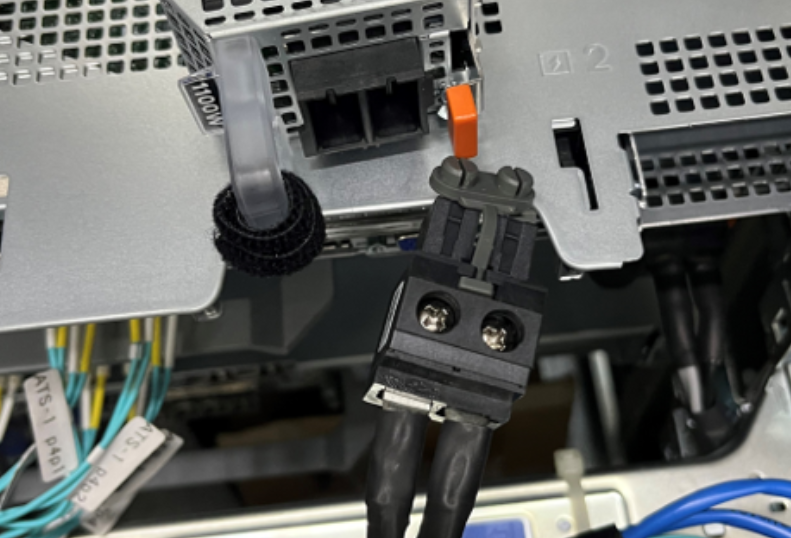
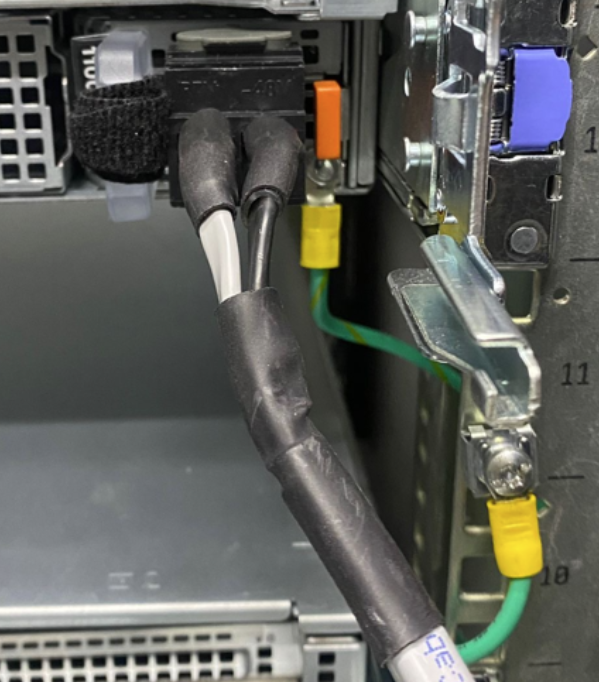
The figures below shows the best practice wiring:

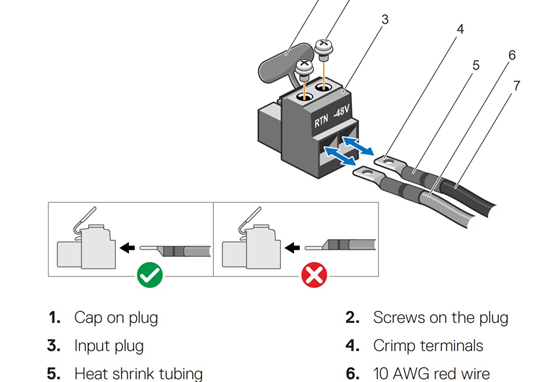
Use the figure below to verify the correct position of the cables:
Affected Products
PowerEdge XR2, OEMR R540, OEMR R640, OEMR R740, OEMR R740xd, OEMR R7415, OEMR R7425, OEMR R7515, OEMR R840, OEMR R940, OEMR R940xa, OEMR XR4000r, OEMR XR4000z, OEMR XR8000r, PowerEdge R470, PowerEdge R540, PowerEdge R570, PowerEdge R640
, PowerEdge R6515, PowerEdge R670, PowerEdge R6715, PowerEdge R6725, PowerEdge R740, PowerEdge R740XD, PowerEdge R7415, PowerEdge R7425, PowerEdge R7515, PowerEdge R770, PowerEdge R7715, PowerEdge R7725, PowerEdge R840, PowerEdge R940, PowerEdge R940xa, PowerEdge XR4000r, PowerEdge XR4000z
...
Article Properties
Article Number: 000221234
Article Type: How To
Last Modified: 10 ذو الحجة 1447
Version: 4
Find answers to your questions from other Dell users
Support Services
Check if your device is covered by Support Services.