Dell NativeEdge: Windows VM cannot connect to network when using GPU passthrough on PowerEdge R7715 with NVIDIA L40S
Summary: When deploying a Windows virtual machine (VM) on a PowerEdge R7715 with NVIDIA L40S GPU passthrough is configured, the VM may fail to connect to any network, regardless of whether NAT or Bridge mode is selected. The root cause is that Windows does not include native VirtIO network drivers, resulting in a VM with no functional network interface card (NIC). The network issue does not stem from GPU passthrough or hardware limitations. ...
This article applies to
This article does not apply to
This article is not tied to any specific product.
Not all product versions are identified in this article.
Symptoms
- After Windows VM deployment on R7715 with GPU passthrough, network setup shows
no available network connections. - Both NAT and Bridge networking modes fail.
- Windows VM reports no NIC detected or no available network adapters.
Cause
This issue does not represent a platform issue. Deployment succeeds, GPU passthrough functions correctly, and the system behaves as designed. The network failure arises solely from Windows missing the appropriate NIC driver when VirtIO is chosen.
- The VM was configured with the VirtIO network model.
- Windows does not include VirtIO drivers by default, resulting in a missing NIC inside the guest OS.
- Windows only has integrated drivers for Intel e1000e, which would have worked "out‑of‑the‑box."
Resolution
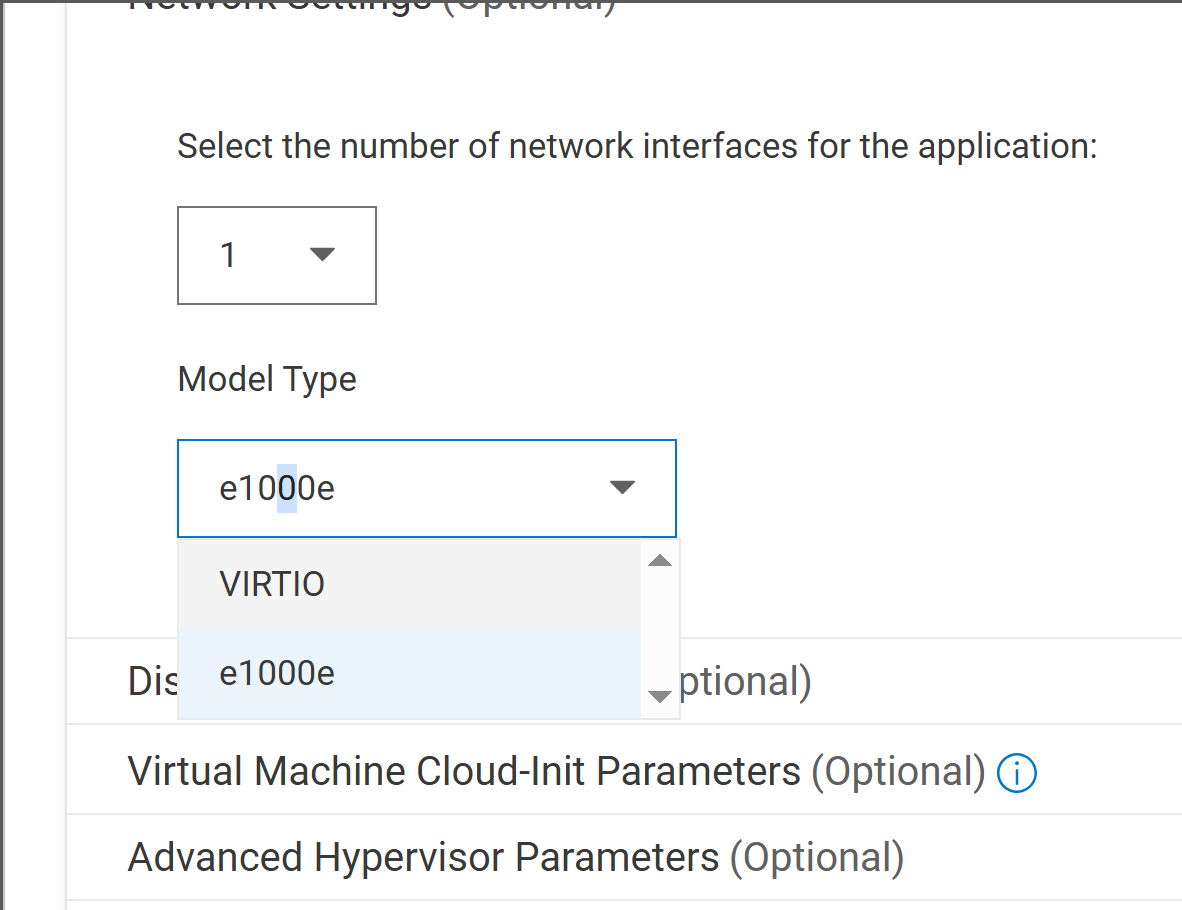
When deploying a Windows VM, select the e1000e network model instead of VirtIO.
- Windows includes native Intel PRO/1000 drivers → network works immediately.
Affected Products
NativeEdge SolutionsArticle Properties
Article Number: 000420716
Article Type: Solution
Last Modified: 23 شعبان 1447
Version: 1
Find answers to your questions from other Dell users
Support Services
Check if your device is covered by Support Services.