Dell Automation Platform: NativeEdge Bond Network Unavailable
Summary: This article explains common configurations with a NativeEdge Endpoint that prevent the configuration of a network bond.
Symptoms
Dell NativeEdge allows multiple network interfaces to be added to a custom bond, enabling an Active Backup configuration. If one of the interfaces has already been assigned (claimed), the Dell Automation Platform UI prevents the interface from being added to a bond.
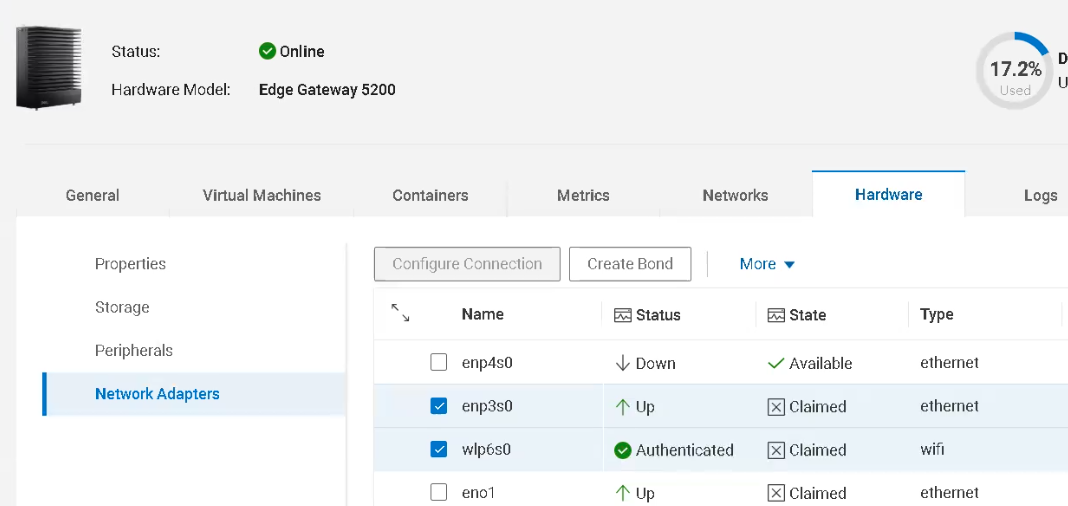
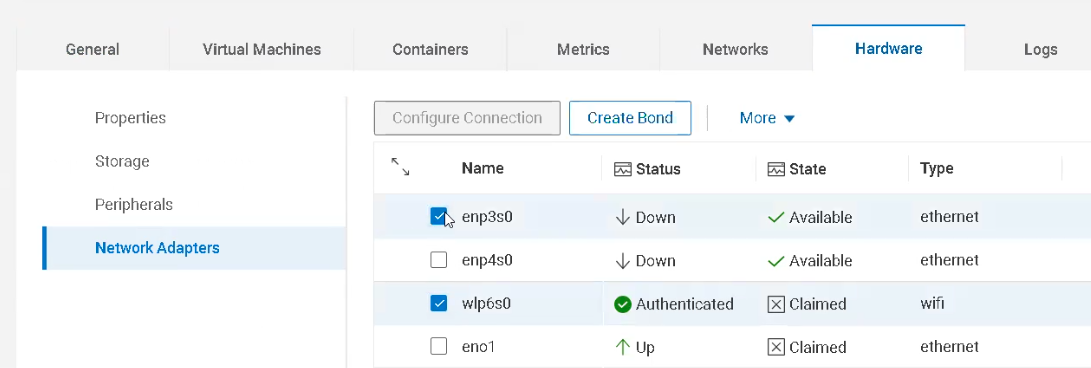
In the example below, a bond between enp3s0 and wlps6s0 is attempted but the Create Bond option is unavailable.
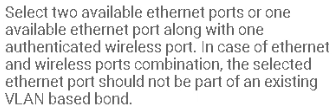
Hovering over the Create Bond button, shows an informational message box:
Cause
As enp3s0 has a state of Claimed, it is prevented from being added to a bond. In this example, enp3s0 was previously added to a Network Virtual Segment.
Resolution
In this example, the corresponding Virtual Network Segments and Host Network claim to the interface are removed, putting them into an available state.
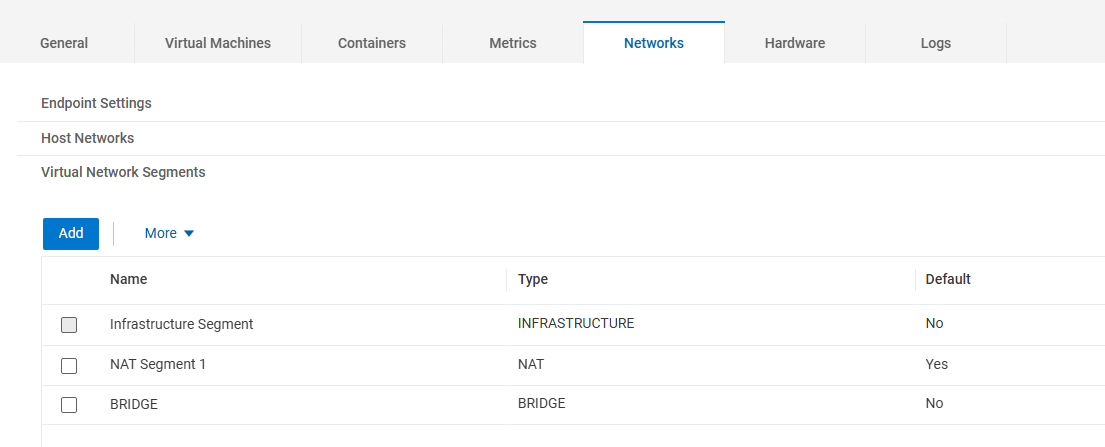
The Virtual Network Segment BRIDGE was originally created and assigned to enp3s0.
A Host Network was automatically created simultaneously as the BRIDGE.
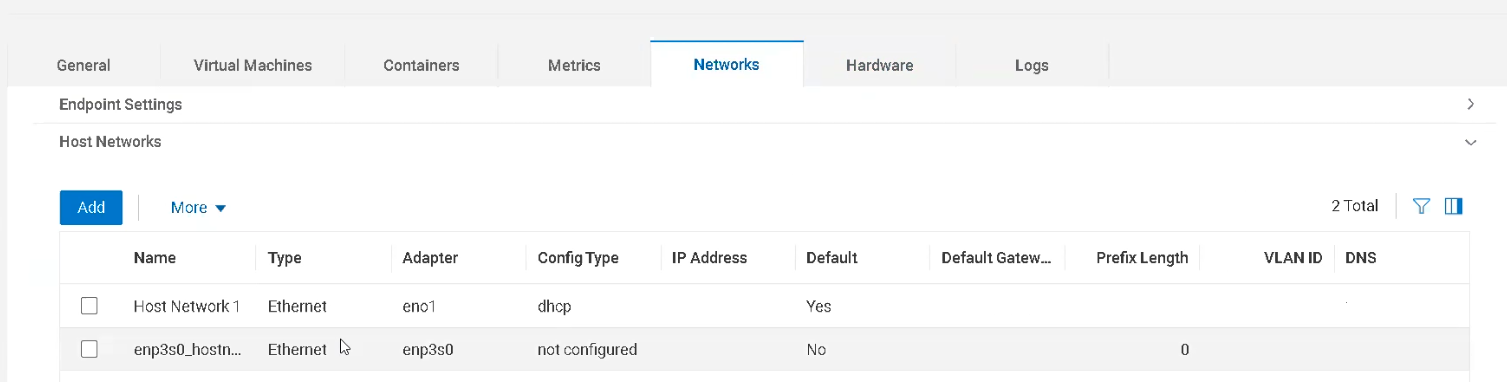
After removing both entries, the interface state changes from claimed to available, and the option to create a bond is available.
Create the bond in an Active Backup configuration, choosing which interface is the primary and backup.
