PowerFlex: PFX00102.0000203 - The ETCD Performance Diagnostic Fails
Summary: This article explains how to troubleshoot the alert PFX00102.0000203 - The ETCD performance diagnostic failed.
This article applies to
This article does not apply to
This article is not tied to any specific product.
Not all product versions are identified in this article.
Instructions
Error code:
ID: 70402032 (PFX00102.0000203) ETCD performance diagnostic failed
Symptom:
The ETCD performance can only be run manually. Common causes are a slow network or disk or CPU. The physical resources are not fast enough to handle the Kubernetes cluster, or multiple VMs share the CPU or network resources.
Resolution and troubleshooting steps:
Problem Validation:
The following may occur:
- Degraded Kubernetes cluster performance
- Slow service discovery
- Increased risk of PowerFlex management platform instability
- Potential Kubernetes data inconsistency
- Potential node synchronization issues
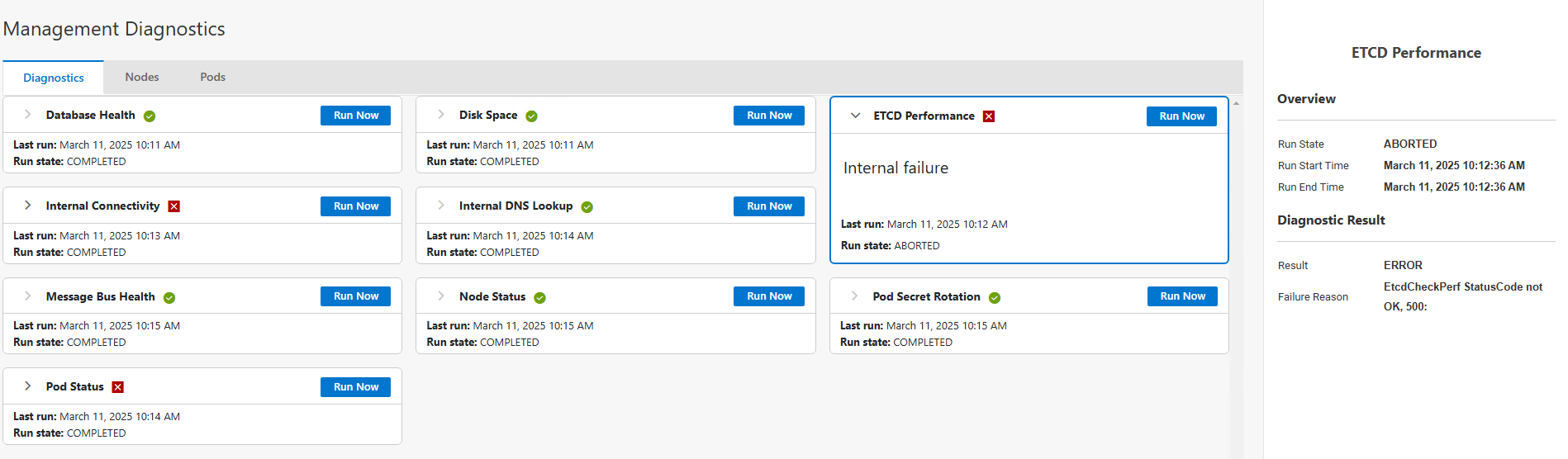
Resolution:
- Add more resources such as CPU, disk space, or share less resources with other VMs.
Resolution Validation
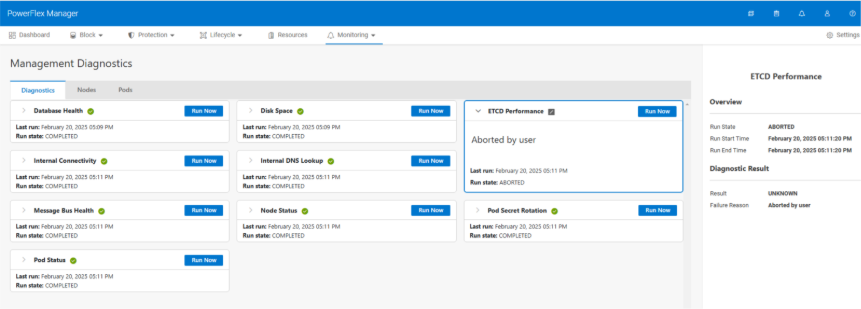
- In the Management Diagnostics page, Diagnostics tab, review the
ETCDPerformance card, and verify that theETCDperformance is completed successfully in the diagnostics page.
Affected Products
PowerFlex rack, ScaleIOArticle Properties
Article Number: 000446642
Article Type: How To
Last Modified: 25 ذو القعدة 1447
Version: 3
Find answers to your questions from other Dell users
Support Services
Check if your device is covered by Support Services.