PowerProtect Data Manager:無法從保護原則中移除 Hyper-V VM 資產
Summary: 本文說明在 PowerProtect Data Manager UI 中刪除 Hyper-V 虛擬機器 (VM) 時的問題。
This article applies to
This article does not apply to
This article is not tied to any specific product.
Not all product versions are identified in this article.
Symptoms
無法從 PowerProtect Data Manager 中的保護原則移除 Hyper-V 虛擬機器。從保護原則或資產標籤移除 Hyper-V VM 資產時,會出現下列訊息。
Error
404: Missing document ID XXXXXXXXX-XXXX-XXXX-XXXX-XXXXXXXXXXX
Check to ensure that the resource if exits.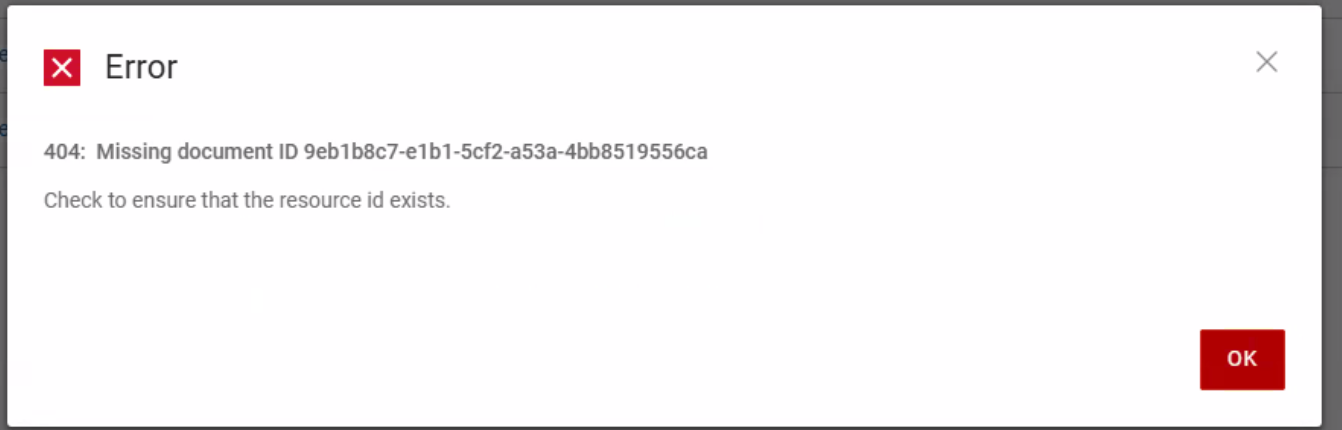
資產儲存記錄顯示下列錯誤訊息:
Caused by: java.lang.IllegalStateException: Duplicate key d4f8654d-9a75-44a2-b248-04653b1DELL-disk-key-100_differencing.vhd (attempted merging values class FtVirtualMachineDisk {
    com.emc.dpsg.ppdm.assetstoragesvc.model.fieldtype.FtVirtualMachineDisk@eaa3c6a3
    name: d4f8654d-9a75-44a2-b248-04653b1DELL-disk-key-100_differencing.vhd
    externalId: C:\Program Files\Dell\PPDM Hyper-V Agent\tmp\97aa99bc-5b0a-45f5-8c1c-3877bbdb61bb\1767810686/d4f8654d-9a75-44a2-b248-04653b1DELL-disk-key-100_differencing.vhd
    containingFolder: C:\Program Files\Dell\PPDM Hyper-V Agent\tmp\97aa99bc-5b0a-45f5-8c1c-3877bbdb61bb\1767810686
    sizeAllocationType: Differencing
    format: VHD
    usedSize: 7.1716864E7
    totalSize: 1.363673088E11
    excluded: false
    storageSources: null
    type: null
    busType: null
    deviceIndex: null
Cause
這是 PowerProtect Data Manager 19.19.0-15 或更新版本中的已知問題。Hyper-V VM 有多個具有相同檔名的虛擬硬碟 (VHD) 檔。
Resolution
已建立 hotfix,以解決 PowerProtect Data Manager 20.1.0-17 和 19.22.0-16 中的問題。如有需要,請聯絡 Dell 支援 以取得協助或任何其他問題,並請求修補程式。
Additional Information
影響:若沒有 Hotfix,從 Hyper-V 伺服器或叢集中移除 VM 將無法清理 PowerProtect Data Manager UI 中的資產,導致項目過時。
Affected Products
PowerProtect Data ManagerArticle Properties
Article Number: 000462583
Article Type: Solution
Last Modified: 10 ذو الحجة 1447
Version: 1
Find answers to your questions from other Dell users
Support Services
Check if your device is covered by Support Services.