PowerStore: Pre-Upgrade Health Check (PUHC) Configured NVMe/TCP IO Queue Per Node Exceed Recommended Limit
Summary: This health check validates that the configured NVMe/TCP I/O queue count is within the recommended limit for upgrade readiness. The check compares the current NVMe/TCP I/O queue count against the recommended maximum of 25,000 queues. ...
This article applies to
This article does not apply to
This article is not tied to any specific product.
Not all product versions are identified in this article.
Symptoms
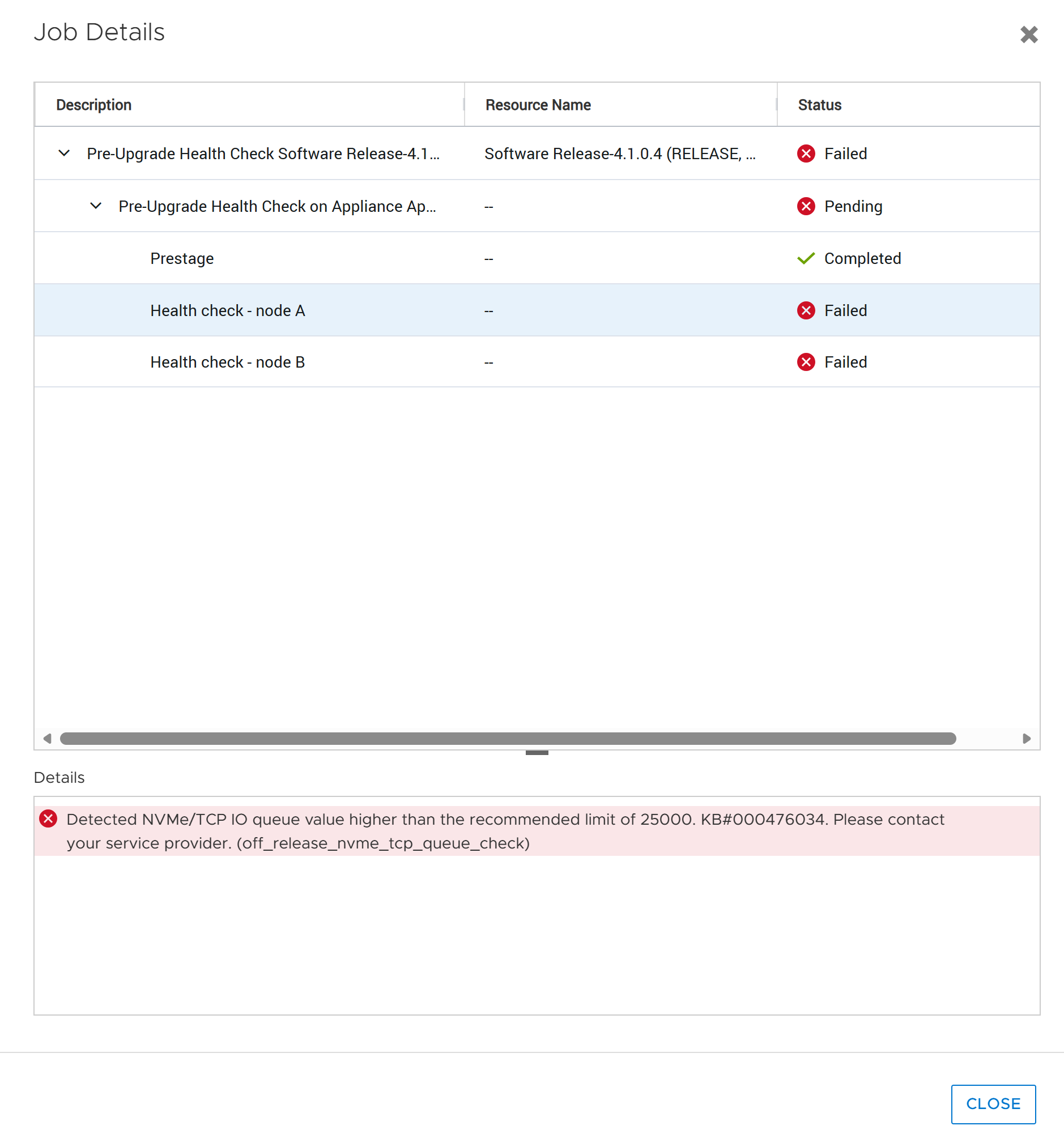
High queue counts that significantly exceed 25,000 queues per node can increase the risk of upgrade disruptions and can cause temporary service availability issues in environments using NVMe/TCP connectivity.
The health check result is reported as Failed when the detected queue count exceeds 25,000.
Cause
An internal software module may unexpectedly restart during the NVMe/TCP controller cleanup process in the Non-Disruptive Upgrade (NDU) workflow, resulting in NDU failure
Please refer to KB#000221927 PowerStore: NDU might fail due to large-scale NVMe/TCP connect host environment for additional details
Resolution
- Review the NVMe/TCP environment and determine whether the total configured NVMe/TCP I/O queue count exceeds the recommended limit of 25,000.
- If the queue count exceeds the recommended threshold, reduce the number of NVMe/TCP I/O queues by following the applicable host operating system and NVMe/TCP configuration guidelines.
- After the configuration changes have been applied, allow the changes to take effect and rerun the health check to verify that the queue count is within the recommended range.
Contact Dell Technical Support for additional assistnace and reference KB#000476034
Additional Information
References:
KB#000221927 PowerStore: NDU might fail due to large-scale NVMe/TCP connect host environment
KB#000214752 PowerStore: Landing Page for In-Market off-release System Health Checks
Affected Products
PowerStoreArticle Properties
Article Number: 000476034
Article Type: Solution
Last Modified: 10 صفر 1448
Version: 1
Find answers to your questions from other Dell users
Support Services
Check if your device is covered by Support Services.