Data Domain - DDBoostFS Validation and Best Practices for MongoDB Ops Manager
Summary: This kb provides best practices and configuration guidelines for applications with the Data Domain DD Boost File System Plug-In (BoostFS). In addition, the kb contains insights and tips on how the application should be configured to maximize all the benefits of BoostFS. MongoDB Operation Manager (OpsMgr) is the only tool that provides consistent enterprise backups across a sharded cluster, and will consolidate backups of all shards into one location. From this location, Operations Manager moves the snapshot to Data Domain through the DD Boost file system plug-in. ...
Instructions
With Operations Manager, several factors to consider to optimize the storage and network efficiencies of DD Boost, including.
- Storage Engine Type
- Wired Tiger
- MMAPv1
- Operations Manager Version and Compression
- V2.7.0 with File System Store Compression Level
- V3.4.0 with Wired Tiger Snapshot Compression Setting
Storage Engine Type:
With MongoDB you have the option to choose one of the two storage engines available - Wired Tiger or MMAPv1. MMAPv1 was the default engine for all versions of MongoDB until v3.2, which stores production data in an uncompressed format (see chart).
Wired Tiger is the newer, more advanced storage engine that was released with the introduction of MongoDB v3.0, which data is compressed by default. Backing up compressed data to Data Domain results in lower-than-expected deduplication that will impact storage efficiencies.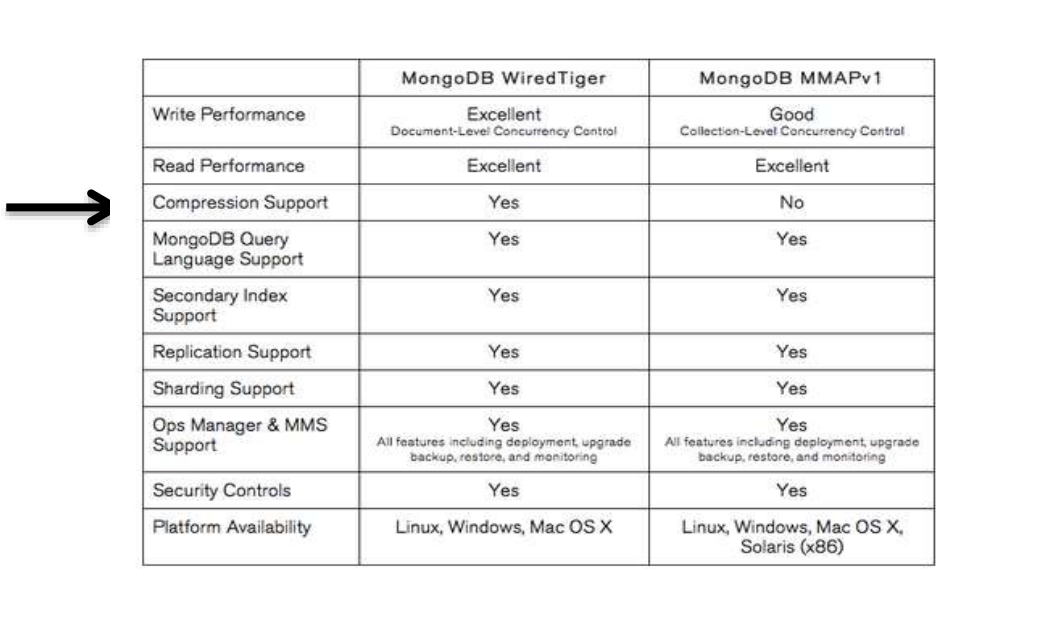
To optimize BoostFS efficiencies compression and encryption must be disabled at the application so the MMAPv1 storage engine will provide the best results.
Data Domain can consume backups from Wired Tiger implementations but at a lower deduplication rate (4:1), about 50% less than what you would see with MMAPv1.
Operations Manager Compression: In addition to storage engine compression, OpsMgr allows operators to compress the files a second time before they are sent to backup storage.
Backup Snapshots use multiple levels of GZIP compression ranging from '0' to '10', with "6" being the default setting. To optimize BoostFS, the compression level for OpsMgr v2.7.0 should be set to '0.'
It is important to point out that Level to '0' does apply a small amount of compression, resulting in some overhead.
OpsMgr eliminates this problem by allowing admins to set the snapshot compression level to 'none.' Plus, the compression level is a global setting.
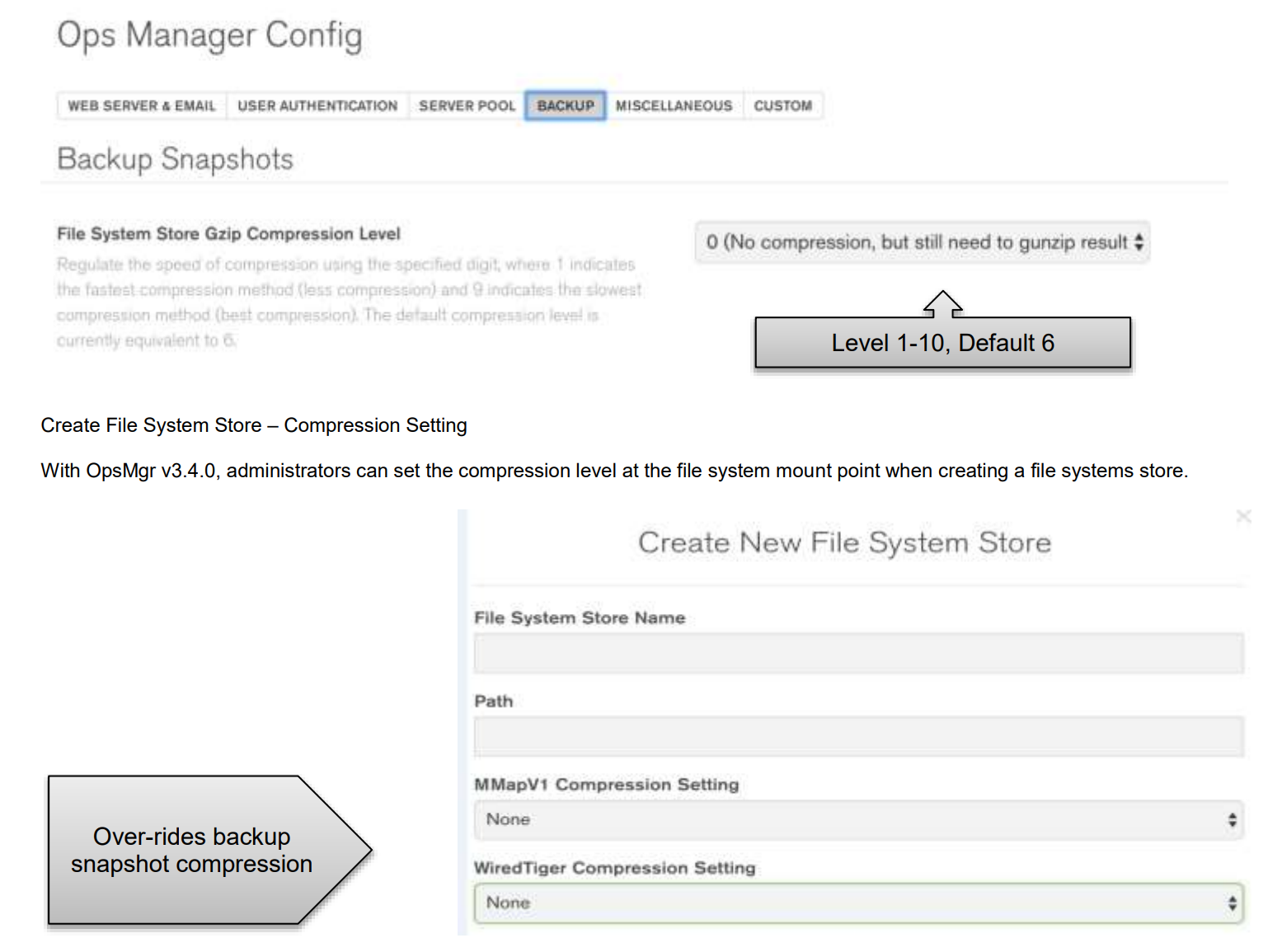
Set the WiredTiger/MMapV1 storage compression setting to "none" for each BoostFS mount point so files are sent uncompressed to the Data Domain.
This becomes the default this mount point, overriding the global (GZIP) compression setting.
With Wired Tiger snapshot compression set to "none", we have seen a 60% increase in write performance compared to backups with GZIP level '0' compression.
The chart below summarizes the BoostFS result of the OpsMgr use cases with compression disabled for each storage engine.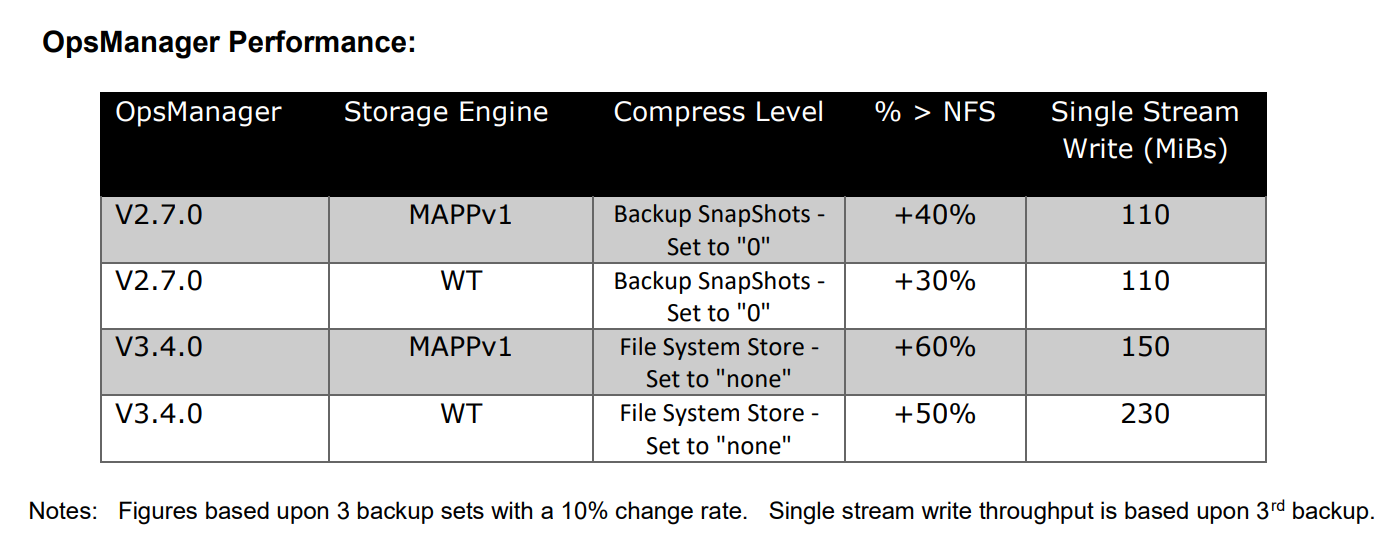
Setup BoostFS plug-in
- Let /mongodb-backup be the mountpoint where BoostFS is mounted on the Ops Manager Server.
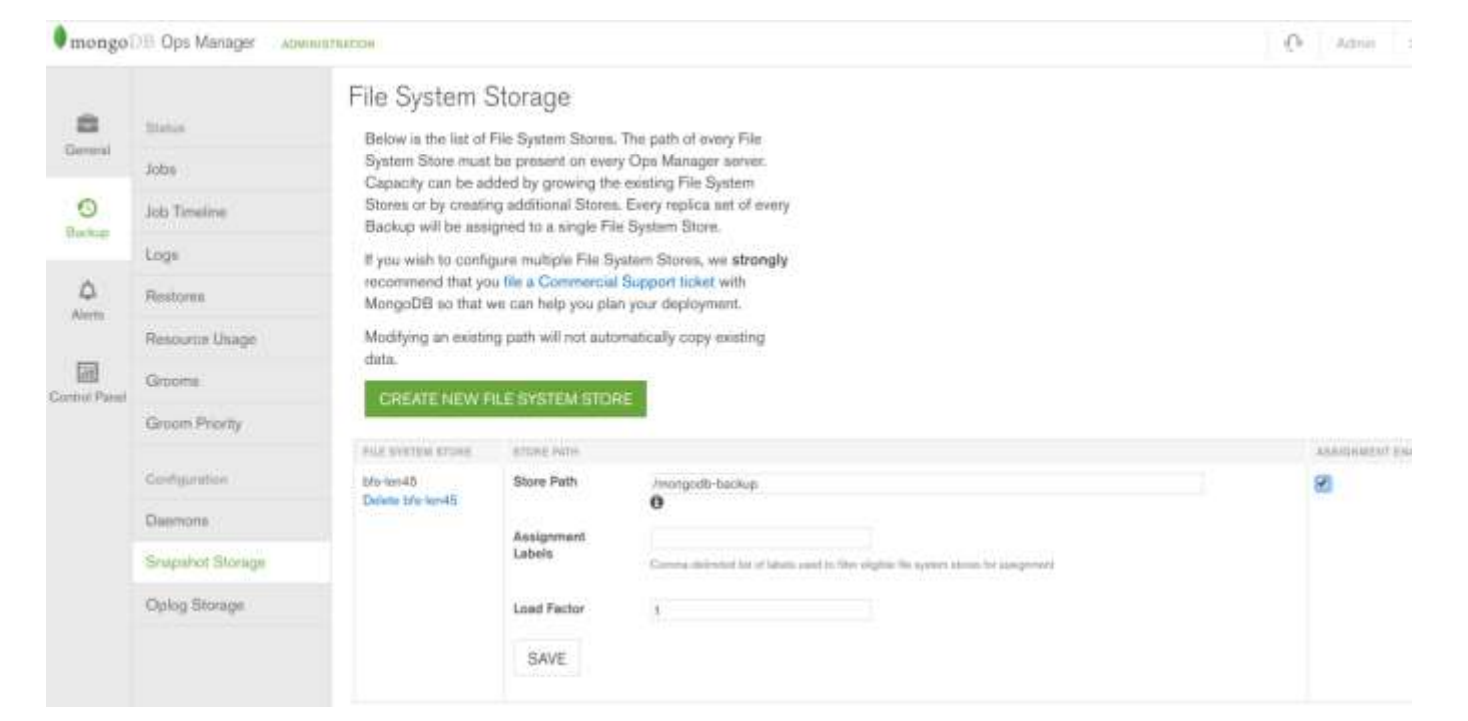
- From the Ops Manager UI, navigate to Admin Backup Snapshot Storage and click create New File System Store.
- Provide the File System Store Name and for Path enter /mongodb-backup and Save.
Set OpsMgr Compression to level 0
- Log in to the Ops Manager
- Navigate to Admin, General Ops, Manager configuration, Miscellaneous tab.
- For Backup Snapshots set the File System Store Gzip Compression Level to 0.
Best Practices - MongoDB OpsMgr
- Set the file system compression level to "none" in OpsMgr v3.4.
- Set Backup SnapShot compression level to "0" in Ops Mgr
- Always use OpsMgr 2.0.7 or higher.
- For the best results, the MMAPv1 storage engine with OpsMgr v3.4 is preferred.
- Wired Tiger backups contain compressed data.
- OpsMgr backup streams are limited to one per server.
- The BoostFS plug-in should be installed on the OpsMgr server.
- Up to 63 streams per BoostFS plug-in