How to Uninstall Absolute
Shrnutí: Follow these step-by-step instructions to learn how to uninstall Absolute.
Tento článek se vztahuje na
Tento článek se nevztahuje na
Tento článek není vázán na žádný konkrétní produkt.
V tomto článku nejsou uvedeny všechny verze produktu.
Pokyny
Absolute may require uninstallation from an endpoint to:
- Fix licensing discrepancies.
- Troubleshoot the product.
- Address operating system incompatibility.
Affected Products:
- Absolute
Affected Operating Systems:
- Windows
A removal request must be submitted to uninstall the Absolute agent from an endpoint.
- Open a web browser and go to https://cc.absolute.com
.
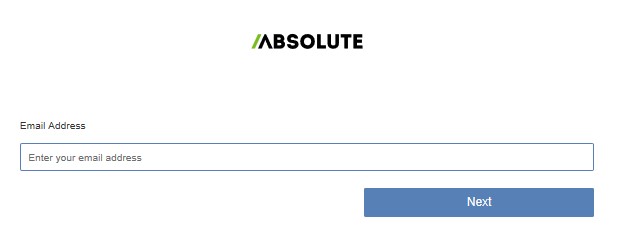
- Populate the email address used to access the web portal and then click Next.
- Log In to the web portal.

- In the left menu, select the Find Devices icon.

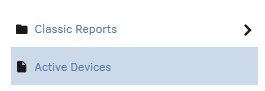
- Click Active Devices.
- Search for the endpoint.

- Check the endpoint to unenroll.
 Note: The example endpoint will differ in your environment.
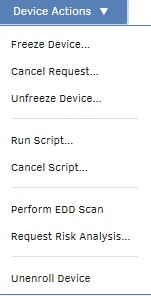
 - Click Device Action and then select Unenroll Device.
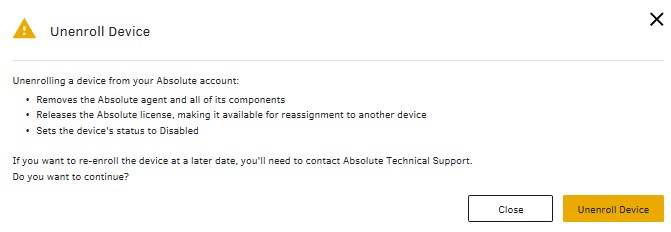
- Click Unenroll Device.
To contact support, reference Dell Data Security International Support Phone Numbers.
Go to TechDirect to generate a technical support request online.
For additional insights and resources, join the Dell Security Community Forum.
Dotčené produkty
AbsoluteVlastnosti článku
Číslo článku: 000131245
Typ článku: How To
Poslední úprava: 11 zář 2025
Verze: 9
Najděte odpovědi na své otázky od ostatních uživatelů společnosti Dell
Služby podpory
Zkontrolujte, zda se na vaše zařízení vztahují služby podpory.