Dell EMC Unity : How to enable and configure NDMP [User Correctable]
Zusammenfassung: How to configure NDMP on Array
Dieser Artikel gilt für
Dieser Artikel gilt nicht für
Dieser Artikel ist nicht an ein bestimmtes Produkt gebunden.
In diesem Artikel werden nicht alle Produktversionen aufgeführt.
Weisungen
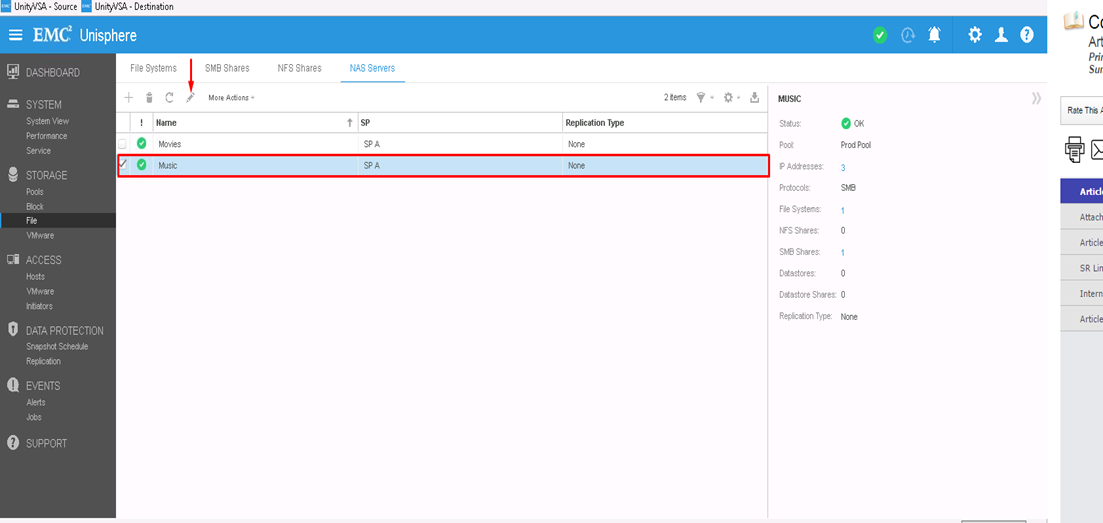
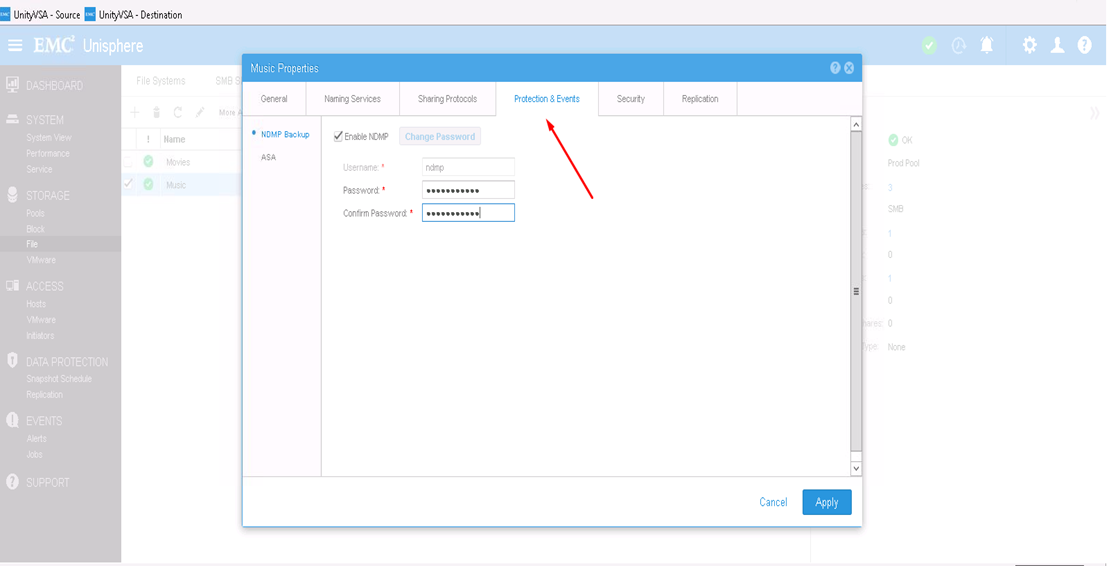
From Unisphere GUI:
- First, You Select the NAS Server you want to configure NDMP on and then click the edit icon to modify
- From Protection & events tab, you can enable NDMP check box with your defined username and password
From CLI:
1) Find out the NAS Server resource id by : uemcli -d <array_ip> -u admin -p <admin_pwd> /net/nas/server show
2) Enable and Set NDMP password by : uemcli -d <array_ip> -u admin -p <admin_pwd> /net/nas/ndmp -server <nas_x> set enabled yes passwd ndmp_pwd
Above enables NDMP on unity with username "ndmp".
From Backup clients, you can use NAS Server IP address, "ndmp" as the login user and the password that is configured for NDMP Backups.
Betroffene Produkte
Dell EMC Unity FamilyProdukte
Dell EMC Unity Family, VNXe1 Series, VNXe2 SeriesArtikeleigenschaften
Artikelnummer: 000022637
Artikeltyp: How To
Zuletzt geändert: 16 Okt. 2025
Version: 3
Antworten auf Ihre Fragen erhalten Sie von anderen Dell NutzerInnen
Support Services
Prüfen Sie, ob Ihr Gerät durch Support Services abgedeckt ist.