Unisphere for PowerMax:远程系统日志配置失败,并显示错误消息“java.net.SocketException:连接重置”
Zusammenfassung: 远程系统日志配置失败,并显示错误“java.net.SocketException:连接已重置。
Dieser Artikel gilt für
Dieser Artikel gilt nicht für
Dieser Artikel ist nicht an ein bestimmtes Produkt gebunden.
In diesem Artikel werden nicht alle Produktversionen aufgeführt.
Symptome
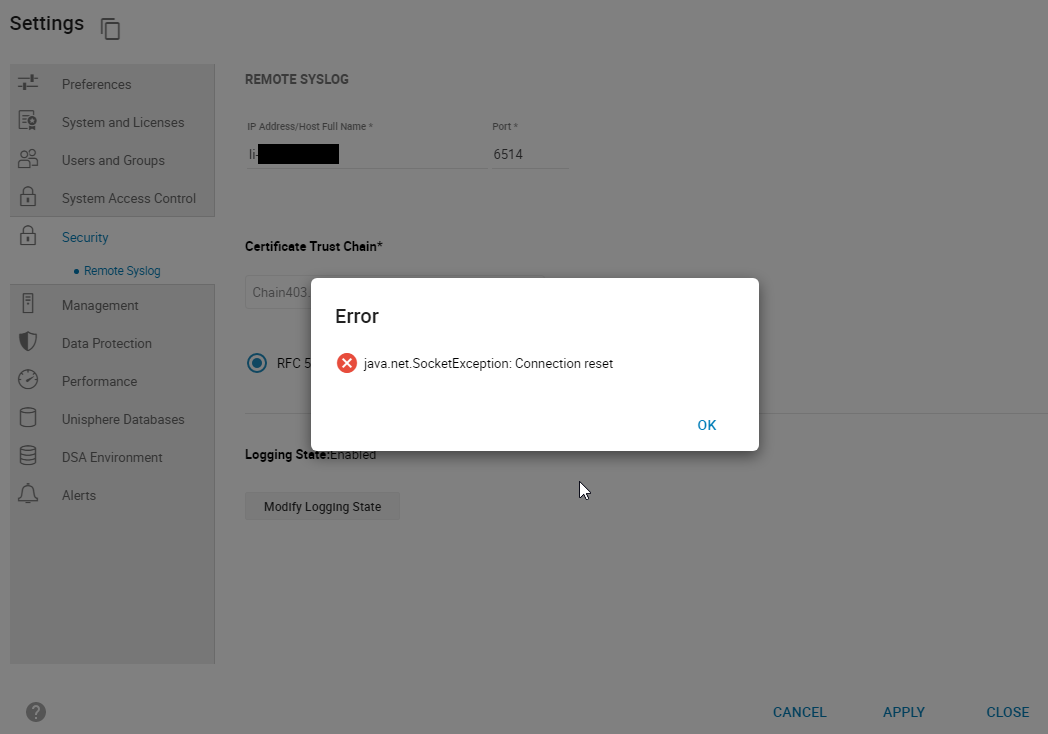
尝试在 Unisphere for PowerMax 中从Setting Security > Remote syslog>配置远程系统日志时,失败并显示错误:
smas.log 仅包含以下条目:
java.net.SocketException: Connection reset
图 1:错误:
java.net.SocketException: 连接重置
smas.log 仅包含以下条目:
2022-03-04 14:49:11,568 ERROR [em.bp.SECURITY] (default task-40) SecurityCommandProcessor.processConfigureRemoteSyslogCommand:java.net.SocketException: Connection reset
2022-03-04 14:51:39,978 ERROR [em.bp.SECURITY] (default task-14) SecurityCommandProcessor.processConfigureRemoteSyslogCommand:java.net.SocketException: Connection reset
2022-03-07 15:50:51,998 ERROR [em.bp.SECURITY] (default task-31) SecurityCommandProcessor.processConfigureRemoteSyslogCommand:java.net.SocketException: Connection reset
Ursache
此错误是由于网络问题造成的。
Lösung
用户的网络团队发现端口 6514 的流量被阻止。解决网络问题后,他们可以配置远程系统日志。
Betroffene Produkte
Unisphere for PowerMaxArtikeleigenschaften
Artikelnummer: 000204186
Artikeltyp: Solution
Zuletzt geändert: 11 Juli 2024
Version: 3
Antworten auf Ihre Fragen erhalten Sie von anderen Dell NutzerInnen
Support Services
Prüfen Sie, ob Ihr Gerät durch Support Services abgedeckt ist.