Openshift: OCP upgrade post check error for node not ready or scheduling disabled
Zusammenfassung: OCP upgrade post check error for node not ready or scheduling disabled due to VM configured with ReadWriteOnce(RWO) storage volume that cannot be live migrated.
Dieser Artikel gilt für
Dieser Artikel gilt nicht für
Dieser Artikel ist nicht an ein bestimmtes Produkt gebunden.
In diesem Artikel werden nicht alle Produktversionen aufgeführt.
Symptome
During OCP upgrade post check process, there could be an error message says "Failed to run post check for OCP cluster. Node is not ready or scheduling disabled."
Ursache
One or more VMs configured with ReadWriteOnce(RWO) storage volume that cannot be live migrated on the error reporting node.
Check below Openshift document for more information about storage volumes for virtual machine disks.
Lösung
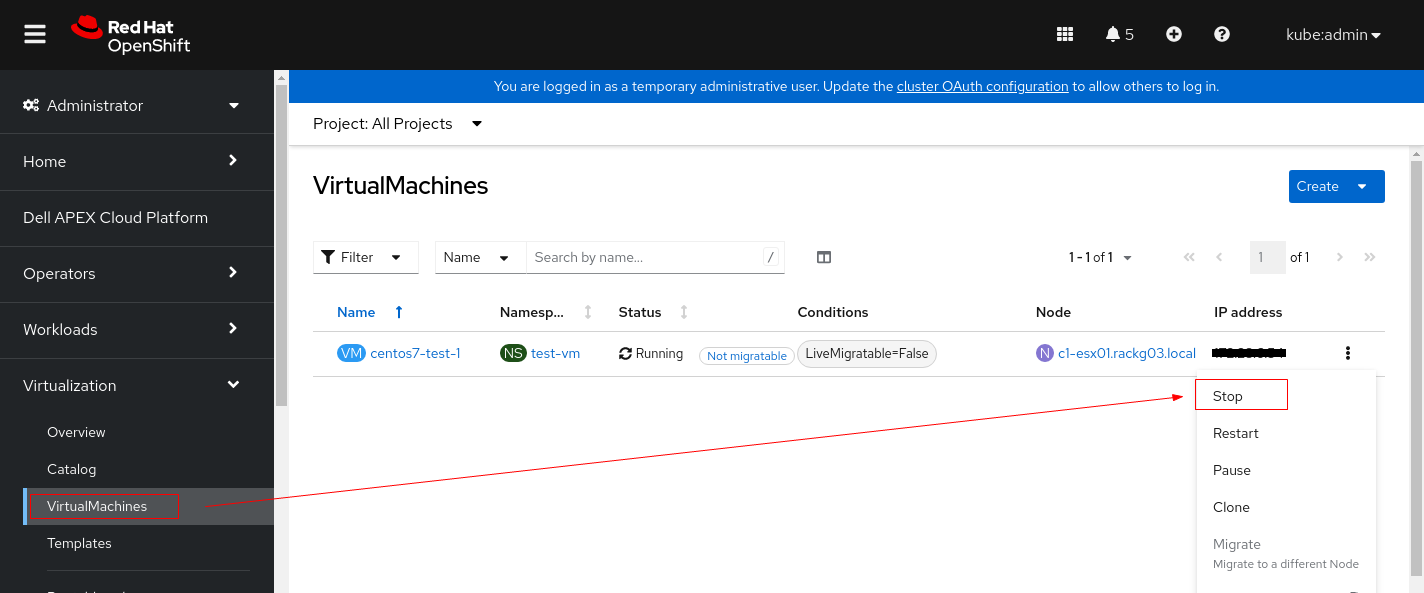
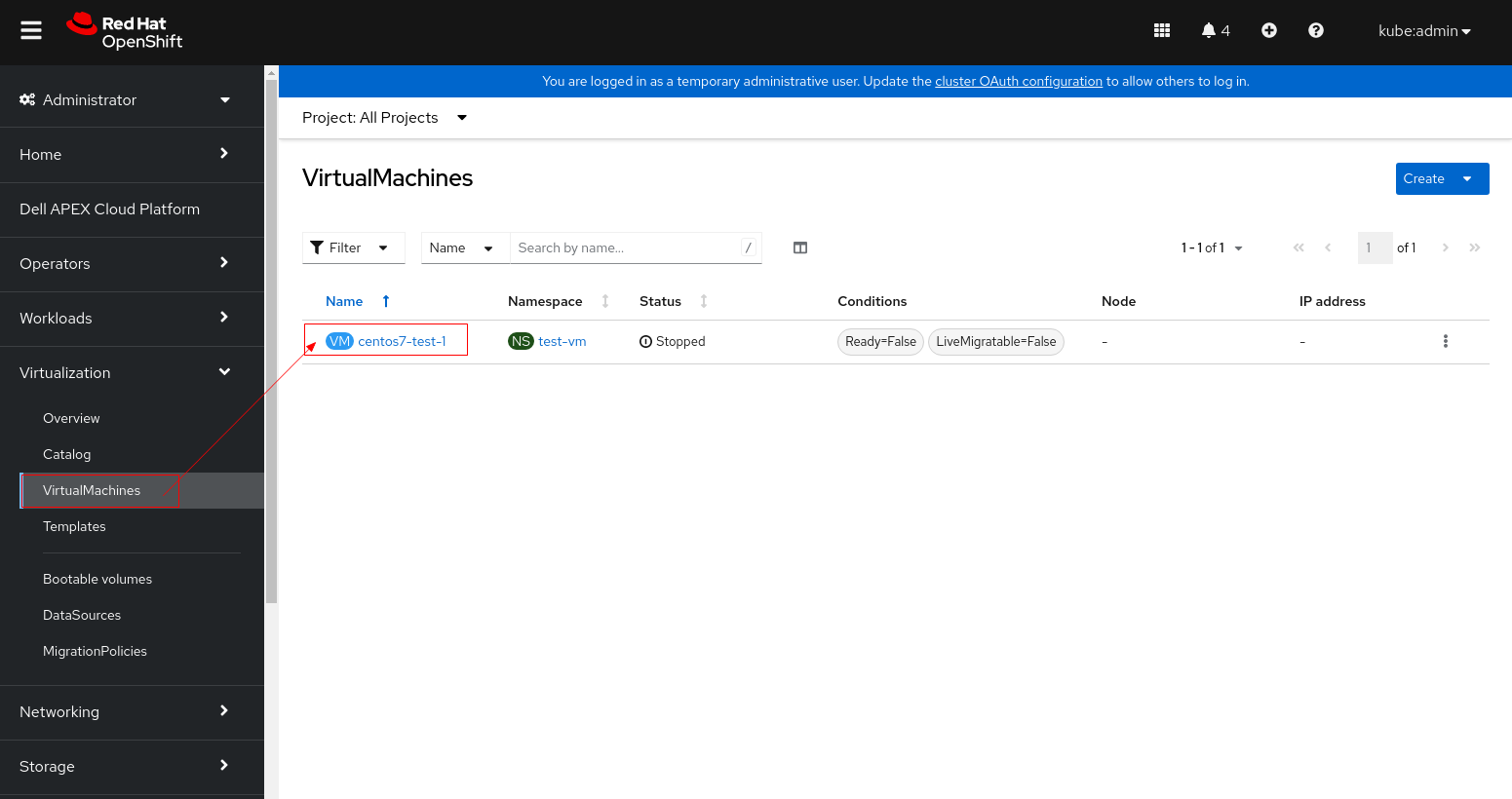
1. Change the VM PV settings.
2. Find the nodes whose status is "Ready,SchedulingDisabled".

3. Drain the node to remove running pods from it.
4. Set debug mode and reboot the node.
5. Once node is ready post reboot, mark it as schedulable.
6. Verify the node is successfully marked as schedulable.
- 1.1stop the VM instance before changing its PV settings.
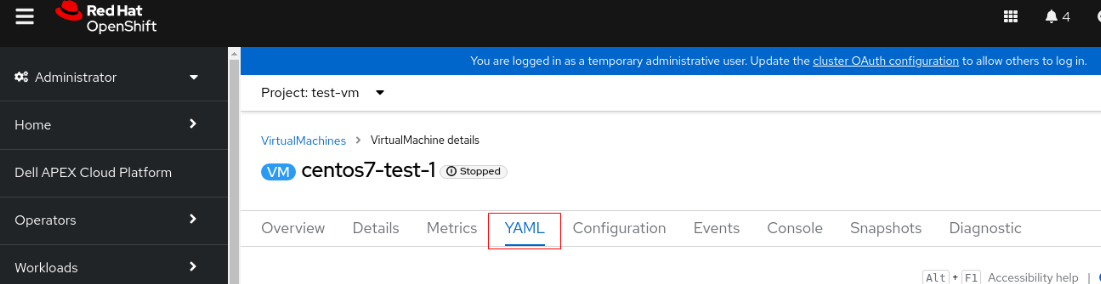
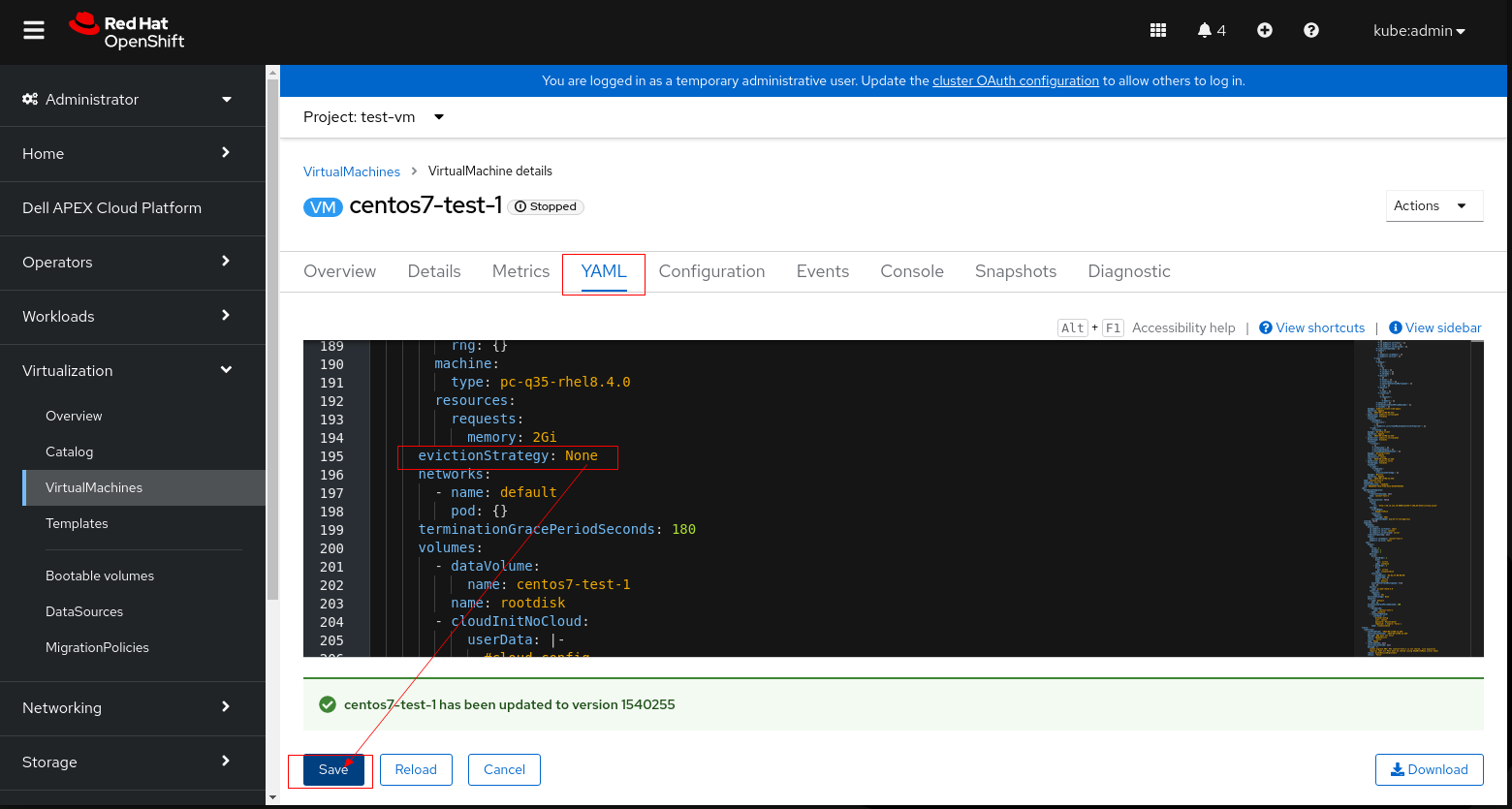
- 1.2 Click the VM and switch to YAML tab
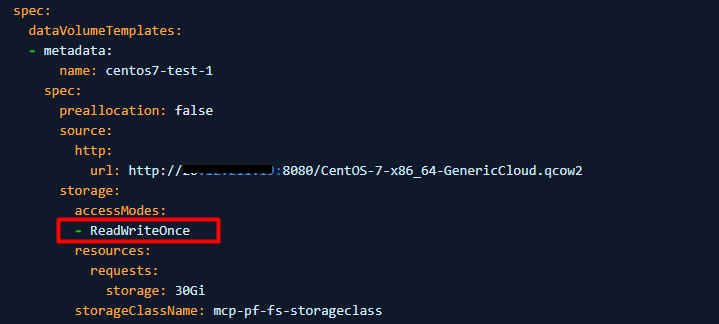
- 1.3 Change accessModes from "ReadWriteOnce" to "ReadWriteMany"
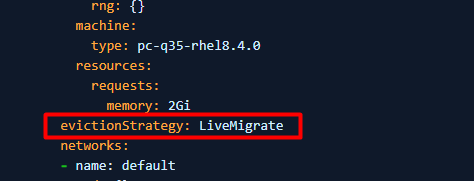
- 1.4 If PV cannot be set to ReadWriteMany (the VM cannot start use ReadWriteMany), then set evictionStrategy from LiveMigrate to None
Note: Please perform either step 1.3 or 1.4 that applies to your environment, don't need to perform both steps.
- 1.5 Click save and restart the VM.
2. Find the nodes whose status is "Ready,SchedulingDisabled".
$ oc get nodeFor example:
3. Drain the node to remove running pods from it.
$ oc adm <node name> --ignore-daemonsets --delete-emptydir-data --forceFor example: oc adm drain c3-esx01.racka01.local --ignore-daemonsets --delete-emptydir-data --force
4. Set debug mode and reboot the node.
$ oc debug node/<node name>

$ sh-4.4# chroot /host

$ sh-4.4# systemctl reboot
5. Once node is ready post reboot, mark it as schedulable.
$ oc adm uncordon <node name>
6. Verify the node is successfully marked as schedulable.
$ oc get node
Betroffene Produkte
APEX Cloud Platform for Red Hat OpenShiftArtikeleigenschaften
Artikelnummer: 000216593
Artikeltyp: Solution
Zuletzt geändert: 18 Feb. 2026
Version: 3
Antworten auf Ihre Fragen erhalten Sie von anderen Dell NutzerInnen
Support Services
Prüfen Sie, ob Ihr Gerät durch Support Services abgedeckt ist.