SRM Dell Technologies Connectivity is disabled
Zusammenfassung: After upgrading Unisphere for VMAX and Solutions Enabler, this SRM alert triggered. "The Dell Technologies Connectivity service is disabled. Enable Dell Technologies Connectivity in the Remote Support Settings dialog under the Configuration menu. Enabling Dell Technologies Connectivity would help Dell EMC to provide proactive support to improve your product usage experience." ...
Dieser Artikel gilt für
Dieser Artikel gilt nicht für
Dieser Artikel ist nicht an ein bestimmtes Produkt gebunden.
In diesem Artikel werden nicht alle Produktversionen aufgeführt.
Symptome
After upgrading Unisphere for VMAX and Solutions Enabler, this SRM alert triggered.
"The Dell Technologies Connectivity service is disabled. Enable Dell Technologies Connectivity in the Remote Support Settings dialog under the Configuration menu. Enabling Dell Technologies Connectivity would help Dell EMC to provide proactive support to improve your product usage experience."
"The Dell Technologies Connectivity service is disabled. Enable Dell Technologies Connectivity in the Remote Support Settings dialog under the Configuration menu. Enabling Dell Technologies Connectivity would help Dell EMC to provide proactive support to improve your product usage experience."
Ursache
Dell Technologies Connectivity is disabled
Lösung
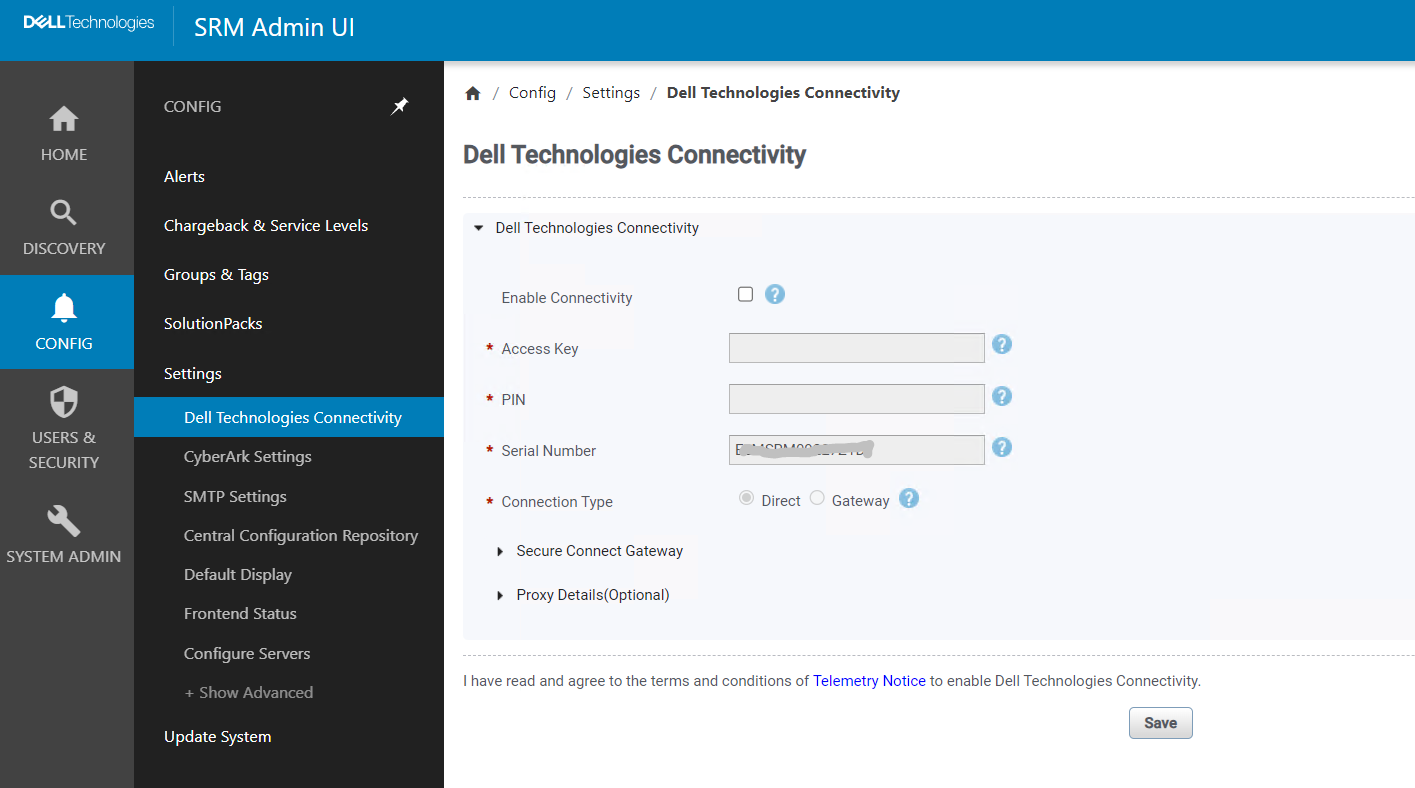
Check that "Enable Connectivity" is not unchecked
Artikeleigenschaften
Artikelnummer: 000217109
Artikeltyp: Solution
Zuletzt geändert: 18 Mai 2026
Version: 4
Antworten auf Ihre Fragen erhalten Sie von anderen Dell NutzerInnen
Support Services
Prüfen Sie, ob Ihr Gerät durch Support Services abgedeckt ist.