OpenShift Virtualization: Failed to take VM snapshot from OpenShift Virtualization UI.
Zusammenfassung: Take VM snapshot via OpenShift Virtualization UI fails if there is IO running in the VM in OCP cluster.
Dieser Artikel gilt für
Dieser Artikel gilt nicht für
Dieser Artikel ist nicht an ein bestimmtes Produkt gebunden.
In diesem Artikel werden nicht alle Produktversionen aufgeführt.
Symptome
Take VM snapshot via OpenShift Virtualization UI failed.
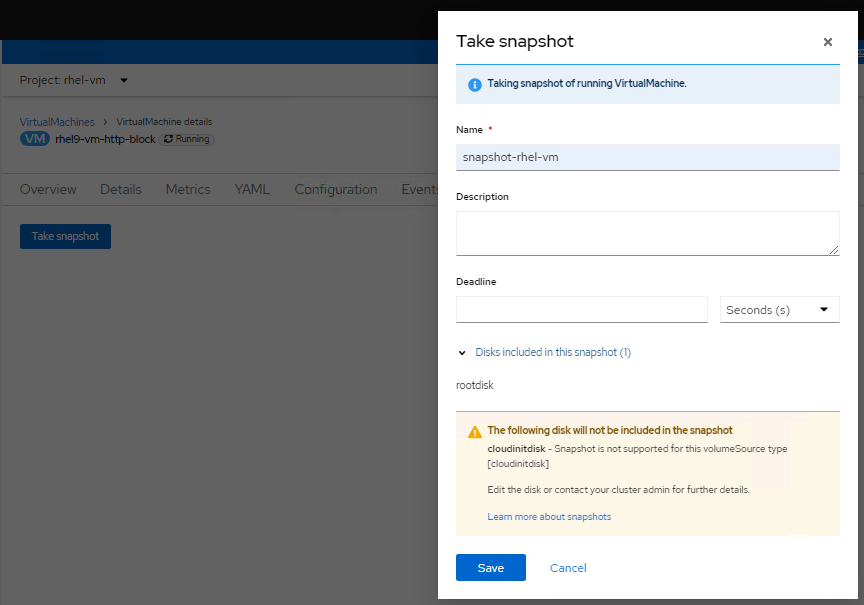
Checking logs of virt-handler pod (openshift-cnv namespace), it shows errors like below:
Checking logs of virt-handler pod (openshift-cnv namespace), it shows errors like below:
2023-08-14T02:23:33.722372232Z {"component":"virt-handler","kind":"","level":"error","msg":"Failed to freeze VMI","name":"rhel9-vm-http-block",
"namespace":"rhel-vm","pos":"lifecycle.go:124","reason":"server error.
command Freeze failed: \"LibvirtError(Code=1, Domain=10, Message='internal error: unable to execute QEMU agent command 'guest-fsfreeze-freeze':
failed to open /zoner/sda: Permission denied')\"","timestamp":"2023-08-14T02:23:33.722321Z","uid":"c6894dc7-f29c-43e7-9817-3b12643040d1"}
"namespace":"rhel-vm","pos":"lifecycle.go:124","reason":"server error.
command Freeze failed: \"LibvirtError(Code=1, Domain=10, Message='internal error: unable to execute QEMU agent command 'guest-fsfreeze-freeze':
failed to open /zoner/sda: Permission denied')\"","timestamp":"2023-08-14T02:23:33.722321Z","uid":"c6894dc7-f29c-43e7-9817-3b12643040d1"}
Ursache
Create a VM via OpenShift Virtualization, the mount point from the created LUN is not labelled as trusted. So during VM snapshot process, the QEMU agent fails to open the mount point (in this KB, the mount point is /zoner/sda) and gets permission denied while it tries to do fsfreeze.
Lösung
Below resolution steps will suppose "/zoner/sda" as the mount point.
Please use "df -h" command and check from your error logs to confirm the actual error reporting mount point of your VM.
1. Confirm the SELinux context of the mount point is showing "unlabeled_t" by below command:
# ls -lZd /zoner/sda/
2. If it shows "unlabeled_t", there are two options to resolve it.
- Option1: To enable QEMU agent to read non-labelled files.
# setsebool -P virt_qemu_ga_read_nonsecurity_files 1
- Option2: To label the mount point.
# restorecon -v /zoner/sda/
Betroffene Produkte
APEX Cloud Platform for Red Hat OpenShiftArtikeleigenschaften
Artikelnummer: 000217270
Artikeltyp: Solution
Zuletzt geändert: 19 Feb. 2026
Version: 3
Antworten auf Ihre Fragen erhalten Sie von anderen Dell NutzerInnen
Support Services
Prüfen Sie, ob Ihr Gerät durch Support Services abgedeckt ist.