Avamar: Migrate Backups Between Data Domain Using Replication and Replication Restore
Zusammenfassung: The purpose of this article is to explain a method to move backups from one Data Domain to another Data Domain within the same Avamar server.
Dieser Artikel gilt für
Dieser Artikel gilt nicht für
Dieser Artikel ist nicht an ein bestimmtes Produkt gebunden.
In diesem Artikel werden nicht alle Produktversionen aufgeführt.
Weisungen
A brief summary of this article:
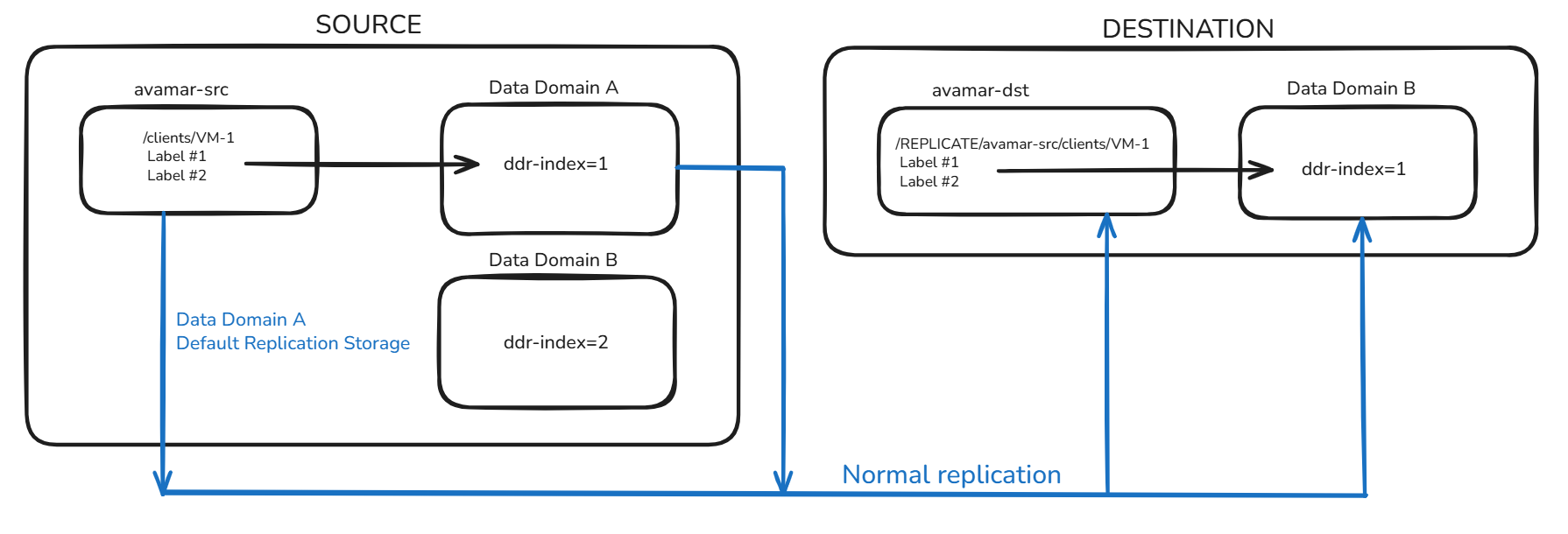
- The source Avamar SRC has Data Domain A and Data Domain B integrated
- The backups for the client /clients/VM1 are stored on Data Domain A (ddr-index=1)
- The Avamar SRC replicates to the destination Avamar (DST), which has Data Domain B integrated
- Data Domain A is planning to be decommissioned
- There is a requirement to move the backups from Data Domain A (ddr-index=1) to Data Domain B (ddr-index=2)
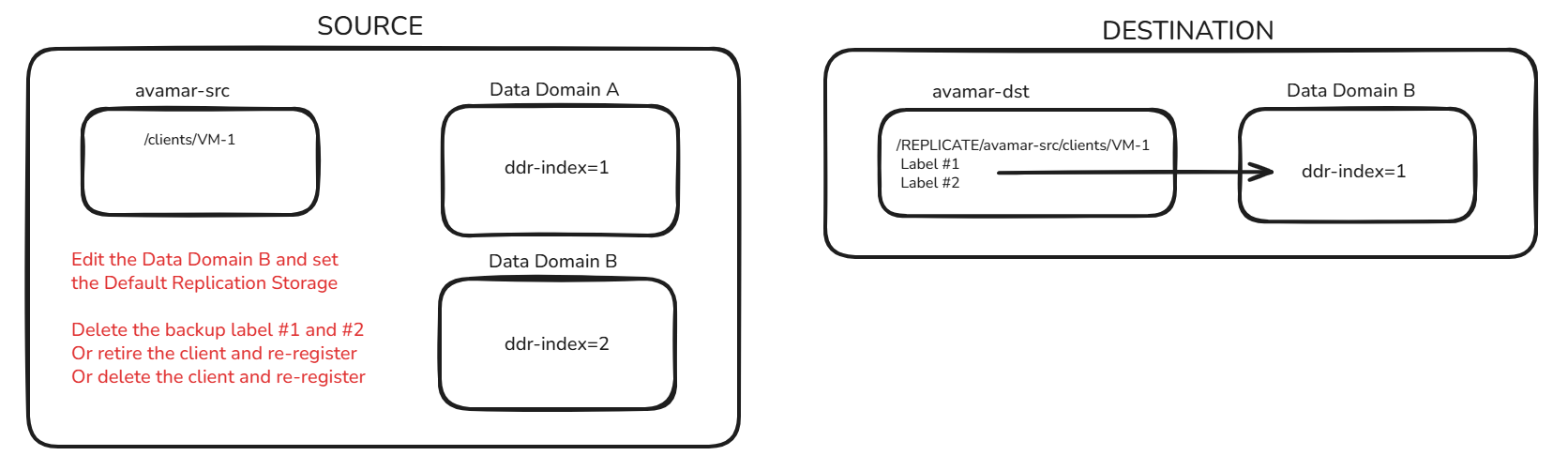
- Edit Data Domain B and configure it to be the Default Replication Storage
- Remove the backups stored on Data Domain A (ddr-index=1) or retire/delete the client and register it again
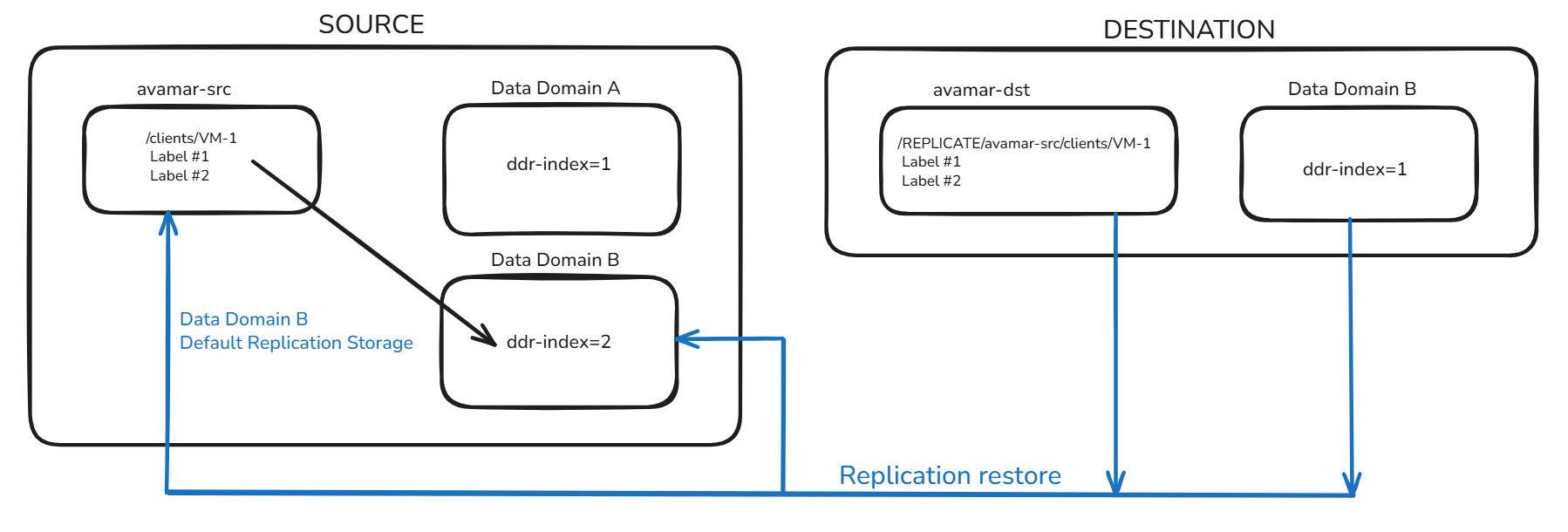
- Perform a replication restore on the Avamar DST back to the Avamar SRC
- The backups are stored on Data Domain B (ddr-index=2)
The image shows the current setup: backups run on Avamar SRC and Data Domain A, then replicate to Avamar DST and Data Domain B.
It is necessary to edit Data Domain B in Avamar and select it as the Default Replication Storage. It is also required that the backups be removed, or that the client be retired or deleted. If the client is retired/deleted, then it must be re-registered.
From the Avamar DST, start the replication restore. The backups are created on the Avamar SRC and stored on Data Domain B.
This type of activity requires a thorough assessment of the environment and careful planning to prevent data loss or service disruption. These design-related decisions typically fall outside the scope of Dell Technical Support, and Dell Professional Services best handles them.
Betroffene Produkte
Avamar, Data Domain, Avamar ServerArtikeleigenschaften
Artikelnummer: 000420816
Artikeltyp: How To
Zuletzt geändert: 02 Feb. 2026
Version: 1
Antworten auf Ihre Fragen erhalten Sie von anderen Dell NutzerInnen
Support Services
Prüfen Sie, ob Ihr Gerät durch Support Services abgedeckt ist.