Dell Automation: NativeEdge Virtual Machine memory oversubscription
Zusammenfassung: This article describes a deployment scenario that has been observed to cause memory oversubscription on a NativeEdge Virtual Machine (VM). Memory oversubscription may result in loss of access to the affected VMs. ...
Dieser Artikel gilt für
Dieser Artikel gilt nicht für
Dieser Artikel ist nicht an ein bestimmtes Produkt gebunden.
In diesem Artikel werden nicht alle Produktversionen aufgeführt.
Symptome
During a multi-VM deployment on a single endpoint of NativeEdge an oversubscription of resources may occur.
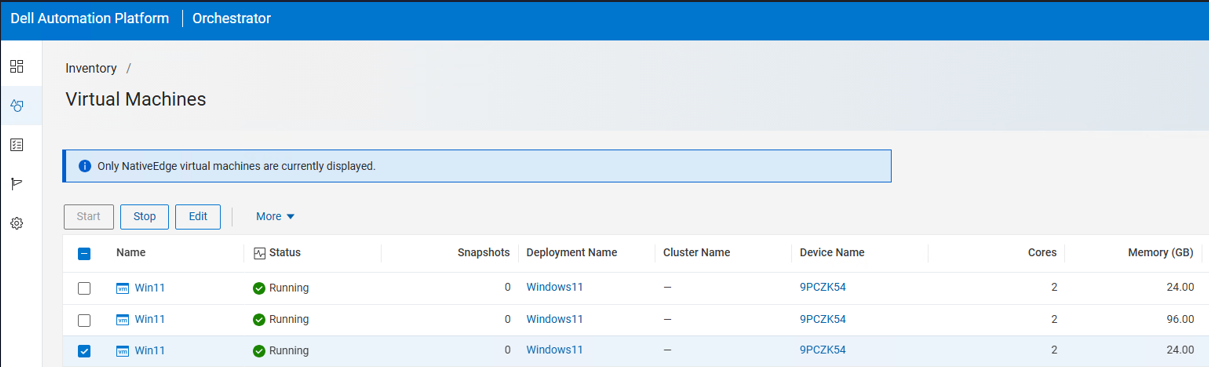
In the example below, a PowerEdge R760 with 128 GB of memory was used to deploy three VMs whose combined memory allocation totalled 144 GB.
Within the Automation Platform UI, all three VMs are reported as Running.
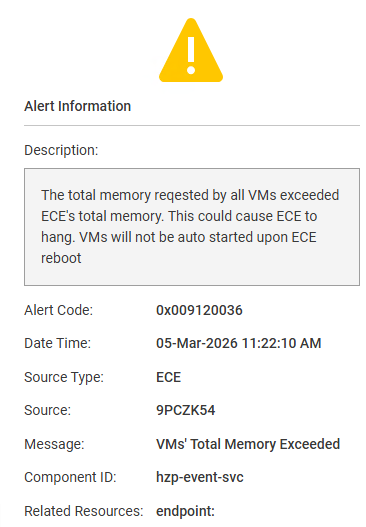
Automation Platform Alerts will contain warnings for VM memory resources being exceeded.
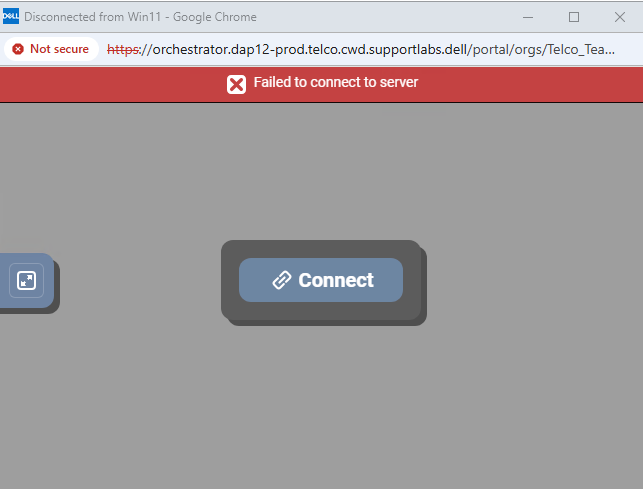
Attempting to open a VM console to one of the affected VMs results in the message:
‘failed to connect to server’
Ursache
When deploying NativeEdge VMs in Dell Automation Platform, the system validates the resources consumed by an endpoint, including, but not limited to, memory usage. This validation is intentionally designed to allow multiple VMs to be deployed, provided that resource constraints are respected at the moment each VM is powered on.
Lösung
To recover from this condition, uninstall any VMs or deployments that cause the ECE endpoint to exceed its available resource capacity. A future version of Automation Platform will include enhanced verification to prevent these rare VM oversubscription scenarios from occurring.
Please refer to Dell NativeEdge: Guidelines for System Memory and CPU Reservations on a NativeEdge Endpoint for endpoint overhead considerations.
Betroffene Produkte
Dell Automation Platform, NativeEdge Solutions, Dell Automation Platform Components, NativeEdgeArtikeleigenschaften
Artikelnummer: 000435738
Artikeltyp: Solution
Zuletzt geändert: 16 März 2026
Version: 1
Antworten auf Ihre Fragen erhalten Sie von anderen Dell NutzerInnen
Support Services
Prüfen Sie, ob Ihr Gerät durch Support Services abgedeckt ist.