Data Domain: How to change the sync alert threshold
Zusammenfassung: This article explains how to change the sync alert threshold using the command line. By default, the sync alert threshold is set to 24 hours. However, based on specific requirements, it may need to be adjusted for a particular mtree to prevent the error: “Sync-as-of time is more than 24 hours ago.” ...
Dieser Artikel gilt für
Dieser Artikel gilt nicht für
Dieser Artikel ist nicht an ein bestimmtes Produkt gebunden.
In diesem Artikel werden nicht alle Produktversionen aufgeführt.
Weisungen
- Use SSH to connect to the PowerProtect Data Domain with the admin privilege.
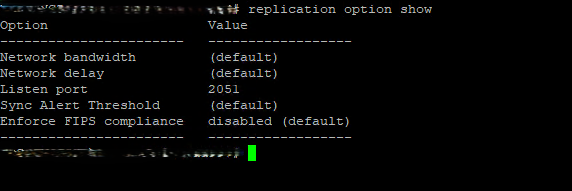
- Run the "replication option show" command to check the sync alert threshold.
- To change the default value to different hours we need to use command "replication option set default-sync-alert-threshold <value>"
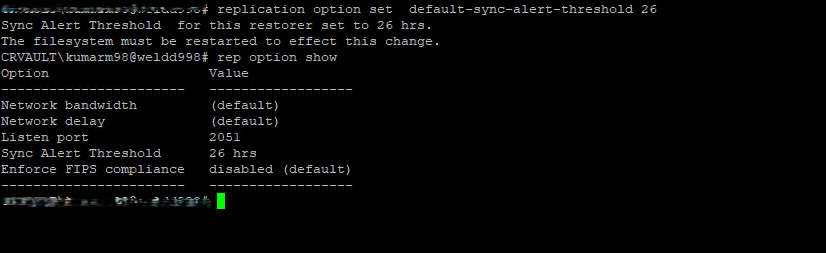
- The filesystem must be restarted to effect this change.
filesys restart
Betroffene Produkte
Data DomainArtikeleigenschaften
Artikelnummer: 000462922
Artikeltyp: How To
Zuletzt geändert: 11 Mai 2026
Version: 1
Antworten auf Ihre Fragen erhalten Sie von anderen Dell NutzerInnen
Support Services
Prüfen Sie, ob Ihr Gerät durch Support Services abgedeckt ist.