NVP vProxy: NetWorker vProxy fails network configuration
Zusammenfassung: The vProxy appliance is deployed with a static IPv4 address that never appears on the VM and does not respond; wickedd reports duplicate‑IP errors because the address is in use on the network. ...
Dieser Artikel gilt für
Dieser Artikel gilt nicht für
Dieser Artikel ist nicht an ein bestimmtes Produkt gebunden.
In diesem Artikel werden nicht alle Produktversionen aufgeführt.
Symptome
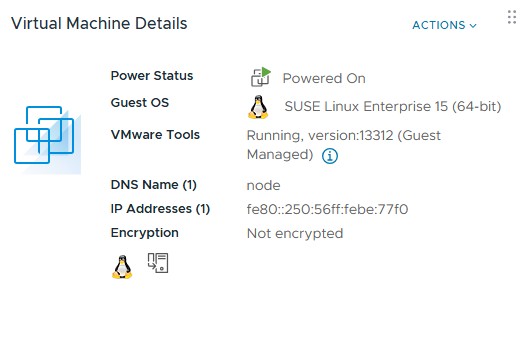
vProxy OVF is deployed with a specified IPv4 address but the deployed VM does not show the address and does not respond on the network to that address.
ip a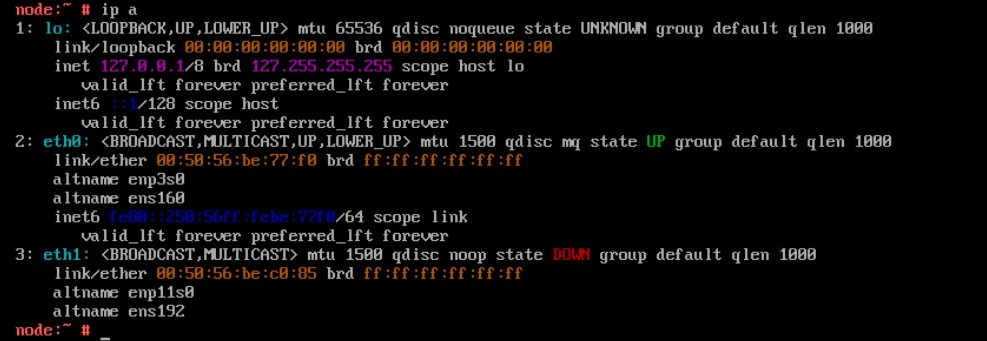
Reconfiguring the network parameters using the config_network.sh script fails to apply the static IPv4 address
/opt/emc/vproxy/bin/config_network.sh <Interface> <FQDN> <IP Address> <Netmask> <Gateway> <DNS List (comma separated)>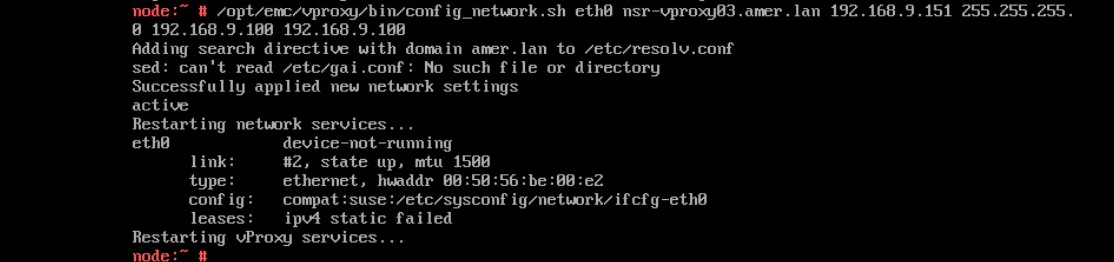
Status of the wickedd service shows duplicate IP address errors.
systemctl status wickedd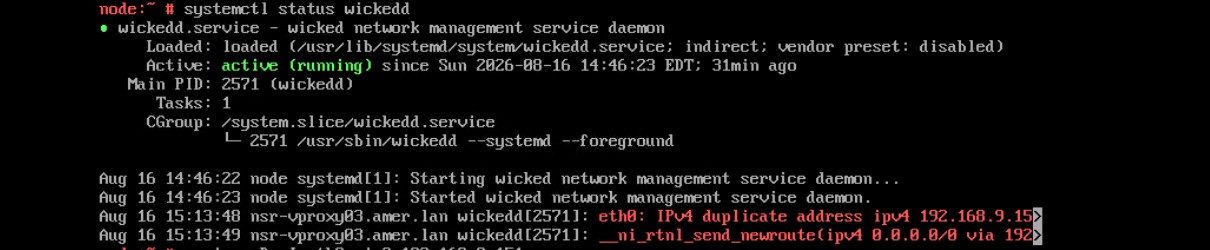
Ursache
Lösung
Find a new unique address and use the following command to assign the new IP address.
- Log in to the vProxy and elevate to root.
- Run the following command.
/opt/emc/vproxy/bin/config_network.sh <Interface> <FQDN> <IP Address> <Netmask> <Gateway> <DNS List (comma separated)>*For more information, see NVP vProxy: How to Manually Change the vProxy Appliance Network Interface Settings
Betroffene Produkte
NetWorkerArtikeleigenschaften
Artikelnummer: 000499204
Artikeltyp: Solution
Zuletzt geändert: 17 Aug. 2026
Version: 1
Antworten auf Ihre Fragen erhalten Sie von anderen Dell NutzerInnen
Support Services
Prüfen Sie, ob Ihr Gerät durch Support Services abgedeckt ist.