SourceOne Discovery Manager: Unexpected Exception when selecting items to view from Discovery Manager Web Client due to IIS Dynamic Restrictions settings.
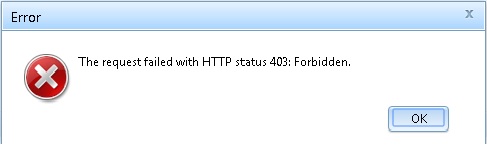
Summary: Unexpected Exception when selecting items to view from Discovery Manager Web Client due to IIS Dynamic Restrictions settings. Error: The request failed with HTTP status 403: Forbidden
This article applies to
This article does not apply to
This article is not tied to any specific product.
Not all product versions are identified in this article.
Symptoms
When navigating within the Discovery Manager Web client after logging into it, the pop-up error 'Unexpected Error' or 'The request failed with HTTP status 403: Forbidden' is reported.

Cause
This problem is caused by the Dynamic Restrictions settings in IIS 8.x or later.
Resolution
Disable Dynamic Restrictions in IIS 8.x or increase the threshold that triggers a client IP block.
Refer to Microsoft's reference article on:
IIS 8.0 Dynamic IP Address Restrictions
Refer to Microsoft's reference article on:
IIS 8.0 Dynamic IP Address Restrictions
Affected Products
SourceOneProducts
SourceOne, SourceOne Discovery Manager, SourceOne Email ManagementArticle Properties
Article Number: 000052701
Article Type: Solution
Last Modified: 26 May 2025
Version: 5
Find answers to your questions from other Dell users
Support Services
Check if your device is covered by Support Services.