Omstrukturering af USB- og Thunderbolt-indstillinger på ny BIOS-version
Summary: Denne artikel indeholder oplysninger om ændringer i visningen af USB- og Thunderbolt-indstillinger på nyere BIOS-versioner.
Instructions
Ældre BIOS-visning
Nyere Dell-notebooks, der er udstyret med USB-C- eller Thunderbolt-controllere, muliggør konfiguration af disse teknologier i BIOS under en enkelt post. Imidlertid var layoutet eller visningen af dette på en eller anden måde forvirrende, da funktioner, der var "ikke installeret", stadig var synlige, men utilgængelige (pr. Billedet nedenfor).
(Figur 1: Gammel system-BIOS)
Ny BIOS-visning
Efter udgivelsen af nyere BIOS-versioner, som eksemplet nedenfor fra Precision 5520 med den nyeste BIOS 1.1.3, ændres dette til separate BIOS-poster.
-
USB-konfiguration:
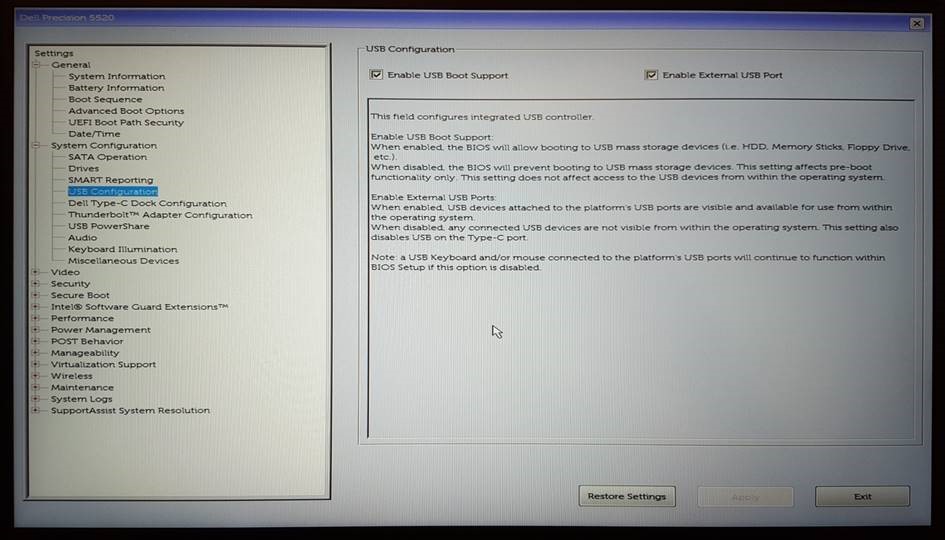
(Figur 2: Under afsnittet Systemkonfiguration kan du finde indstillinger for USB-konfiguration) -
Konfiguration af Dell Type-C-dockingstation:
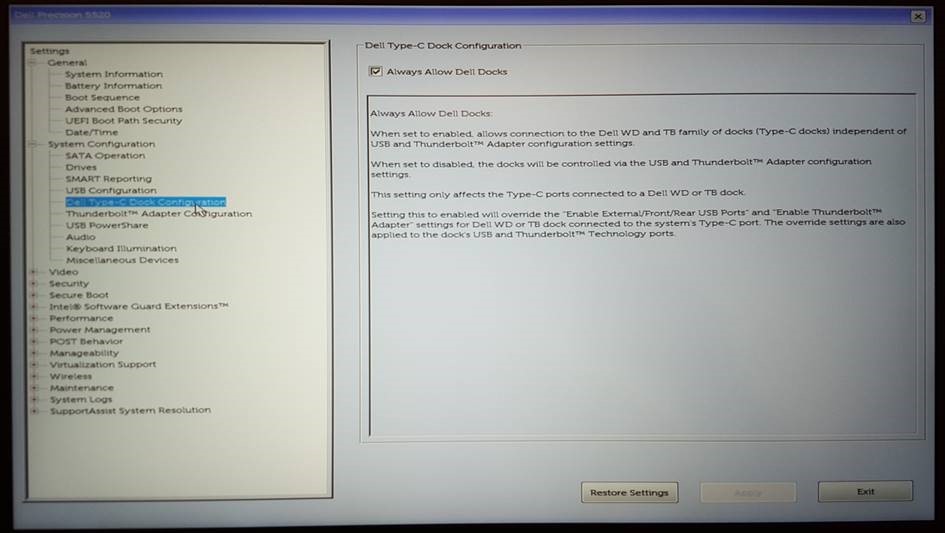
(Figur 3: Under afsnittet Systemkonfiguration kan du finde indstillinger for konfiguration af Dell Type-C-dockingstation) -
Thunderbolt-adapterkonfiguration:
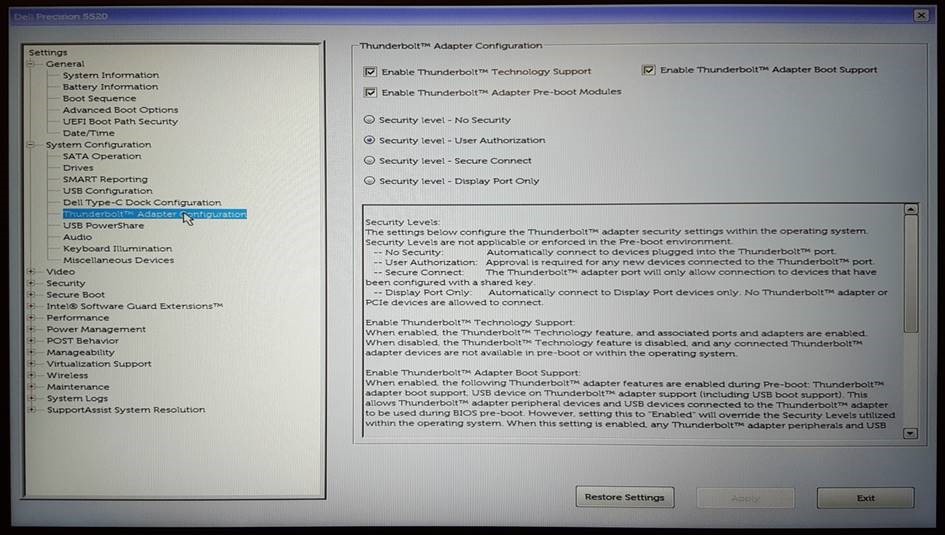
(Figur 4: Under afsnittet Systemkonfiguration kan du finde indstillinger for Thunderbolt-adapterkonfiguration)
Målet er at forbedre visningen af den installerede teknologi og begrænse enhver forvirring. Dell tilbyder BIOS-versioner til systemer med denne teknologi, og vi anbefaler, at du vedligeholder dit system med opdaterede BIOS-versioner som god praksis. De nyeste versioner kan findes på Dells supportwebsted under afsnittet Drivere og downloads for dit system.