How to Connect VMware Carbon Black Cloud to Secureworks Taegis XDR Using API
Summary: Learn how to connect VMware Carbon Black Cloud to Secureworks Taegis XDR using API by following these instructions.
Instructions
VMware Carbon Black Cloud allows for APIs to be generated to output various sets of data from the infrastructure to third-party applications. Secureworks has introduced the ability to consume these events through an API receiver within the Secureworks Taegis XDR (eXtended Detection and Response) console.
Affected Products:
- VMware Carbon Black Cloud
- Secureworks Threat Detection and Response
- Secureworks Managed Detection and Response
- Secureworks XDR
- Secureworks ManagedXDR
- DellMDR
Configuration of the Event Forwarder from VMware Carbon Black Cloud to Secureworks TDR requires administrators to Create an Access Level and an API Key with Carbon Black. Once completed, then you can Create the Integration Within Secureworks Taegis XDR.
- Within VMware Carbon Black Cloud, the administrator requires permissions to manage Access Levels and API Keys.
- Within Secureworks TDR, the administrator requires Tenant Administrator permissions.
Create an Access Level and an API Key with Carbon Black
- Log in to the appropriate Carbon Black Defense console for your environment:
- Americas: https://defense-prod05.conferdeploy.net
- Europe, Middle East, Africa: https://defense-eu.conferdeploy.net
- Asia, Pacific: https://defense-prodnrt.conferdeploy.net
Note: All connections to the VMware Carbon Black Cloud are over 443 (https) using TLS 1.2. - Americas: https://defense-prod05.conferdeploy.net
- Expand Settings and then select API Access.
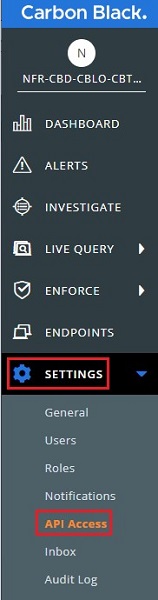
- You must:
- Create an Access Level
- Create an API Key
- Find the Org Key

For more information, click the appropriate action.
- Select the Access Levels tab, then select Add Access Level to create an access level.

- From the Edit Access Level menu:
- Populate a Name and Description for the Access Level.
- Locate and then enable the following settings:
Category Permission Notation Selection boxes to enable Device Quarantine device.quarantineExecute Device General Information deviceRead Event Forwarding Settings event-forwarder.settingsCreate, Read, Update, Delete - Click Save.
 Note: The Name (
SCWS_TDR) used in the example screenshot may differ in your environment.
- Click API Keys.

- Click Add API Key.

- Within the Add API Key dialog box:
- Populate a Name.
- Set the Access Level Type to Custom by expanding the drop-down and selecting the Custom option.
- Set the Custom Access Level by expanding the drop-down and selecting the name of the Access Level.
- Optionally, populate a Description.
- Click Save.

- Record the API ID and the API Secret Key. These are used to integrate Secureworks TDR.
 Note: The Clipboard icon may be used to record the API ID and API Secret Key.
 - Close the API Credentials dialog to proceed.
- Click API Keys.

- The Org Key is present within the upper left corner of the right pane. Record the Org Key.
 Note: The example image shows a blurred Org Key to maintain the privacy of this organization.
Create the Integration Within Secureworks Taegis XDR
- Log in to your Secureworks XDR console.
Note:
- Secureworks - Log in to Taegis XDR
- Administrators need the Tenant Administrator role to make these changes.
- Secureworks - Log in to Taegis XDR
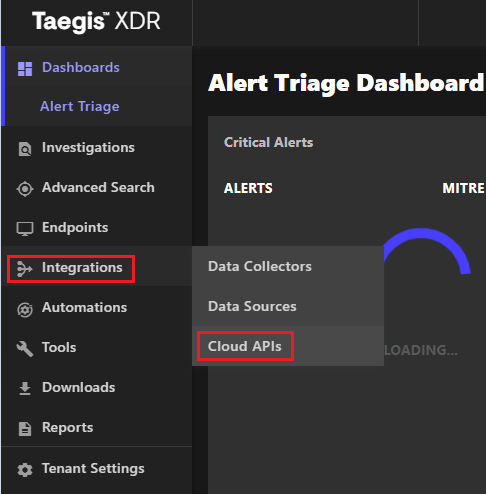
- Select Integrations on the left pane, and then select Cloud APIs.
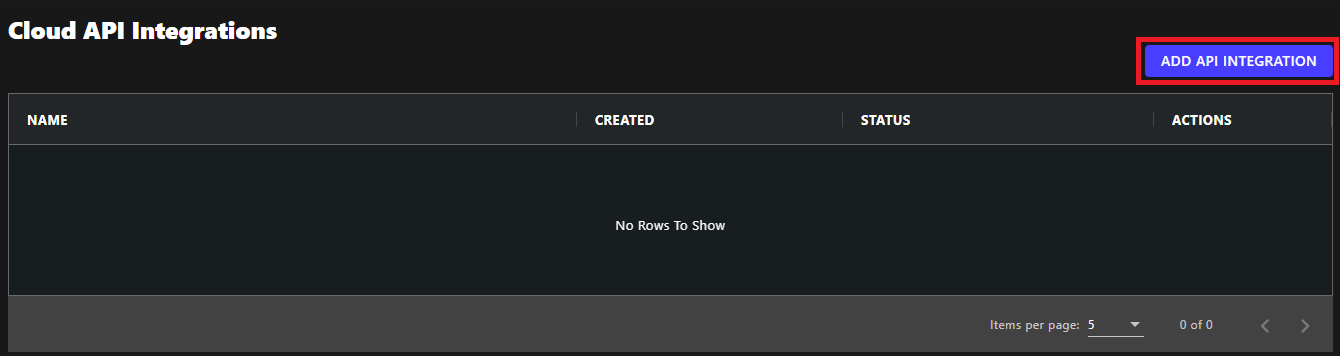
- Select Add API Integration in the upper right.
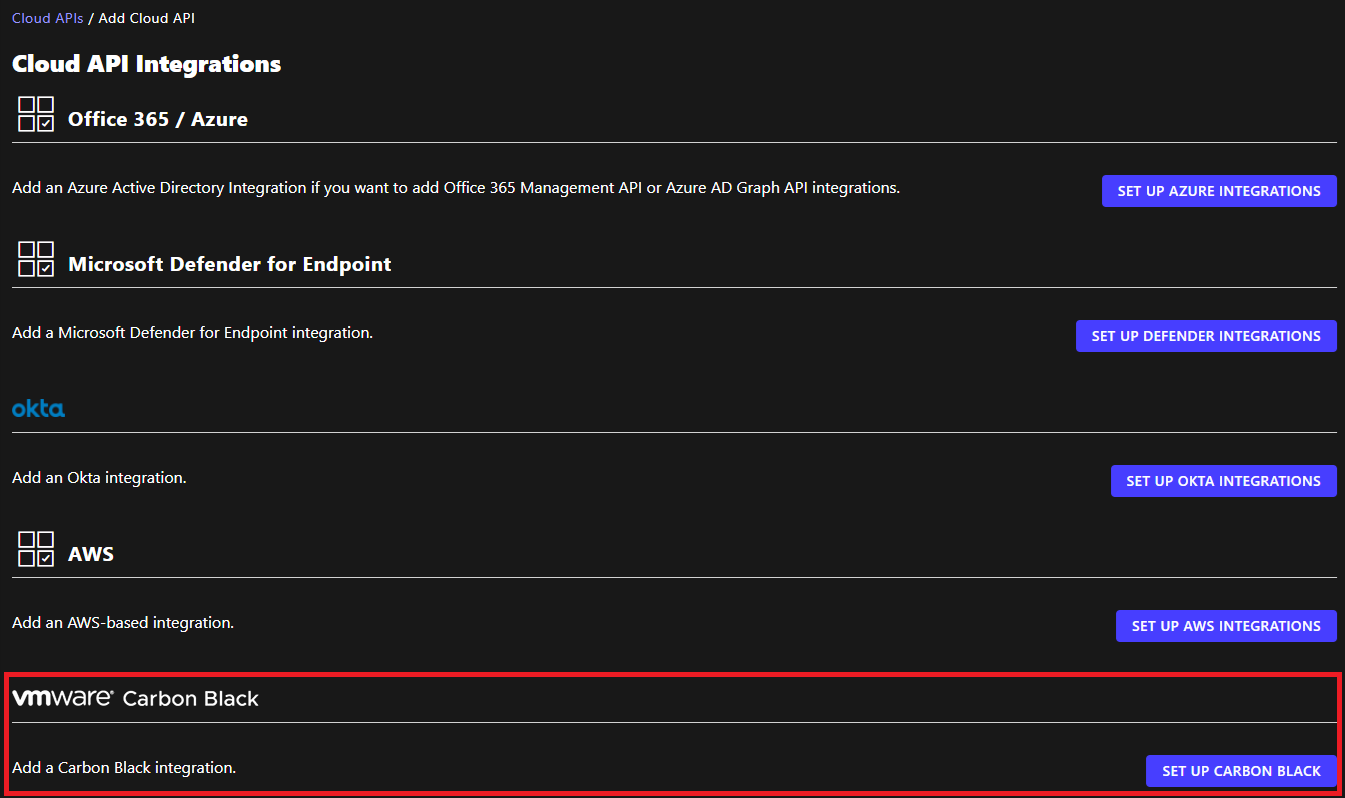
- Scroll to the bottom of the page and then select Set up Carbon Black.
- From the Set up Carbon Black menu:
- Select the Environment.
- Populate the Org Key.
- Populate the API ID.
- Populate the API Secret Key.
- Click Done.
 Note:
Note:- Environment: This outlines the specific login URL that is used for the Carbon Black environment to be used for communication:
Prod01- used for legacy Carbon Black customers in North AmericaProd02- used for legacy Carbon Black customers in North AmericaProd05- used for current and new Carbon Black customers in North America
- Org Key: Organizational identifier for the Carbon Black environment
- API ID: Administrator-generated token that links to a specific API provided by Carbon Black
- API Secret Key: Console-generated token that links to a specific API provided by Carbon Black, created with the API ID
- Once complete, the Cloud API Integrations show a Status of Healthy. This denotes that the connection is in a good state. This completes the integration, and all data should be flowing from endpoints.
 Note: Any issues with the connection update the Status to an Error status.
To contact support, reference Dell Data Security International Support Phone Numbers.
Go to TechDirect to generate a technical support request online.
For additional insights and resources, join the Dell Security Community Forum.