Windows Hello面部识别功能可能无法在配备 MIPI 摄像头的戴尔计算机上运行
Summary: 以下文章提供有关解决 Windows Hello 面部识别错误的信息。运行 Windows 10 或 Windows 11 22H1 及更低版本操作系统的计算机可能无法找到移动行业处理器接口 (MIPI) 摄像头。
This article applies to
This article does not apply to
This article is not tied to any specific product.
Not all product versions are identified in this article.
Symptoms
Windows 10 和 Windows 11 操作系统版本 22H1 及更早版本可能存在 MIPI 摄像头检测问题
任何拥有运行 Windows 10 或 Windows 11 22H1 操作系统(或更早版本)的计算机的人都可能会发现 Windows Hello 面部识别无法正常工作。如果您使用 MIPI 摄像头,则登录 选项 下的设置中会显示以下错误消息:
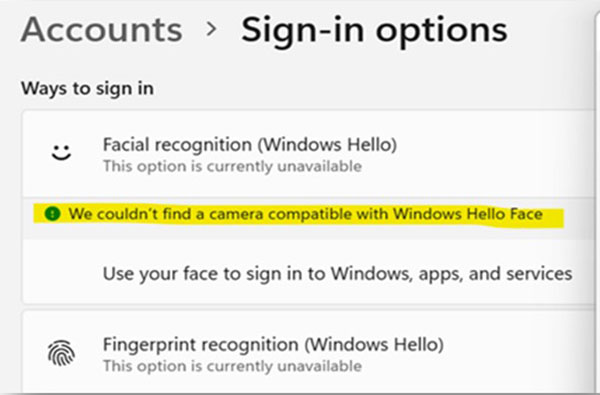
We couldn't find a camera compatible with Windows Hello Face
Cause
这些版本的 Windows 操作系统不支持 MIPI 摄像头上的 ESS(增强的登录安全性)。这些版本的 Windows 中的 ESS 仅支持 USB 连接的红外 (IR) 摄像头。
有关详细信息,请参阅以下 Microsoft 文章:

Resolution
您可以通过将计算机操作系统更新到 Windows 11 (22H2) 或更高版本来解决此错误。Windows Hello 面部识别可与 MIPI 摄像头配合使用,因为 ESS 现在在最新版本的 Windows 中默认启用。
有关将您的 Windows 版本更新到 Windows 11 最新版本的更多信息,请参阅以下 Microsoft 文章:
Affected Products
Latitude 7350, Latitude 7350 Detachable, Latitude 7450, Latitude 9450 2-in-1, Latitude 7650, Precision 5490, Mobile Precision 5690, XPS 13 9340, XPS 14 9440, XPS 16 9640Article Properties
Article Number: 000225822
Article Type: Solution
Last Modified: 21 Aug 2024
Version: 2
Find answers to your questions from other Dell users
Support Services
Check if your device is covered by Support Services.