NVP vProxy: NetWorker vProxy fails network configuration
Summary: The vProxy appliance is deployed with a static IPv4 address that never appears on the VM and does not respond; wickedd reports duplicate‑IP errors because the address is in use on the network. ...
This article applies to
This article does not apply to
This article is not tied to any specific product.
Not all product versions are identified in this article.
Symptoms
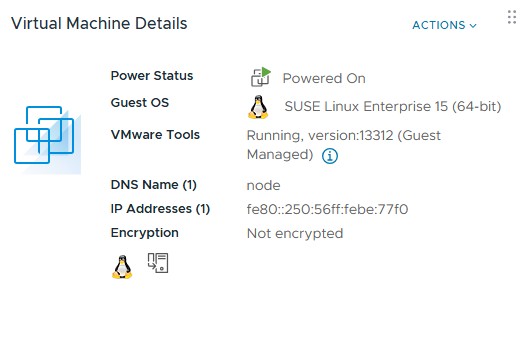
vProxy OVF is deployed with a specified IPv4 address but the deployed VM does not show the address and does not respond on the network to that address.
ip a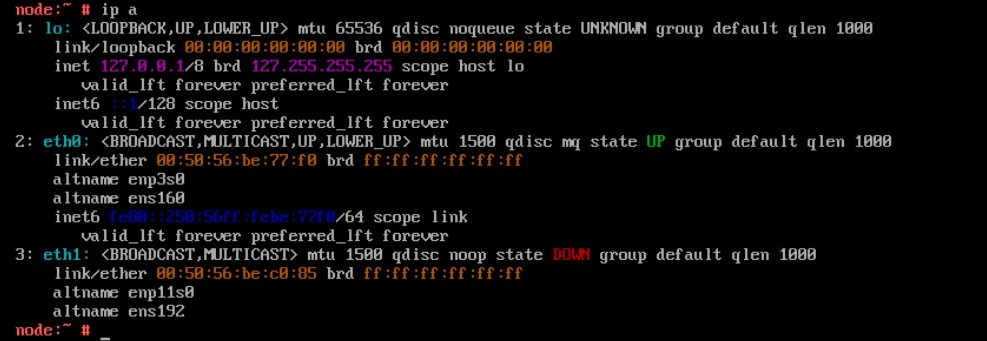
Reconfiguring the network parameters using the config_network.sh script fails to apply the static IPv4 address
/opt/emc/vproxy/bin/config_network.sh <Interface> <FQDN> <IP Address> <Netmask> <Gateway> <DNS List (comma separated)>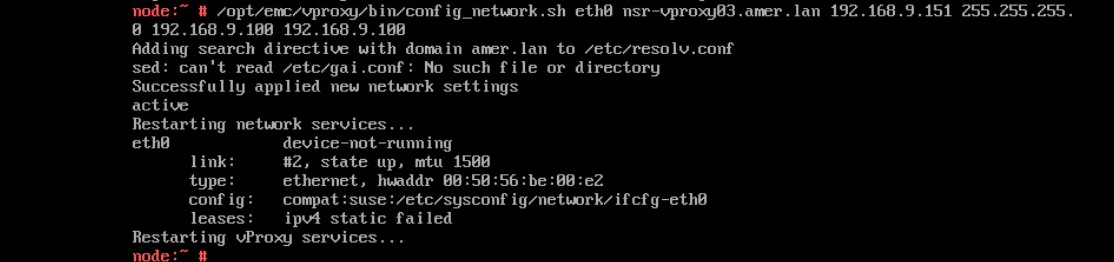
Status of the wickedd service shows duplicate IP address errors.
systemctl status wickedd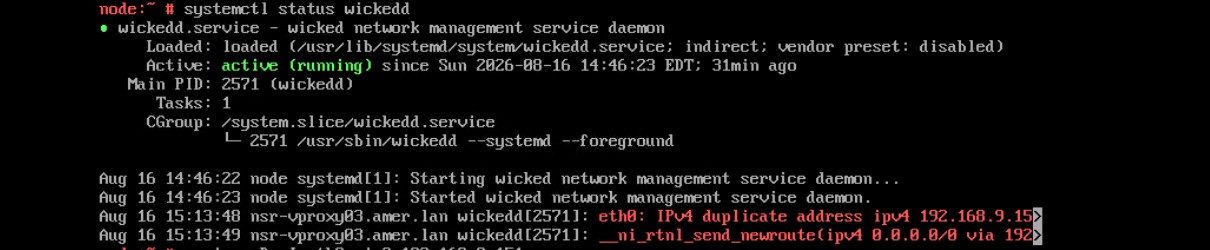
Cause
Resolution
Find a new unique address and use the following command to assign the new IP address.
- Log in to the vProxy and elevate to root.
- Run the following command.
/opt/emc/vproxy/bin/config_network.sh <Interface> <FQDN> <IP Address> <Netmask> <Gateway> <DNS List (comma separated)>*For more information, see NVP vProxy: How to Manually Change the vProxy Appliance Network Interface Settings
Affected Products
NetWorkerArticle Properties
Article Number: 000499204
Article Type: Solution
Last Modified: 17 Aug 2026
Version: 1
Find answers to your questions from other Dell users
Support Services
Check if your device is covered by Support Services.