Toegang tot PowerProtect DD System Manager (DDSM) en Data Domain Management Server (DDMC) mislukt met AD-authenticatie
Summary: Toegang tot PowerProtect DD System Manager (DDSM) en Data Domain Management Server (DDMC) mislukt met AD-authenticatie
This article applies to
This article does not apply to
This article is not tied to any specific product.
Not all product versions are identified in this article.
Symptoms
De Data Domain-appliance is geconfigureerd in de omgeving met Windows Active Directory Access Management. De PowerProtect DD System Manager (DDSM) en Data Domain Management Server (DDMC) authenticatie werkt succesvol met lokale gebruikers, maar mislukt met Active Directory (AD) gebruikers. Wanneer u een AD-gebruiker gebruikt voor authenticatie, mislukt de DDSM-aanmelding met 'De gebruiker heeft onvoldoende rechten om toegang te krijgen tot DD System Manager'.
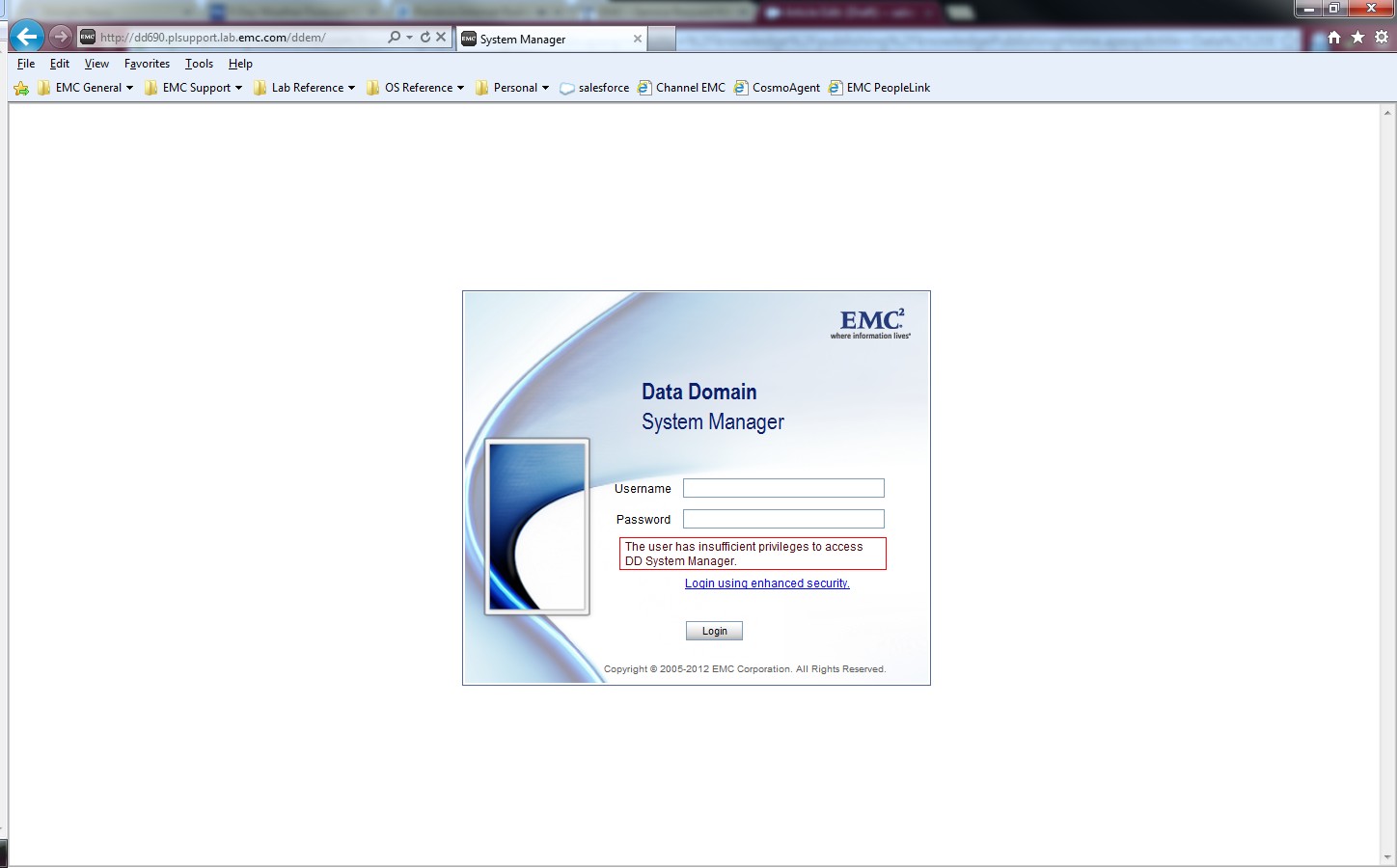
De Windows-authenticatie- en Toegestane groepsinstellingen onder "System Settings > Access Management > Windows" zijn correct geconfigureerd voor de Microsoft Active Directory LDAP. De verificatie voor Data Domain CIFS-shares is geslaagd met AD-gebruikersaccounts.
Error for DDMC:
Error for DDMC:
sms: NOTICE: In session create 5034-the user has insufficient privilegeCause
De adminaccess-verificatie is uitgeschakeld op het Data Domain.
Resolution
Schakel de optie adminaccess-authenticatie in op het Data Domain-systeem om AD-gebruikersauthenticatie met behulp van de DDSM en SSH toe te staan.
sysadmin@MyDataDomain# adminaccess authentication show
CIFS authentication:    disabled
sysadmin@MyDataDomain# adminaccess authentication add cifs
CIFS authentication:    enabled
sysadmin@MyDataDomain# adminaccess authentication show
CIFS authentication:    enabled
De informatie en procedure worden beschreven in het gedeelte "Managing Access Control" van de PowerProtect Data Domain Operating System Administration Guide.
Affected Products
Data DomainProducts
Data DomainArticle Properties
Article Number: 000023929
Article Type: Solution
Last Modified: 30 Mar 2026
Version: 5
Find answers to your questions from other Dell users
Support Services
Check if your device is covered by Support Services.